- Oct 25, 2012
- 336
- 63
- 55
Nostalgia in True HD - Legend of Mir: Hotblood
There was a time when stepping into the world of Legend of Mir felt magical — exploring, battling, and making memories with friends. We were young, and nostalgia now creeps in when we think about it. That was long ago, a time when games, movies, and music were truly great.
I felt that joy again when Conquera was released, and I played it until it eventually closed. When it did, that joy disappeared with it.
But now it’s time. It’s time for a change… a good change. A chance to bring that joy back and create something for us — but most importantly for new players — giving them the opportunity to experience the magic we once did and build their own nostalgia for a game that made us fall in love with it.
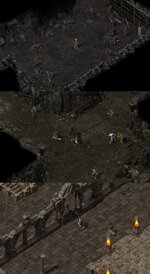
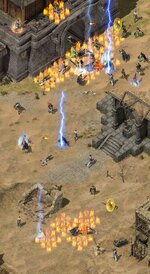
Legend of Mir: Hotblood aims to bring back the feeling we once had when exploring the game for the first time — rebuilding the world we loved to play, this time in true HD.
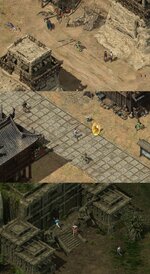
The goal is simple: honor the spirit, challenge, and community of the original Legend of Mir 2, preserving its gameplay and atmosphere as faithfully as possible, but also innovating for a fresh experience. This journey is for everyone, but especially for those who remember the thrill, the adventure, and the friendships of those early days.
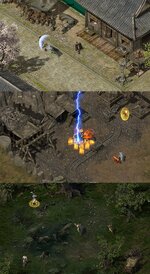
My journey to create a better-quality Legend of Mir started on 2022, I was experimenting with AI to try and create a higher-quality Crystal client. By a strange coincidence, someone else was experimenting with AI on the exact same day for Crystal. Some might call it fate that brought us together.
AI upscaled objects.
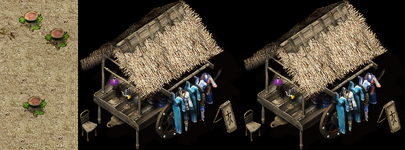
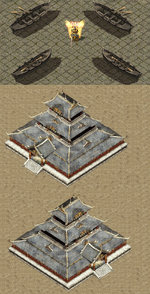
I was also testing applying a horizontal flip (or "mirror" effect) to normal tiles to get more variety of tile objects, but the shadows were in different directions. It looked weird, but that could be fixed with more investigation.
Horizontal flip (or "mirror" effect) Some tiles, like this castle, worked well because they had no directional shadows.
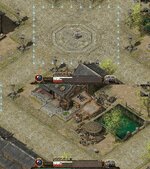
During that time, as we talked and shared ideas and images, I began to see what Mir 2 could become in the future. His work was ahead of mine and far better prepared for this kind of project, so I joined his journey. Over the next few months, progress was visible, and everything looked promising because this time we had something else to play with. No more AI upscaling of the old tiles—this time we had real HD tiles — I truly felt that the project could become something extraordinary.
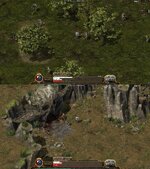
A lot of work went into it from both sides, but then, one day, everything stopped for unknown reasons. I wanted to continue and make that dream a reality, but I couldn’t do it alone; I needed his knowledge. For a few years, that dream felt broken… until today.
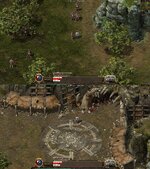
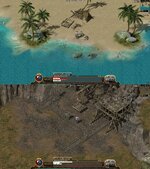
At that time, as a father to a one-year-old, a loving husband, and someone facing personal challenges, I had to spend most of my time with my family outside of work. I couldn’t dedicate much time to the project, but in the little spare time I had, I tried to learn and reclaim what had once been lost. Step by step, I managed to recover some of the progress — even though the original source that ran the project was gone.
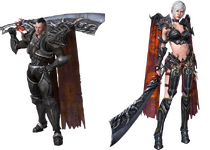
Each step brings us closer to our goal: a game that feels just like the one we fell in love with, but sharper, smoother, and ready for a new generation of players.
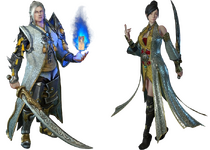
And this is only the beginning. With your support, ideas, and participation, we can push this dream further and make Legend of Mir: Hotblood a reality for everyone.
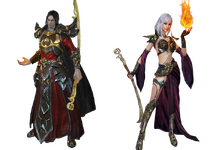
Progress may be small — just baby steps for now — but here’s what I’ve accomplished so far. And with this, I invite you to join me and help turn this dream into reality!
I’m looking to join forces with the right people who share the same ideas and dreams for Legend of Mir, because this is not a one-person task. LOMCN it is — and it will be, I believe, the most important place for the Legend of Mir community!
Everything you see below was recovered from what was once lost, using the fragments I still had, with the hope that one day I could learn enough to try and finish what we had started.
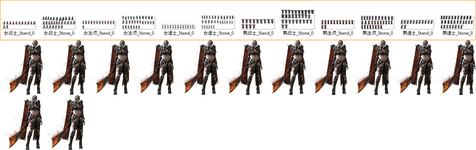
The most up-to-date client available for the assets. I believe this was the hardest part at the time, because it took me a lot of effort and time to get our hands on it, and in the end it was not cheap. This was actually the first and most important step — having access to the assets from the most up-to-date client.

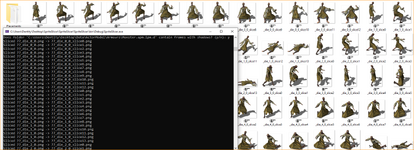
Exported client asset resources.
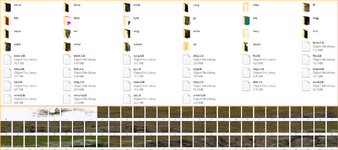
Sorted the .lib files for the maps. The maps are very beautiful and come with animations such as flowing water, moving objects like flags, signs, or hanging lanterns. There is also mist, falling debris, and many other effects around caves and dungeons. Some videos are provided below for reference.
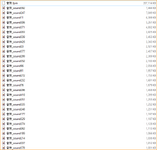
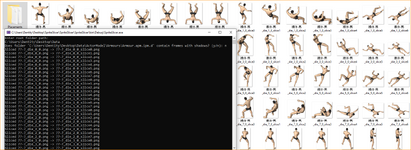
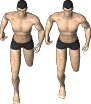
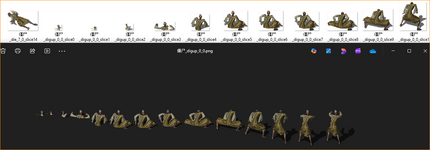
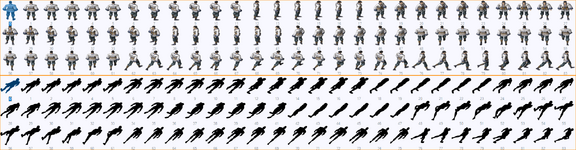
A few .lib files for ActorModel\Armours (armours and shadows are stored in separate .lib files).
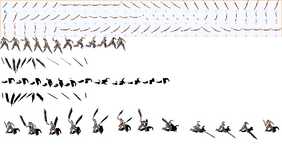
One .lib file for ActorModel\Weapons (weapons don’t have shadows, but I experimented a bit with Adobe Illustrator. With someone experienced, we could also create proper shadows for the weapons).
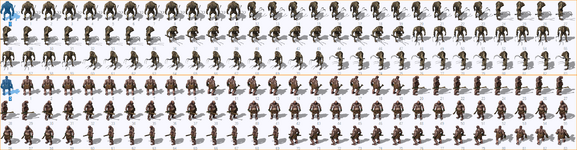
A few .lib files for ActorModel\Monster (monsters and NPCs include shadows in the same image).
CODE:
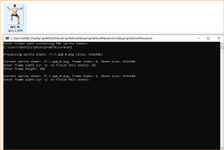
I’ve managed to recover the code and now have working sources for both the MapEditor and the LibraryEditor, which is very important because the MapEditor renders the HD maps and can also be used for the client part. Since my time is still limited and I can’t dedicate a lot of time to the project, progress will be slow, but I am now at the stage where I can tackle the most difficult part: the client code.
I am not a professional coder. I’m simply an explorer who is learning and trying to use every resource possible in the little free time that I have to recover what can still be saved, and then properly learn how to use it to port everything to today’s Crystal source.
P.S. When something real is lost, it never truly dies. Thank you for reading about the project and supporting the idea. More updates will come soon as progress continues.
There was a time when stepping into the world of Legend of Mir felt magical — exploring, battling, and making memories with friends. We were young, and nostalgia now creeps in when we think about it. That was long ago, a time when games, movies, and music were truly great.
I felt that joy again when Conquera was released, and I played it until it eventually closed. When it did, that joy disappeared with it.
But now it’s time. It’s time for a change… a good change. A chance to bring that joy back and create something for us — but most importantly for new players — giving them the opportunity to experience the magic we once did and build their own nostalgia for a game that made us fall in love with it.
Legend of Mir: Hotblood aims to bring back the feeling we once had when exploring the game for the first time — rebuilding the world we loved to play, this time in true HD.
The goal is simple: honor the spirit, challenge, and community of the original Legend of Mir 2, preserving its gameplay and atmosphere as faithfully as possible, but also innovating for a fresh experience. This journey is for everyone, but especially for those who remember the thrill, the adventure, and the friendships of those early days.
My journey to create a better-quality Legend of Mir started on 2022, I was experimenting with AI to try and create a higher-quality Crystal client. By a strange coincidence, someone else was experimenting with AI on the exact same day for Crystal. Some might call it fate that brought us together.
AI upscaled objects.
I was also testing applying a horizontal flip (or "mirror" effect) to normal tiles to get more variety of tile objects, but the shadows were in different directions. It looked weird, but that could be fixed with more investigation.
Horizontal flip (or "mirror" effect) Some tiles, like this castle, worked well because they had no directional shadows.
During that time, as we talked and shared ideas and images, I began to see what Mir 2 could become in the future. His work was ahead of mine and far better prepared for this kind of project, so I joined his journey. Over the next few months, progress was visible, and everything looked promising because this time we had something else to play with. No more AI upscaling of the old tiles—this time we had real HD tiles — I truly felt that the project could become something extraordinary.
A lot of work went into it from both sides, but then, one day, everything stopped for unknown reasons. I wanted to continue and make that dream a reality, but I couldn’t do it alone; I needed his knowledge. For a few years, that dream felt broken… until today.
At that time, as a father to a one-year-old, a loving husband, and someone facing personal challenges, I had to spend most of my time with my family outside of work. I couldn’t dedicate much time to the project, but in the little spare time I had, I tried to learn and reclaim what had once been lost. Step by step, I managed to recover some of the progress — even though the original source that ran the project was gone.
Each step brings us closer to our goal: a game that feels just like the one we fell in love with, but sharper, smoother, and ready for a new generation of players.
And this is only the beginning. With your support, ideas, and participation, we can push this dream further and make Legend of Mir: Hotblood a reality for everyone.
Progress may be small — just baby steps for now — but here’s what I’ve accomplished so far. And with this, I invite you to join me and help turn this dream into reality!
I’m looking to join forces with the right people who share the same ideas and dreams for Legend of Mir, because this is not a one-person task. LOMCN it is — and it will be, I believe, the most important place for the Legend of Mir community!
Everything you see below was recovered from what was once lost, using the fragments I still had, with the hope that one day I could learn enough to try and finish what we had started.
The most up-to-date client available for the assets. I believe this was the hardest part at the time, because it took me a lot of effort and time to get our hands on it, and in the end it was not cheap. This was actually the first and most important step — having access to the assets from the most up-to-date client.
Exported client asset resources.
Sorted the .lib files for the maps. The maps are very beautiful and come with animations such as flowing water, moving objects like flags, signs, or hanging lanterns. There is also mist, falling debris, and many other effects around caves and dungeons. Some videos are provided below for reference.
A few .lib files for ActorModel\Armours (armours and shadows are stored in separate .lib files).
One .lib file for ActorModel\Weapons (weapons don’t have shadows, but I experimented a bit with Adobe Illustrator. With someone experienced, we could also create proper shadows for the weapons).
A few .lib files for ActorModel\Monster (monsters and NPCs include shadows in the same image).
CODE:
I’ve managed to recover the code and now have working sources for both the MapEditor and the LibraryEditor, which is very important because the MapEditor renders the HD maps and can also be used for the client part. Since my time is still limited and I can’t dedicate a lot of time to the project, progress will be slow, but I am now at the stage where I can tackle the most difficult part: the client code.
I am not a professional coder. I’m simply an explorer who is learning and trying to use every resource possible in the little free time that I have to recover what can still be saved, and then properly learn how to use it to port everything to today’s Crystal source.
P.S. When something real is lost, it never truly dies. Thank you for reading about the project and supporting the idea. More updates will come soon as progress continues.
Last edited: