

Game Interface
Game Mode Selection
The game mode can be set using the following two buttons.Select Plot/Kill Monsters to Upgrade. image missing :( Select mode 1, enter the story mode, and play the game according to the mission prompts of Marfa Legend
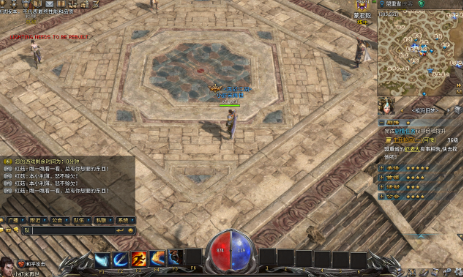
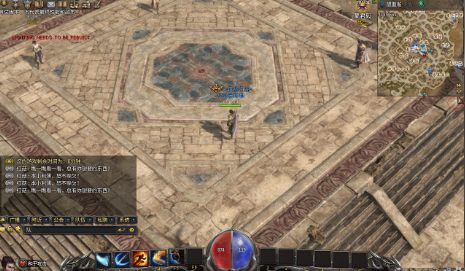
Select mode 2 to enter the classic mode, where you can fight monsters freely and start your legendary upgrade journey
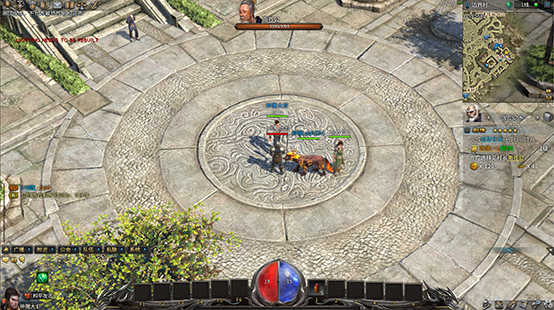
Character information area
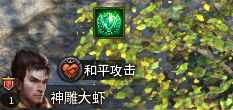
View the current character's portrait, name, level, mode and other information.
Chat and system information area
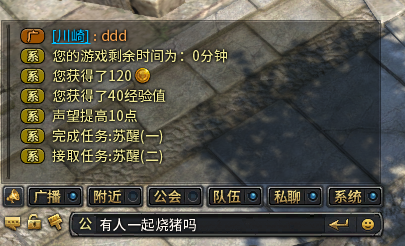
Displays current chat information and system information with other players in the game.In the upper part of the chat window, you can select the channel to speak to and enter the content of your speech.
Function button area
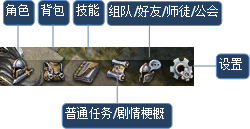
Secondary button area
You can view leaderboards, achievements, Marfa legends, emails, know-it-alls, schedules, sign-ins and other information.
Lock target information area
Displays the selected target's portrait, name, health and other information.
Information prompt area
Displays some important personal reminder information and system notifications.
Minimap
You can view the current position and coordinates of the game character, as well as the distribution of surrounding monsters and NPCs.
Marfa Legend
You can view task tracking, as well as tracking information for other activities or behaviors.
Item Bar/Skill Bar
You can place skills or consumable items for quick use.
Blood energy zone
You can view the character's current health and energy consumption.
Experience Bar
Displays the character's current experience gain.
