

To those who d/l the full client from dropbox

Play Now

Koriban

Addict
Legendary
Loyal Member
Aug 18, 2006
5,842
215
260
Brighton
You may get an unhandled exception error when running the client.

Just copy across the following files from the autopatcher d/l folder into the full client folder and the client will run just fine:

Client.exe.config
Client.pdb
Keybinds
Mir2Config
WpfCustomControlLibrary.dll
WpfCustomControlLibrary.pdb

Do this and you'll now be as far as everyone else, stuck at the loading gates.
 

Sovereign

Krootox
Dedicated Member
Jul 11, 2007
58
8
35
Kent
I'm a complete n00b when it comes to all this, so I've downloaded the "OfficialAutoPatcher"(.rar) unzipped it to my C: drive then made a new folder called Apocalypse, then like many others the autopatcher wont work, now I'm downloading the full client to my downloads, (its like 8.2gig) what do I do when this download is complete?, thanks in advance!
 

meijiz

Banned
Banned
May 17, 2017
229
0
28
the problem right now is keep showing cannot get the patch info, plus the patcher screen is completely blank, isnt showing anything
 

Koriban

Addict
Legendary
Loyal Member
Aug 18, 2006
5,842
215
260
Brighton
Koriban is the transfer window open for forum mods? My pms are going crazy. :P

You can ask one of the Admins to have me manage this section if you'd like, much like how I can manage the Zircon section. Tai will never give me an actual Mod role as he's afraid i'll usurp him :encouragement:

I live on these forums, so do as you please. I warn you I rule with an iron thumb.

---------- Post Merged at 09:12 PM ---------- Previous Post was at 09:10 PM ----------

the problem right now is keep showing cannot get the patch info, plus the patcher screen is completely blank, isnt showing anything

Download:

http://apocalypsemir.com/OfficialAutoPatcher.rar into a seperate folder

https://www.dropbox.com/s/hgsm3d1oum408o4/Apocalypse Client.rar?dl=0 and this into a seperate folder.

Then do as I stated in the opening post, and take the needed files from the top one, into the bottom one.
 

deano13

Golden Oldie
Golden Oldie
Oct 31, 2004
2,514
229
250
London, England
Ok so I downloaded the full client, move the OPs listed files into the new folder with the full client, and I’m still getting the patcher issue?
 

Koriban

Addict
Legendary
Loyal Member
Aug 18, 2006
5,842
215
260
Brighton
Ok so I downloaded the full client, move the OPs listed files into the new folder with the full client, and I’m still getting the patcher issue?

This is fine, because the patcher isn't working yet. You will notice you'll now be able to get in after you click play, and it'll take you to the login gate.
 

meijiz

Banned
Banned
May 17, 2017
229
0
28
You can ask one of the Admins to have me manage this section if you'd like, much like how I can manage the Zircon section. Tai will never give me an actual Mod role as he's afraid i'll usurp him :encouragement:

I live on these forums, so do as you please. I warn you I rule with an iron thumb.

---------- Post Merged at 09:12 PM ---------- Previous Post was at 09:10 PM ----------


Download:

http://apocalypsemir.com/OfficialAutoPatcher.rar into a seperate folder

https://www.dropbox.com/s/hgsm3d1oum408o4/Apocalypse Client.rar?dl=0 and this into a seperate folder.

Then do as I stated in the opening post, and take the needed files from the top one, into the bottom one.

Already did as what u have mentioned above, and the patcher screen finally showed up instead of the error, the problem right now is im keep receiving the pop up window says " cannot get patch info" and the patcher window suppose to show the launch time etc, instead is just completely white/blank, is it just me or other people having the same issue?
 

Sanjian

Just a Mir2 Fan
Veteran
Apr 28, 2011
4,028
5
2,200
390
East Sussex
you will all get the patcher issue at this time.

no ones has an advantage as no one can log in and make an account because the mir2config file isnt updated and doesnt have the servers ip in it :)

this will be fixed once the guys behind the server fix the patcher issue
 

Koriban

Addict
Legendary
Loyal Member
Aug 18, 2006
5,842
215
260
Brighton
Already did as what u have mentioned above, and the patcher screen finally showed up instead of the error, the problem right now is im keep receiving the pop up window says " cannot get patch info" and the patcher window suppose to show the launch time etc, instead is just completely white/blank, is it just me or other people having the same issue?

Does it let you click "Play" and will it run the client? That's all that really matters at this point.

If not you've somehow screwed your mirconfig settings, perhaps you tried to copy the wrong files across or something.

should look like this:

[Launcher]
Enabled=True
Host=ftp://home754336087.1and1-data.host/Client/
PatchFile=PList.gz
NeedLogin=True
Login=u94930363-Patcher
AutoStart=False
ServerName=
Browser=http://ApocalypseMir.com/notes.html

At the very bottom of Mir2Config
 

Malski

Loyal Member
Loyal Member
Aug 10, 2014
39
0
32
So should it just say "Could not get patch information" then allow you to press play, get to gates and keep attempting to enter?

---------- Post Merged at 09:21 PM ---------- Previous Post was at 09:20 PM ----------

Nevermind, As I posted that, I got the answer from other people's questions! -.-
 

Abdozaki

LOMCN Veteran
Veteran
Jan 22, 2013
265
64
55
Idek?
You may get an unhandled exception error when running the client.

Just copy across the following files from the autopatcher d/l folder into the full client folder and the client will run just fine:

Client.exe.config
Client.pdb
Keybinds
Mir2Config
WpfCustomControlLibrary.dll
WpfCustomControlLibrary.pdb

Do this and you'll now be as far as everyone else, stuck at the loading gates.
You deserve a big Carrot,safe.
 

MoarBlake

LOMCN n00bie
Sep 12, 2018
5
0
12
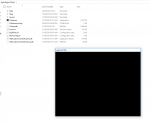
I have downloaded via Dropbox and copied across the files as per the instructions, when loading the game I get a black screen (screen capture below). Is this to be expected? I was expecting to be able to register etc?

Capture.PNG