- Sep 3, 2016
- 64
- 26
- 45
Hello everyone!
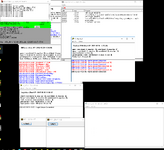
Today I will share mir3x with you, which was repaired by mysterious game experts to ensure its normal operation and entry into the gaming experience. Thank you to them; The version content and features, like MIR3GSP, still require numerous game experts to continue fixing, hoping to see it become perfect one day
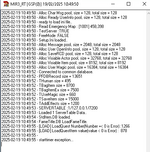
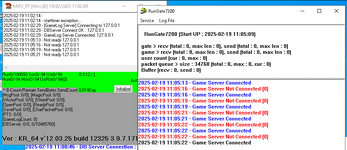
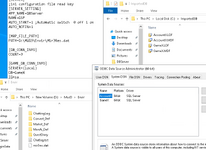
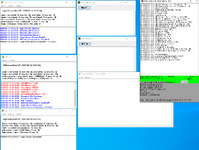
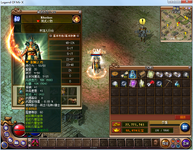
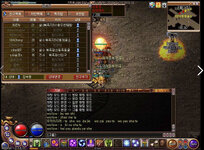
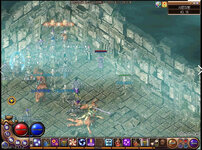
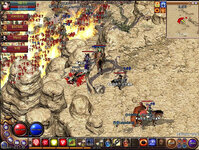
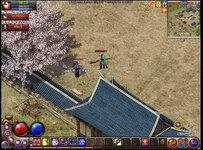
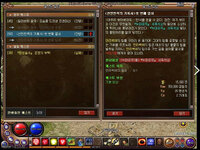
Here are some pictures of mir3x, which are very beautiful:
mir3xserver Download link https://drive.google.com/file/d/11R8qyhzcwBY2j_h6brSnEnltqiTn0dK7/view?usp=sharing | Mirror
mir3xLogin Download link https://drive.google.com/file/d/1UNgnRA-k8iTvTxoNcvWvvpoKo_17jhqu/view?usp=sharing | Mirror
UPDATE mir3xClient Download link http://mirfiles.co.uk/resources/mir3/clients/MirX_install_2012.rar
UPDATE Fixed mir3x database https://drive.google.com/file/d/1dt2Xvv5X5RzVIJdbvBI_npvuugogKBh5/view?usp=sharing | Mirror
UPDATE quick start https://drive.google.com/file/d/1UoennJ5JV0ziFbxBKLwxIYBEoiuI96Hx/view?usp=sharing | Mirror
UPDATE MirX_MasterServer_Source https://www.mediafire.com/file/mdguxagdpke16fu/MirX_MasterServer_Source_Code.rar/file
1. Extract mud3 to the "D" drive;
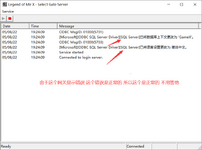
2. Download and update the uploaded repair database, install the MSSQL2014 database, restore the game database, and configure the ODBC data source;
3: File path "D: \ MUD3 \ Setup \ Setup. ini" Change the server name "ServerName=GSP" to "ServerName=mirx"
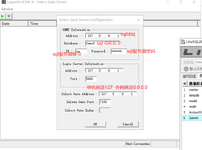
4. Find all non 127.0.0.1 IP addresses and change them to 127.0.0.1
5. Start the program in the following order:
D:\MUD3\Mir3Server\LoginServer\LoginServer.exe
D:\MUD3\Mir3Server\DBServer\DBServer.exe
D:\MUD3\Mir3Server\LoginGate\Gate_Login.exe
D:\MUD3\Mir3Server\监听\MASTER监听\MirX主服务器监听.exe
D:\MUD3\Mir3Server\监听\PTS监听\MirXPTS监听.exe
D:\MUD3\Mir3Server\监听\GameLog Server监听\GameLog.exe
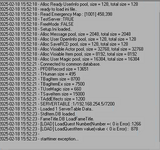
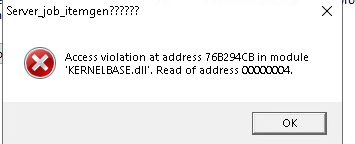
D:\MUD3\Server_JOB_ItemGen修复圣诞老人.exe
D:\MUD3\Mir3Server\SelGate\SelGate.exe
D:\MUD3\Mir3Server\rungate7200\Gate_Run.exe
6. Log in to the game and have fun playing; Test account: q123123 Password: 123123
Today I will share mir3x with you, which was repaired by mysterious game experts to ensure its normal operation and entry into the gaming experience. Thank you to them; The version content and features, like MIR3GSP, still require numerous game experts to continue fixing, hoping to see it become perfect one day
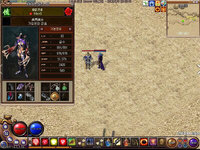
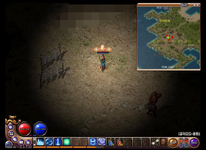
Here are some pictures of mir3x, which are very beautiful:
mir3xserver Download link https://drive.google.com/file/d/11R8qyhzcwBY2j_h6brSnEnltqiTn0dK7/view?usp=sharing | Mirror
mir3xLogin Download link https://drive.google.com/file/d/1UNgnRA-k8iTvTxoNcvWvvpoKo_17jhqu/view?usp=sharing | Mirror
UPDATE mir3xClient Download link http://mirfiles.co.uk/resources/mir3/clients/MirX_install_2012.rar
UPDATE Fixed mir3x database https://drive.google.com/file/d/1dt2Xvv5X5RzVIJdbvBI_npvuugogKBh5/view?usp=sharing | Mirror
UPDATE quick start https://drive.google.com/file/d/1UoennJ5JV0ziFbxBKLwxIYBEoiuI96Hx/view?usp=sharing | Mirror
UPDATE MirX_MasterServer_Source https://www.mediafire.com/file/mdguxagdpke16fu/MirX_MasterServer_Source_Code.rar/file
1. Extract mud3 to the "D" drive;
2. Download and update the uploaded repair database, install the MSSQL2014 database, restore the game database, and configure the ODBC data source;
3: File path "D: \ MUD3 \ Setup \ Setup. ini" Change the server name "ServerName=GSP" to "ServerName=mirx"
4. Find all non 127.0.0.1 IP addresses and change them to 127.0.0.1
5. Start the program in the following order:
D:\MUD3\Mir3Server\LoginServer\LoginServer.exe
D:\MUD3\Mir3Server\DBServer\DBServer.exe
D:\MUD3\Mir3Server\LoginGate\Gate_Login.exe
D:\MUD3\Mir3Server\监听\MASTER监听\MirX主服务器监听.exe
D:\MUD3\Mir3Server\监听\PTS监听\MirXPTS监听.exe
D:\MUD3\Mir3Server\监听\GameLog Server监听\GameLog.exe
D:\MUD3\Server_JOB_ItemGen修复圣诞老人.exe
D:\MUD3\Mir3Server\SelGate\SelGate.exe
D:\MUD3\Mir3Server\rungate7200\Gate_Run.exe
6. Log in to the game and have fun playing; Test account: q123123 Password: 123123
Attachments
Last edited: