Request AI Image adjustment

Play Now

Far

tinmymouthpl0x
Staff member
Administrator
May 19, 2003
20,683
33
3,286
520
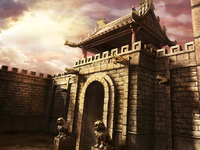
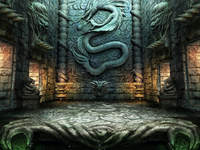
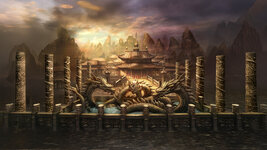
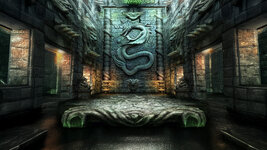
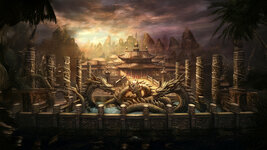
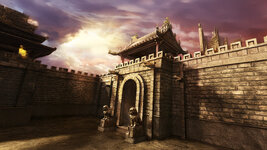
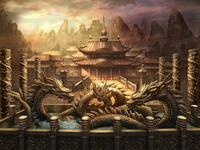
It's always annoyed me that even though you can go in game at higher resolutions than 1024x768, when you login / char select you're still always limited because thats all the background image offers.

I'm sure there are some AI image experts out there - it would be cool if these 3 images could all be extended to be a bigger resolution (1920x1080 ideally), but not just upscaled - the original size kept, but the image just extended further in all directions so it shows more.

Whenever I try it using AI it generally loses all the original detail.
 

Attachments
  • 20.png
    20.png
    913.2 KB · Views: 61
  • 21.png
    21.png
    938 KB · Views: 62
  • 50.png
    50.png
    1,006.2 KB · Views: 63
Last edited:
  • Like
Reactions: trancefied

Far

tinmymouthpl0x
Staff member
Administrator
May 19, 2003
20,683
33
3,286
520
Would upscaling the images be better and have the client itself resize based off the resolution being used?
I think upscaling makes it look worse unless you're also upscaling the entire UI along with it (especially the 3rd image for character selection, as the characters would also all need upscaling) - so i wanted to see how it could look if the images were extended
 
  • Like
Reactions: Jev

Breezer

Legend
Legendary
Jul 16, 2004
3,684
845
345
better off using Python directly and twatting the images with some Real-Esrgan
 

knives

100% Hyphonix
Golden Oldie
Aug 3, 2004
797
35
165
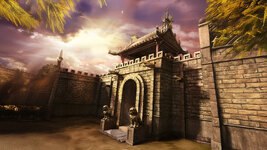
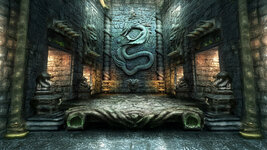
I can never seem to get AI to extend pictures very well but I agree with the stairs it has added
its easy with photoshop, use crop tool to extend the canvas to the desired size, then use the generative expand tool, this was how i did the above, you can also use the lasso tool to select small specific selections to edit and modify instead of the whole image regenerating

work does have some perks with access to these tools XD

Post automatically merged:

some alternatives trying to keep in with the original feel
 

Attachments

  • 1R2.jpg
    1R2.jpg
    576.7 KB · Views: 34
  • 2R2.jpg
    2R2.jpg
    632.5 KB · Views: 30
  • 3R2.jpg
    3R2.jpg
    765.1 KB · Views: 33
Last edited:
  • Like
Reactions: Tai

Far

tinmymouthpl0x
Staff member
Administrator
May 19, 2003
20,683
33
3,286
520
They're alot better than the results i got thanks. However I knocked the idea on the head in the end because the animations get cut off at the edges still, some of the scenes have flags and light rays which look a bit odd.

Will give those images a try in game though and show the results
 
  • Like
Reactions: Jev and knives

Far

tinmymouthpl0x
Staff member
Administrator
May 19, 2003
20,683
33
3,286
520
05XoJdm.jpeg


qWh6uui.jpeg


the login looks okay if you don't look at the flags, but the select screen has a light overlay. I guess you could extend all those animations too, not sure how easy it would be to reliably extend the flags with all frames though.
 

mir2pion

TL;DR
Veteran
Feb 21, 2013
3,591
2
679
265
some of the scenes have flags and light rays which look a bit odd

And the dragon bathing in the pool is not odd? :LOL:

Why don't flags go together with light rays? OK I noticed the transparent overlay but it looks good, if I'd seen it without your pointing it out, I'd have thought it was intentional.
 

Breezer

Legend
Legendary
Jul 16, 2004
3,684
845
345
Turn the animation for the light rays into a video and upscale it , then export the frames
 

Far

tinmymouthpl0x
Staff member
Administrator
May 19, 2003
20,683
33
3,286
520
Upscaling wouldn't work as it has animations relative to the player and background. My screen doesnt really show it.
 

Breezer

Legend
Legendary
Jul 16, 2004
3,684
845
345
Upscaling wouldn't work as it has animations relative to the player and background. My screen doesnt really show it.
Understood, you need to extend not upscale.

that can be done too