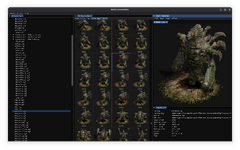
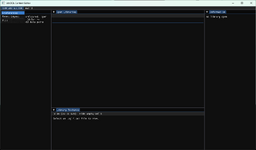
On first load there are no layout preset, this will be fixed in a later release.
There is a default layout though, which can be set by: click 'CONTENT EDITOR' then 'Reset Layout'
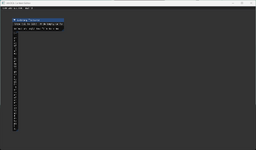
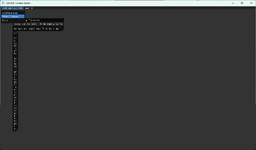
You are free to adjust the panels as you see fit and the layout will save for future sessions.
There is a default layout though, which can be set by: click 'CONTENT EDITOR' then 'Reset Layout'
You are free to adjust the panels as you see fit and the layout will save for future sessions.
For immediate access to files, this tool presents a whole folder, or multiple data folders as a treeview.
To add these folders: click 'CONTENT EDITOR' then 'Preferences'. This will bring up the settings window.
On the left side, click 'Data Paths' then 'Add Data Path'.
Provide the specific data folder a Name and Path, you will have to add this manually for now.
The name will act as a root node for the tree list with the contents listed below.
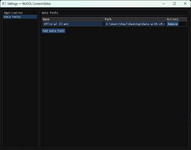
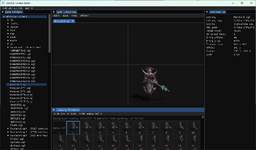
Settings save automatically, so close the settings window and you should see your newly added folder in the 'Data Folders' panel.
To add these folders: click 'CONTENT EDITOR' then 'Preferences'. This will bring up the settings window.
On the left side, click 'Data Paths' then 'Add Data Path'.
Provide the specific data folder a Name and Path, you will have to add this manually for now.
The name will act as a root node for the tree list with the contents listed below.
Settings save automatically, so close the settings window and you should see your newly added folder in the 'Data Folders' panel.
To export an SGL or WPF to a folder just right click it in the 'Data Folders' panel and click the Export option.
To build an SGL or WPF from a folder, use the Build menu item and select the relevant option.
To build an SGL or WPF from a folder, use the Build menu item and select the relevant option.
Attachments
Last edited: