Map editor?

Mu online season 21 - grand opening

hallmat

LOMCN Veteran
Veteran
Feb 19, 2007
555
2
105
I know there is not one avalible but surely we all have enough knowlage of mir 3 now

i was looking into programming with delphi but i dont know where to start and i know nothing about the maps so it would be usless if i tryed so was wondering if everyone got to gether as a COMUNITY and made one

And then relese it to the COMUNITY

or if we can get one that is already about working

Kaori has some on her site but they dont work

Anyway was just a thought
 

idaBigA

Holley Mir 3!!
VIP
Oct 28, 2003
1,969
118
290
Stoke, UK
There is one available in Kaori's files..

You need to use Type 1 data files instead of type 2 ones though.
 

hallmat

LOMCN Veteran
Veteran
Feb 19, 2007
555
2
105
it wont work for me what one is it or is it one of kaori's creations :D
 

hallmat

LOMCN Veteran
Veteran
Feb 19, 2007
555
2
105
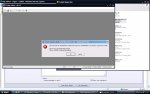
hmmmm this does not work for me i just get the error report thing come up after i click create map

Is there something i am doing wrong or missing?
 

Kaori

LOMCN MiR3 Queen!
VIP
Jun 3, 2004
3,584
38
265
Canada
if you need help, why don't you post some screenshots or tell us what you did... It's much easier to see where you did wrong.
 

hallmat

LOMCN Veteran
Veteran
Feb 19, 2007
555
2
105
Ok so what i do is click on new map and the whole program closes to this

I am wondering if it is because i do not have the tiles?

Where do i get them? i have tryed it on many pc's and still no luck

Hope someone can help me


Many thanks
 

Attachments

  • untitled.JPG
    untitled.JPG
    103.8 KB · Views: 157

Kaori

LOMCN MiR3 Queen!
VIP
Jun 3, 2004
3,584
38
265
Canada
when you open that map editor, it asks you where your DATA folder is.
did you point it to the right one?
did it complain about wix?
did you convert wils to type 1?
 

Coly

LOMCN Developer
Developer
Mar 31, 2005
1,401
36
275
Germany
Ahmm, If you have Work all , you can't save and use atm. I don't have give
the fixet Dlls to Save the Map Correct. You need at last to clear the Header.

@Kaori I pack the DLL in a rar file and send you the Link and you can change
the ColyMapEditor file on your Server :)

Edit : use Job Client Data and Wood Folder and look if all Files Type 1. You can Check this with Kaoris MIMEditor
Edit2 : use Mir3MapEditor.exe NOT EnglishMapEditor2.exe
 
Last edited:

hallmat

LOMCN Veteran
Veteran
Feb 19, 2007
555
2
105
when you open that map editor, it asks you where your DATA folder is.
did you point it to the right one?
did it complain about wix?
did you convert wils to type 1?


It did ask where my data folder was i pointed it to my mir3 client
it complaned about that so i made a new folder in the same directory of the map editor named data and it is still the same


how do i convert the wils to type 1??

Thanks for you help kaori
 

hallmat

LOMCN Veteran
Veteran
Feb 19, 2007
555
2
105
Ahmm, If you have Work all , you can't save and use atm. I don't have give
the fixet Dlls to Save the Map Correct. You need at last to clear the Header.

@Kaori I pack the DLL in a rar file and send you the Link and you can change
the ColyMapEditor file on your Server :)

@Your Problem ^^ looks like you open a not Supportet Map or like Kaori say..
Some Maps you can't open. Only Wood Maps like Bichon or Woomy or Ginko
you can open.


I try to open map 0 thats bichon ans still nothing even if i click new map it wont work it just closes
 

Coly

LOMCN Developer
Developer
Mar 31, 2005
1,401
36
275
Germany
Yes you Problem is you have Type 2 Files (Type2 you find only in 3G Clients)
and here the Full Fix Version from me, never need to Hex-Edit the Map at last.

@Kaori you can Download from here :) I have it made like your File.

Download

Clear all Ini on this Folder and then Open the Mir3MapEditor.exe now a Popup
you see (Ini wrong) and then it open a Explorer, here you search for your
Mir Data Folder and Click on the Data Folder and then you can use the Editor.
(Only WIX/WIL Type1 File you can Use)
 
Last edited:

Coly

LOMCN Developer
Developer
Mar 31, 2005
1,401
36
275
Germany
Download KaoriMIM from Kaoris HP and then Make a new Folder Called Mir3Editor and a new Data and Wood Folder like this :

Mir3Editor/Data/Wood
Wood and all Image File for Maps in the Data Ordner Past to the new Folder.
Now Open KaoriMIM and Klick on the File and then over the Menue Save, then
the Tool Ask for Type (use Mir3 Type 1) and then Wait ^^...
 

hallmat

LOMCN Veteran
Veteran
Feb 19, 2007
555
2
105
Download KaoriMIM from Kaoris HP and then Make a new Folder Called Mir3Editor and a new Data and Wood Folder like this :

Mir3Editor/Data/Wood
Wood and all Image File for Maps in the Data Ordner Past to the new Folder.
Now Open KaoriMIM and Klick on the File and then over the Menue Save, then
the Tool Ask for Type (use Mir3 Type 1) and then Wait ^^...


Thank you coly for all your help and thank you kaori
 

MasterQ

LOMCN Veteran
Veteran
Loyal Member
Aug 6, 2006
462
0
42
London
i dont think i have ever actualy seen a whole brand new map on mir3, just copies or unused maps. do these actualy work? if so will there possible soon be a mir3 map section?
 

hallmat

LOMCN Veteran
Veteran
Feb 19, 2007
555
2
105
i dont think i have ever actualy seen a whole brand new map on mir3, just copies or unused maps. do these actualy work? if so will there possible soon be a mir3 map section?


I can tell you that the map editor works and i have made 2 maps so far took me most of the day but yeah it is very good

Credit to coly for making it work or designing it
 

MasterQ

LOMCN Veteran
Veteran
Loyal Member
Aug 6, 2006
462
0
42
London
I can tell you that the map editor works and i have made 2 maps so far took me most of the day but yeah it is very good

Credit to coly for making it work or designing it
you actualy been running around on the new map?

no problem ^^


mfg Coly

Ive got a problem i do this, and save it as
[Config]
DataDir=C:\Documents and Settings\AA\Desktop\Mir3PServer\Data

But then i keep getting http://www.kalamady.com/MasterQ/Mir3Maps.PNG (And theres more)
 
Last edited:

MasterQ

LOMCN Veteran
Veteran
Loyal Member
Aug 6, 2006
462
0
42
London
did you change them to type 1?
i havent made maps, i do this when trying to dobuel click on the icon that loads it up, also after i do this and it asks me how big i want the map to be i get a windows error (one of them send to microsoft or dont send)