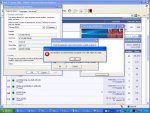
I'v Read all forum help.. i cant get the key to work for 3.55

khnum

Dedicated Member
Dedicated Member
Jul 24, 2006
98
0
32
Hi.. iv put my windows xp disk in.. installed east asian language packs etc etc.. i still cant get the key to work.. its getting annoying now

plz help..
 

Attachments

  • askingkey1.JPG
    askingkey1.JPG
    141.6 KB · Views: 116
  • keything2.JPG
    keything2.JPG
    143.4 KB · Views: 117

Inflikted

LOMCN Veteran
Veteran
Aug 4, 2003
256
7
94
the text should be in chinese characters... not jumbled up fonts. You need to do a system reboot, after you select that language. thats all i can think of.
 
Upvote 0

mapadale

Guest
You need to use the trial reset and remove the arm keys before the 3.55 will work.
 
Upvote 0

viper67

Dedicated Member
Dedicated Member
Mar 31, 2006
126
3
95
looking at your sreeny change regional settings to english(united states) then change advanced to chinese(prc) as you havent showed if you have changed that
 
Upvote 0

mapadale

Guest
looking at your sreeny change regional settings to english(united states) then change advanced to chinese(prc) as you havent showed if you have changed that
If you look its all ready PRC and on the bottom right corner of the screen you will see the letters EN, which also means that has been done.

He needs to remove the armaidilo keys.
 
Upvote 0

mapadale

Guest
just delete armidillopatch to remove?
There is no amidillo patch.

When u use the trial reset you need to select arm keys, theses are encrpyted keys that are hidden in software such as the CD.55 files and need to be deleted before its able to crack the file.
 
Upvote 0

mapadale

Guest
change unicode for programs to chinese prc and apply to all accounts the reboot.
(its located in advance)
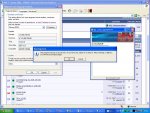
Can you not read or use ur eyes.

As ive pointed out, he all ready has it set to PRC and like ive pointed out yet again. He needs to delete the arm keys befoer being able to proceed.
 
Upvote 0