3.55 files problem

Play Now

budyniowski

Dedicated Member
Dedicated Member
Dec 16, 2007
150
0
43
Warsaw, Poland
Hi I setup all like in ls guide and i have some problems... ;(
All serwer programs is running but i can't make account and run game (using logingate, when i use regserver i have offline mesage)
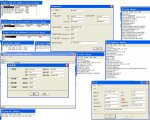
There is screens:
1st:

2nd:


What is wrong? What i must do to play on my server? (other ppl cant make account and join too)

Plz help i have only problems witch 3.55 files, i hope with U'r help I can fix all problems.. ;)


Edit: IMPORTANT- in login gate i have only fast connected-->disconnected message when i run loader. And sorry for my english ;p
 
Last edited:

kyeron

LOMCN Veteran
Veteran
Loyal Member
Sep 28, 2008
296
1
45
timisoara
i got same problem , any1 know's wot to do to make the client stay connected ? im using the euro mir 3 client from kaori's site with the client files from 3.55 srv folder
 
Upvote 0

budyniowski

Dedicated Member
Dedicated Member
Dec 16, 2007
150
0
43
Warsaw, Poland
Try in this order:
1.LoginSvr
2.HolleyDBSvr
3.Reg server
4-Netcheck
5-Loader3G
6.Gamegate & SelChrGate
If you have all ip configured correct it's make you register button working ;p
 
Upvote 0

kyeron

LOMCN Veteran
Veteran
Loyal Member
Sep 28, 2008
296
1
45
timisoara
true the registration button work's .. i added new account but after i press the "start game" nothing happens the client just wont start
 
Upvote 0

ash816

Dedicated Member
Dedicated Member
Jun 2, 2007
89
0
32
your using the login server , not the register and login server lol
 
Upvote 0

kyeron

LOMCN Veteran
Veteran
Loyal Member
Sep 28, 2008
296
1
45
timisoara
Upvote 0

mapadale

Guest
i did all of them and still doest work , i checked ALL the ip's ALL the name's , i used the "search" found loads of post with same problem but none has an answer so now i ask for u to understand and help me , not send me somewere else plssssssss
How do you have your IP's all set.

As its ether an IP or name issue.
 
Upvote 0

kyeron

LOMCN Veteran
Veteran
Loyal Member
Sep 28, 2008
296
1
45
timisoara
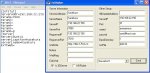
ok here are my ip's from srv and client ..
 

Attachments

  • 1 copy.jpg
    1 copy.jpg
    211.7 KB · Views: 141
  • kaori4.jpg
    kaori4.jpg
    70.4 KB · Views: 139
  • client.JPG
    client.JPG
    49.5 KB · Views: 137
Upvote 0

mapadale

Guest
As I've said and I'm saying again.

It's your IP's, all you IPS are set incorrectly.

You have not followed ne of the guides correctly or have just read through them periodiculy and missed waht you need to read.

Change all IP's to 127.0.0.1 - Then you only need to change 2 IP's to that of your net IP - Which I would sugest checking which ISP you are with, as you may also need to use a DNS.

Now if I see another post from you again, to which you have not followed things correctly. Then you will receive a warning. Your answer would and could be found in both guides and from using the search function.
 
Upvote 0

kyeron

LOMCN Veteran
Veteran
Loyal Member
Sep 28, 2008
296
1
45
timisoara
i put all the ip's 192.168.22.150 cos i have router and that's my local ip , and on LS3Gguid on "gates and route setup" the ip's are just as i put them .. so i put them correct after that guid and yes i forward the port's 7000 7100 7200 , and anyway i just chenged them ALL in 127.0.0.1 and still have same problem , if u have time and u whant add me on msn and talk to me for 1 min plsss , last request of help on this problem "[email protected]"
 
Upvote 0

mapadale

Guest
i put all the ip's 192.168.22.150 cos i have router and that's my local ip , and on LS3Gguid on "gates and route setup" the ip's are just as i put them .. so i put them correct after that guid and yes i forward the port's 7000 7100 7200 , and anyway i just chenged them ALL in 127.0.0.1 and still have same problem , if u have time and u whant add me on msn and talk to me for 1 min plsss , last request of help on this problem "[email protected]"
Who's ur ISP

And it doesn't work as easy as that.

All IP's in the DB, should all be set as 127.0.0.1 - Cause if your going through a router and not direct and also using DHCP, which looks like you are then setting all IP's to just the lasn IP. Will only work on a lan.

Change all IP's to 127.0.0.1 - Setup has to have all IP's as 127.0.0.1

There are only 2 IP's that you require to change to the net IP and if your using a router, it suonds like you need to install a DNS server as well.

And no, I don't help anyone on MSN if they don't help themselfs first. All your answers to everything you need are and can be found on the forum.
 
Upvote 0

kyeron

LOMCN Veteran
Veteran
Loyal Member
Sep 28, 2008
296
1
45
timisoara
duno why there are 2 entry's but i made them like the ip setup from idabiga , but anyway problem solved by using the srvreg update
 
Upvote 0