

Problem KaoriPatch ¿ helpme ?

Play Now

Mukai

LOMCN Veteran
Veteran
Feb 15, 2008
383
0
43
Tenerife
Sorry , whats is the problem?.


; Sample Patch ini
; Edit this according to your server spec
; This name will appear in title
KaoriPatchName=KaoriPatch
; URL for your banner accepts GIF,JPG,PNG
KaoriPatchBanner=http://www.mir3-apocalipsis.com/img/Kaori.JPG
; URL for !klist.gz
KaoriPatchListFile=http://www.mir3-apocalipsis.com/umir/!klist.gz
; URL for the gz files must be a directory with / at the end
; Supports http, ftp anonymous, ftp with user/pass
; You can put as many mirrors as you want (they should have the same files)
; It will randomly try 3 of them for each file
; Repeat same server meaning more chance of downloading from that server
; Note: FTP connection maybe slower!
KaoriPatchServer=http://www.mirmirmirmirmir.com/KaoriPatch/
KaoriPatchServer=http://www.mirror2.com/KaoriPatch/
KaoriPatchServer=http://www.mirror3.com/KaoriPatch/
KaoriPatchServer=ftp://www.mirror5.com/KaoriPatch/
KaoriPatchServer=ftp://user:p[email protected]/KaoriPatch/
; Directory Structure
KaoriPatchDir=./Data/
KaoriPatchDir=./Map/
KaoriPatchDir=./Sound/
KaoriPatchDir=./Data/Forest/
KaoriPatchDir=./Data/Sand/
KaoriPatchDir=./Data/Snow/
KaoriPatchDir=./Data/Wood/
; Executable for the game
KaoriPatchGameExePath=./Mir3.exe
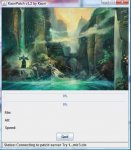
 

Attachments

  • S.jpg
    S.jpg
    36.8 KB · Views: 118

Kaori

LOMCN MiR3 Queen!
VIP
Jun 3, 2004
3,584
38
265
Canada
Code:
KaoriPatchServer=http://www.mirmirmirmirmir.com/KaoriPatch/
KaoriPatchServer=http://www.mirror2.com/KaoriPatch/
KaoriPatchServer=http://www.mirror3.com/KaoriPatch/
KaoriPatchServer=ftp://www.mirror5.com/KaoriPatch/
KaoriPatchServer=ftp://user:[email protected]/KaoriPatch/

You forgot these. You'll need one of these and it should point to where you upload your main folder's gz files.
 
Upvote 0

Kaori

LOMCN MiR3 Queen!
VIP
Jun 3, 2004
3,584
38
265
Canada
to update 2 files
mon-1.wil
mon-1.wix

you have to run admin on the whole thing again

but upload 3 files only
!klist.gz
Data/mon-1.wil.gz
Data/mon-1.wix.gz
 
Upvote 0

Mukai

LOMCN Veteran
Veteran
Feb 15, 2008
383
0
43
Tenerife
hello kaori. no working :(.

this my file .ini

; Sample Patch ini
; Edit this according to your server spec

; This name will appear in title
KaoriPatchName=KaoriPatch

; URL for your banner accepts GIF,JPG,PNG
KaoriPatchBanner=http://www.mir3-apocalipsis.com/img/Kaori.JPG

; URL for !klist.gz
KaoriPatchListFile=http://www.mir3-apocalipsis.com/umir/!klist.gz

; URL for the gz files must be a directory with / at the end
; Supports http, ftp anonymous, ftp with user/pass
; You can put as many mirrors as you want (they should have the same files)
; It will randomly try 3 of them for each file
; Repeat same server meaning more chance of downloading from that server
; Note: FTP connection maybe slower!
KaoriPatchServer=http://www.mir3-apocalipsis.com/umir/

; Directory Structure
KaoriPatchDir=./Data/
KaoriPatchDir=./Map/
KaoriPatchDir=./Sound/
KaoriPatchDir=./Data/Forest/
KaoriPatchDir=./Data/Sand/
KaoriPatchDir=./Data/Snow/
KaoriPatchDir=./Data/Wood/

; Executable for the game
KaoriPatchGameExePath=./Mir3.exe
 
Upvote 0

kyeron

LOMCN Veteran
Veteran
Loyal Member
Sep 28, 2008
296
1
45
timisoara
not sure if this has anything to do with ur patch not working but if i try to go on http://www.mir3-apocalipsis.com/umir/Data/ it tells me "You don't have permission to access /umir/Data/ on this server." , i tryed my data folder from the patch and it gives me the list with all the .gz files , so i belive urs should allow aswell
 
Upvote 0

Mukai

LOMCN Veteran
Veteran
Feb 15, 2008
383
0
43
Tenerife
hello, add permission to access Patch, this error only new version KaoriPatch. old version working.

old version working perfect :

; Sample Patch ini
; Edit this according to your server spec

; This name will appear in title
KaoriPatchName=KaoriPatch

; URL for your banner accepts GIF,JPG,PNG
KaoriPatchBanner=http://www.mir3-apocalipsis.com/img/Kaori.JPG

; URL for !klist.gz
KaoriPatchListFile=http://www.mir3-apocalipsis.com/umir/list.gz -> list.gz
; URL for the gz files must be a directory with / at the end
; Supports http, ftp anonymous, ftp with user/pass
; You can put as many mirrors as you want (they should have the same files)
; It will randomly try 3 of them for each file
; Repeat same server meaning more chance of downloading from that server
; Note: FTP connection maybe slower!
KaoriPatchServer=http://www.mir3-apocalipsis.com/umir/

; Directory Structure
KaoriPatchDir=./Data/
KaoriPatchDir=./Map/
KaoriPatchDir=./Sound/
KaoriPatchDir=./Data/Forest/
KaoriPatchDir=./Data/Sand/
KaoriPatchDir=./Data/Snow/
KaoriPatchDir=./Data/Wood/

; Executable for the game
KaoriPatchGameExePath=./Mir3.exe


New Version No working :

; Sample Patch ini
; Edit this according to your server spec

; This name will appear in title
KaoriPatchName=KaoriPatch

; URL for your banner accepts GIF,JPG,PNG
KaoriPatchBanner=http://www.mir3-apocalipsis.com/img/Kaori.JPG

; URL for !klist.gz
KaoriPatchListFile=http://www.mir3-apocalipsis.com/umir/!klist.gz -> klist.gz

; URL for the gz files must be a directory with / at the end
; Supports http, ftp anonymous, ftp with user/pass
; You can put as many mirrors as you want (they should have the same files)
; It will randomly try 3 of them for each file
; Repeat same server meaning more chance of downloading from that server
; Note: FTP connection maybe slower!
KaoriPatchServer=http://www.mir3-apocalipsis.com/umir/

; Directory Structure
KaoriPatchDir=./Data/
KaoriPatchDir=./Map/
KaoriPatchDir=./Sound/
KaoriPatchDir=./Data/Forest/
KaoriPatchDir=./Data/Sand/
KaoriPatchDir=./Data/Snow/
KaoriPatchDir=./Data/Wood/

; Executable for the game
KaoriPatchGameExePath=./Mir3.exe
 
Upvote 0

kyeron

LOMCN Veteran
Veteran
Loyal Member
Sep 28, 2008
296
1
45
timisoara
to update 2 files
mon-1.wil
mon-1.wix

you have to run admin on the whole thing again

but upload 3 files only
!klist.gz
Data/mon-1.wil.gz
Data/mon-1.wix.gz

i think u didnt understood kaori on this one , when u whant to patch only 1 mon u have to do what kaori said here , but dont delete the rest(old) gz files , in the umir folder u have on ftp u need to have allways full client in gz files , so when u patch only 1 mon u keep them all there and u just replace the mon.wil/wix and the klist but without deleteing the old files .
 
Upvote 0