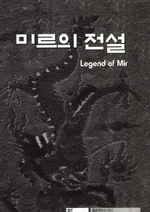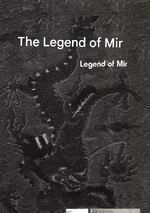
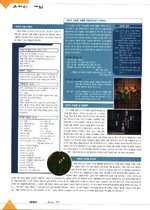
1999-2000 NetPower Magazines Mir 1

Jev

Mir 4 Incoming!
VIP
May 16, 2017
5,025
34
3,233
330
Worthing, West Sussex

1.jpeg 2.jpeg

3.jpeg 4.jpeg

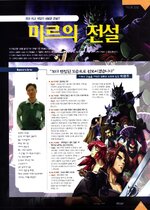
1) October 1999 Interview Spread (Images 1–5)​


  • Interviewee: 박근호, lead designer (byline: 김병성 기자)
  • Key Data:
    • Development start: April 1997
    • Initial CCU target: 5 000, planned ramp to 10 000 after launch
  • Visuals: Developer snapshots, early UI mock-ups, CCU growth graph


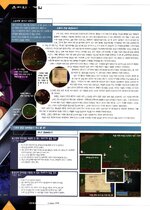
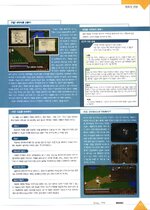
2) December ’99 – February 2000 Travelogues & Walkthroughs (Images 6–15)​


  • Format: Player-style diaries with annotated in-game screenshots
  • Bylines/Credits: All articles credited to Net Power’s 김병성 기자 (e.g. “구성책임 김병성 기자, [email protected]”) and list 제작사: 액토즈 소프트 in the corner.
  • Content Highlights:
    • Dungeon guides: maps of “패왕전” bosses with callouts on hit-patterns
    • Patch roundups: titled “버그와의 전쟁,” detailing fixes to skill exploits and NPC pathing
    • Player events: photos of in-café meetups and holiday promotions


3) March–April 2000 Feature Articles (Images 16–25)​


  • Topics Covered:
    • New skill previews: deep dives into level-cap increases and skill tree additions
    • Community spotlights: letters from top guilds, prize-winner screenshots
    • Server stats: lists of top populated servers and peak log-ins per time slot
  • Design Layout: Full-bleed artwork of new monsters, sidebar “Hot Topics” blurbs, call-out boxes with patch version numbers (v1.23, v1.25)
  • No Behind-the-Scenes: All editorial focus stayed on gameplay—no developer interviews or studio visits in this batch.


Images Referenced​


  • Images 1–5: October ’99 interview pages
  • Images 6–15: Dec ’99–Feb ’00 walkthroughs & diaries
  • Images 16–25: Mar–Apr ’00 feature spreads


I can't upload the 40 Images but they can be found here: Mir 1 Magazine Gallery with English Translations here: Mir 1 Magazine Gallery ENG

This find it huge for the Carbon Project.

Few things discovered from this and some other korean articles found:

ActozSoft started development during 1997.
The Mir 1 Team from ActozSoft continued to work with them until after Mir 2 was released.
Wemade was founded by the core Mir I developers in 2000 to assert “We made Legend of Mir” and take control of the IP moving forward.
 
Last edited:

mir2pion

TL;DR
Veteran
Feb 21, 2013
3,591
2
679
265
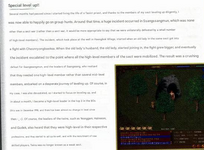
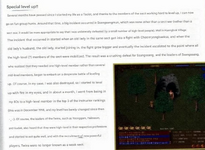
The English translation is rather poor quality, hard to read, I am redoing it in a better quality. Compare these two pics at 100% size, the reading it funny as is most of it, worthwhile read.

"It would be more appropriate to say that I was unilaterally defeated by a small number of high level people" :ROFLMAO:

1746308562415.png

1746308699626.png
Post automatically merged:

I have re-done the English versions, I believe you can replace what you have with these. Didn't try to make sense of the order, I numbered them in order as you have them on that page.

1999-2000 NetPower Magazines Mir 1 - English (M2P)

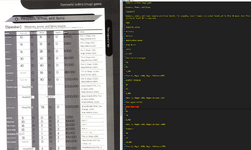
Are those pages with tables the best you could get or could you point me to the source? They are not very high quality and some items won't translate.
 
Last edited:

Jev

Mir 4 Incoming!
VIP
May 16, 2017
5,025
34
3,233
330
Worthing, West Sussex
The English translation is rather poor quality, hard to read, I am redoing it in a better quality. Compare these two pics at 100% size, the reading it funny as is most of it, worthwhile read.

"It would be more appropriate to say that I was unilaterally defeated by a small number of high level people" :ROFLMAO:

View attachment 37104

View attachment 37105
Post automatically merged:

I have re-done the English versions, I believe you can replace what you have with these. Didn't try to make sense of the order, I numbered them in order as you have them on that page.

1999-2000 NetPower Magazines Mir 1 - English (M2P)

Are those pages with tables the best you could get or could you point me to the source? They are not very high quality and some items won't translate.
I just banged them into google translate and downloaded the adjusted image. I should have really done them by hand.
 

Jev

Mir 4 Incoming!
VIP
May 16, 2017
5,025
34
3,233
330
Worthing, West Sussex
So AI translating is not really going to work, it'll either not translate something, translate it wrong or mess up the positioning of the text.

Best way I think this could be done would be to strip back an image to remove all the text and then reinput the translated text by hand.

I'd even go so far as to say once the text is removed to then upscale the image, then re add the text. (Upscaling with the text will distort the text)

1746453730330.jpeg 1746453949989.png

Upscaled

1746454154038.png

978x1347 > 2954x4068

Turns out they also had Mir 2 feature in these magazines but later issues: https://www.gamemeca.com/magazine/
 
Last edited:

mir2pion

TL;DR
Veteran
Feb 21, 2013
3,591
2
679
265
I enlarge each picture to 180% size in image viewer (like Irfanview or whatever), then use screenshot making app to drag a selection rectangle over the visible area on the screen to copy and save the screenshot as 1a (for page1, etc)). Then do the bottom half of the page and name it 1b. The snapshot images need to overlap a bit and the joint line must not be across text line in the image!

Then I drag/drop those 1a & 1b images on google image translator (one at time of course), right click on the translated image to copy it (and close it in the translator for it to be ready for next go) and paste it into the working directory under different file names 1aa & 1bb. Next I use Inkscape program, drag/drop these translated images into it and drag the second image to join it seamlessly to the other one and export the image under the file name 1.jpg for the first translated magazine page.

There is a reason for why each step is done as I described it. I enlarge the page to 180% so that the translated image output is larger and so more readable, however if you overdo the input size, the translated output image won't come out bigger, there is a sweet spot at around 160 to 180% enlargement to get the best output of translated page (this is related to my monitor resolution 2560x1440). That is why I don't simply save the whole page @180% size and drop it into GT because then the output size is greatly downsized. That's how google image translator works and the reason why the pages need to be split into halves to get the most out of the translator.

I use Inkscape because it is dead simple to work with layers in it. Gimp or photoshop are PITA. I do this image joining quite frequently for my other jobs and was looking for some program that would join two or more images automatically for you but it seems, no such program exists. Panorama stitching works only for horizontal stitching and while some programs seem to allow for vertical image arrangement, they are a pain to figure out or work with it once you figure them out. Often I split a large image into 2x3 or 2x4 image sections, that is six or eight sections which need to be joined. Programs for photography use AI to figure out how to join images but I do 1000% better job manually. The images in question are not photography quality but mir game, like maps, or these magazine pages. You would think these simple graphics would be simple for AI to figure out but not so. If anything, it does worse job than on photography images. If somebody knows a program that would do stitching of image arrays automatically, I am open to suggestions. But the process shouldn't be so involved that it takes longer than a manual job.
Post automatically merged:

I want to do those tables listing items separately. Maybe they could use image sharpening so GT has easier, more sure job recognizing the text characters. Splitting those tables into four parts and enlarging them over 200% should help where the translated text is so tiny as to be almost unreadable.

Even then, many item names are kind of useless since they don't translate well.
Post automatically merged:

Best way I think this could be done would be to strip back an image to remove all the text and then reinput the translated text by hand.

I'd even go so far as to say once the text is removed to then upscale the image, then re add the text. (Upscaling with the text will distort the text)

978x1347 > 2954x4068

Turns out they also had Mir 2 feature in these magazines but later issues: https://www.gamemeca.com/magazine/

I just went to look at that site and have yet to figure out how to get to back issues but more important, how did you copy out the pages? The website is quite protected from copying out. Did you maybe just use the rectangle select to copy out?

Maybe there is a way to rip the content, either by a dedicated website content downloading program (I have one around and will check if it works on this type of webpages), or you can display html info and get to the direct image links that way. I did that sometimes on mir3d website to get out webpage background images that were covered by webpage content.
 
Last edited:
  • Like
Reactions: Jev

Jev

Mir 4 Incoming!
VIP
May 16, 2017
5,025
34
3,233
330
Worthing, West Sussex
I enlarge each picture to 180% size in image viewer (like Irfanview or whatever), then use screenshot making app to drag a selection rectangle over the visible area on the screen to copy and save the screenshot as 1a (for page1, etc)). Then do the bottom half of the page and name it 1b. The snapshot images need to overlap a bit and the joint line must not be across text line in the image!

Then I drag/drop those 1a & 1b images on google image translator (one at time of course), right click on the translated image to copy it (and close it in the translator for it to be ready for next go) and paste it into the working directory under different file names 1aa & 1bb. Next I use Inkscape program, drag/drop these translated images into it and drag the second image to join it seamlessly to the other one and export the image under the file name 1.jpg for the first translated magazine page.

There is a reason for why each step is done as I described it. I enlarge the page to 180% so that the translated image output is larger and so more readable, however if you overdo the input size, the translated output image won't come out bigger, there is a sweet spot at around 160 to 180% enlargement to get the best output of translated page (this is related to my monitor resolution 2560x1440). That is why I don't simply save the whole page @180% size and drop it into GT because then the output size is greatly downsized. That's how google image translator works and the reason why the pages need to be split into halves to get the most out of the translator.

I use Inkscape because it is dead simple to work with layers in it. Gimp or photoshop are PITA. I do this image joining quite frequently for my other jobs and was looking for some program that would join two or more images automatically for you but it seems, no such program exists. Panorama stitching works only for horizontal stitching and while some programs seem to allow for vertical image arrangement, they are a pain to figure out or work with it once you figure them out. Often I split a large image into 2x3 or 2x4 image sections, that is six or eight sections which need to be joined. Programs for photography use AI to figure out how to join images but I do 1000% better job manually. The images in question are not photography quality but mir game, like maps, or these magazine pages. You would think these simple graphics would be simple for AI to figure out but not so. If anything, it does worse job than on photography images. If somebody knows a program that would do stitching of image arrays automatically, I am open to suggestions. But the process shouldn't be so involved that it takes longer than a manual job.
Post automatically merged:

I want to do those tables listing items separately. Maybe they could use image sharpening so GT has easier, more sure job recognizing the text characters. Splitting those tables into four parts and enlarging them over 200% should help where the translated text is so tiny as to be almost unreadable.

Even then, many item names are kind of useless since they don't translate well.
Post automatically merged:


I just went to look at that site and have yet to figure out how to get to back issues but more important, how did you copy out the pages? The website is quite protected from copying out. Did you maybe just use the rectangle select to copy out?

Maybe there is a way to rip the content, either by a dedicated website content downloading program (I have one around and will check if it works on this type of webpages), or you can display html info and get to the direct image links that way. I did that sometimes on mir3d website to get out webpage background images that were covered by webpage content.
So I just removed the html code blocking you from grabbing the image, then from there i changed the url to find as many as possible.

https://www.gamemeca.com/magazine/file.php?m=b&title=netpower&ym=1999_10&p=17 << Never seen this one before

1746474764883.png 1746474801904.png
 

mir2pion

TL;DR
Veteran
Feb 21, 2013
3,591
2
679
265
Nice one.

So changing that url like this gets you to page one of October 1999 magazine issue and pages can be simply copied out :cool:
https://www.gamemeca.com/magazine/file.php?m=b&title=netpower&ym=1999_10&p=1
Post automatically merged:

I tried to mass download using Offline Explorer Enterprise but probably it won't work on this site or I can't figure it out. If you want to try your hand, I can send the program over.


1746508780256.png ... 1746513077519.png ... 1746512961326.png

Jev, I have edited the line (false to true) in the right 'inspect' panel but how do you make it stick, I mean save the changes. Also how you return to display the page, I deleted the 'view- source:' in front of the url but the link loaded the same webpage where I can't copy images. And looking then again at the source, it was back to false values.
So Jev, would you know how do I make the code changes to stick, that is save them?
1746517115729.png
 
Last edited:
  • Like
Reactions: Jev

Jev

Mir 4 Incoming!
VIP
May 16, 2017
5,025
34
3,233
330
Worthing, West Sussex
Nice one.

So changing that url like this gets you to page one of October 1999 magazine issue and pages can be simply copied out :cool:
https://www.gamemeca.com/magazine/file.php?m=b&title=netpower&ym=1999_10&p=1
Post automatically merged:

I tried to mass download using Offline Explorer Enterprise but probably it won't work on this site or I can't figure it out. If you want to try your hand, I can send the program over.


View attachment 37116 ... View attachment 37118 ... View attachment 37117

Jev, I have edited the line (false to true) in the right 'inspect' panel but how do you make it stick, I mean save the changes. Also how you return to display the page, I deleted the 'view- source:' in front of the url but the link loaded the same webpage where I can't copy images. And looking then again at the source, it was back to false values.
So, how do I make the code changes to stick?
View attachment 37121
I had just removed the right/left slider crap on one image then opened the image url which I posted above, then just adjusted the url to find as many as I could. I think we’re sat at 41 currently
 

MentaL

Jev For Admín!
VIP
Mar 3, 2004
3,843
551
385
Cardiff
So AI translating is not really going to work, it'll either not translate something, translate it wrong or mess up the positioning of the text.

Best way I think this could be done would be to strip back an image to remove all the text and then reinput the translated text by hand.

I'd even go so far as to say once the text is removed to then upscale the image, then re add the text. (Upscaling with the text will distort the text)

View attachment 37110 View attachment 37111

Upscaled

View attachment 37112

978x1347 > 2954x4068

Turns out they also had Mir 2 feature in these magazines but later issues: https://www.gamemeca.com/magazine/

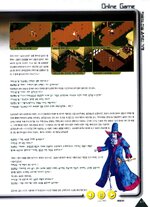
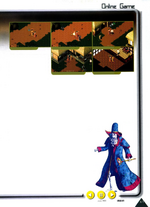
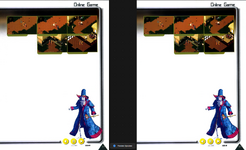
Online Game - The Online Memory of the Labyrinth of Mir
(Top images with captions)

  • Top left: "Hey, kid! You’re dead meat!"
  • Top middle: "The mysterious swordsman appears – watch out!"
  • Top right: "Yikes! It’s a magician! Let’s run!!"
  • Bottom left: "He’s teaching me how to use the shop. Nice guy~ Hehe."
  • Bottom right: "He’s explaining things – this guy’s friendly."

Last week’s question: “How did you meet the guard at the entrance of the starting village?”
Entry from user “StarlightRose”:

“He came up to me and suddenly started casting healing magic. I had no idea what was going on.”
StarlightRose:

“After starting the game, I was wandering around with a friend and then suddenly noticed him casting spells on me.”
“I thought I was being attacked and panicked. But then I realized… he was healing me! Time passed and I began to understand things.”
“He even gave me some armor. I said, ‘Thank you so much. I’m new here. Please take care of me~’ (Tears!!)”
“That was my first step in making online friends~”

The entrance guard taught me basic things while I was still confused. He kindly explained about the town's layout, where to buy weapons and armor, and what monsters appear where. I was surprised by how detailed his advice was. He also warned me to avoid dangerous spots as a beginner. At first, I just followed him quietly, but eventually, I started enjoying the conversations.

He seemed to be one of those people who enjoy helping beginners. His warmth and helpfulness left a lasting impression. Thanks to him, I slowly gained confidence and started enjoying the game.


Q: “Excuse me, where do you get magic?”
Entrance guard: “There’s a class called ‘Wizard’. Magic only exists as part of that class. You’ll need to become a wizard in Mir.”

“So how do I become a wizard?”
Entrance guard: “You can choose the wizard class when you start your character.”
“Ah! I didn’t know that. I thought everyone just had magic!”
“By the way, what classes are there?”
Entrance guard: “There’s warrior, wizard, and taoist. Warriors are strong in close combat. Wizards use magic. Taoists use support skills and summons.”

“Cool! I want to be a wizard! How can I change classes?”
Entrance guard: “Press [F3] to restart your character and choose a new class.”


After finishing the long conversation, I thanked him and continued exploring. Later, I ended up chatting with that guard again from time to time.


June 2000 / Game Power Magazine
Page 16


chat gpt
 
  • Like
Reactions: Pusha and Jev

mir2pion

TL;DR
Veteran
Feb 21, 2013
3,591
2
679
265
I had just removed the right/left slider crap on one image then opened the image url which I posted above, then just adjusted the url to find as many as I could. I think we’re sat at 41 currently
OK I've got it. What do you mean by that 41 count?
BTW was hoping for more image quality with this direct access but those you originally uploaded are as good as it gets.

:ROFLMAO:
1746545597017.png

June 2000 / Game Power Magazine
Page 16

chat gpt

But the text on the image is so much better for the atmosphere, we could include the plain text with the translated image. Don't know about the quality of translation but you can also choose this button in GT to get the plain text besides the translated image.
1746545924955.png

I think I know why I can't tweak that html code and make it stick. I know those changes would be temporary, page refresh would revert them. The problem here is that here you can't click on the page and choose the 'inspect element' but must open the html code first to be able to open the inspection panel... but them you don't see the changes you make in real time on the webpage as you would if you could open that page element inspection panel.
 
Last edited:

Jev

Mir 4 Incoming!
VIP
May 16, 2017
5,025
34
3,233
330
Worthing, West Sussex
OK I've got it. What do you mean by that 41 count?
BTW was hoping for more image quality with this direct access but those you originally uploaded are as good as it gets.

:ROFLMAO:
View attachment 37124


But the text on the image is so much better for the atmosphere, we could include the plain text with the translated image. Don't know about the quality of translation but you can also choose this button in GT to get the plain text besides the translated image.
View attachment 37125
41 as in how many Mir 1 images we've found from these magazines.

Yea they will be the best quality the site has as i downloaded the original images they had uploaded.
 

mir2pion

TL;DR
Veteran
Feb 21, 2013
3,591
2
679
265
If each translated image is accompanied by its text like here, then even those tiny almost unreadable image text can be read in that text file.
I have this little app Paste As File in context menu and the images I drag from webpage or from GT and hit F2 and type #... and when I click Copy Text in GT, that app pastes txt file, you just need to give it the same number as the image name. I think I have some old free version of that app...

Would some program arrange this text into a table?

1746555522298.png
 
Last edited:

Jev

Mir 4 Incoming!
VIP
May 16, 2017
5,025
34
3,233
330
Worthing, West Sussex
If each translated image is accompanied by its text like here, then even those tiny almost unreadable image text can be read in that text file.
I have this little app Paste As File in context menu and the images I drag from webpage or from GT and hit F2 and type #... and when I click Copy Text in GT, that app pastes txt file, you just need to give it the same number as the image name. I think I have some old free version of that app...

Would some program arrange this text into a table?

View attachment 37127
I usually use https://www.imagetotext.info/

It’s not a bad shout really, to have every line ripped into raw text but at the same time I’d like to preserve the images that go along with the text.