- Jul 7, 2004
- 220
- 0
- 43
Hey, i'm having a real problem with both gadgets image viewer and the wmLibEdtior. both are gr8, but they are kinda dont go well 2getha.
The Mission
I'm taking the Palm Tree objects out of the EI client and placing them in a blank space in my Objects3.wil. Exported them all as 256 colours using Kaori's Image Viewer, and saved etc ready for import to mir 2. In order to increase the size of a wil (instead of replacing images) you must import the new images with wmLibEditor, at the end of the Objects.wil. This is easily done, however! The background does not become transparent upon import. Bugga. The objects are all nicely imported, except they have black borders. So we move on to Gadgets image viewer ¬.¬.
The Bugga
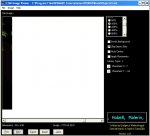
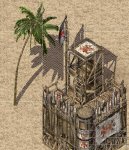
I find my object slices in the place I imported them (coincidently) and as I go to re-import the image (to get rid of black background) I get this. As you can see (if ya look close enough) the image seems to have been moved across. Part of the palm tree has now disapeared from the left, and re-appeared on the right side. I can get round this by moving the image round abit, but then when I get to creating the new object in map editor, there are black bits around it. I'm getting angry now lol any suggestions peeps?
The Mission
I'm taking the Palm Tree objects out of the EI client and placing them in a blank space in my Objects3.wil. Exported them all as 256 colours using Kaori's Image Viewer, and saved etc ready for import to mir 2. In order to increase the size of a wil (instead of replacing images) you must import the new images with wmLibEditor, at the end of the Objects.wil. This is easily done, however! The background does not become transparent upon import. Bugga. The objects are all nicely imported, except they have black borders. So we move on to Gadgets image viewer ¬.¬.
The Bugga
I find my object slices in the place I imported them (coincidently) and as I go to re-import the image (to get rid of black background) I get this. As you can see (if ya look close enough) the image seems to have been moved across. Part of the palm tree has now disapeared from the left, and re-appeared on the right side. I can get round this by moving the image round abit, but then when I get to creating the new object in map editor, there are black bits around it. I'm getting angry now lol any suggestions peeps?