Yep That's certainly black...
What operating system are you on, Have you tried repair function on the launcher.
Do you have any Folder called Errors if so can you tell me the contents of the file?
win7 ultimate 64
Errors folder:
System.ArgumentException: The sum of offset and count is greater than the buffer length.
at SlimDX.Utilities.CheckBounds(Int32 lowerBound, Int32 size, Int32 offset, Int32& count)
at SlimDX.Utilities.CheckArrayBounds(Array data, Int32 offset, Int32& count)
at SlimDX.DataStream.WriteRange[T](T[] data, Int32 offset, Int32 count)
at SlimDX.DataStream.Write(Byte[] buffer, Int32 offset, Int32 count)
at Client.Envir.MirImage.CreateImage(BinaryReader reader)
at Client.Envir.MirLibrary.CreateImage(Int32 index, ImageType type)
at Client.Controls.DXImageControl.DrawMirTexture()
at Client.Controls.DXImageControl.DrawControl()
at Client.Controls.DXControl.Draw()
at Client.Controls.DXControl.DrawChildControls()
at Client.Controls.DXControl.Draw()
at Client.Controls.DXControl.DrawChildControls()
at Client.Controls.DXControl.Draw()
at Client.Envir.CEnvir.RenderGame()
State = {X=0,Y=0,Width=1024,Height=768}
System.ArgumentException: The sum of offset and count is greater than the buffer length.
at SlimDX.Utilities.CheckBounds(Int32 lowerBound, Int32 size, Int32 offset, Int32& count)
at SlimDX.Utilities.CheckArrayBounds(Array data, Int32 offset, Int32& count)
at SlimDX.DataStream.WriteRange[T](T[] data, Int32 offset, Int32 count)
at SlimDX.DataStream.Write(Byte[] buffer, Int32 offset, Int32 count)
at Client.Envir.MirImage.CreateImage(BinaryReader reader)
at Client.Envir.MirLibrary.CreateImage(Int32 index, ImageType type)
at Client.Controls.DXImageControl.DrawMirTexture()
at Client.Controls.DXImageControl.DrawControl()
at Client.Controls.DXControl.Draw()
at Client.Controls.DXControl.DrawChildControls()
at Client.Controls.DXControl.Draw()
at Client.Controls.DXControl.DrawChildControls()
at Client.Controls.DXControl.Draw()
at Client.Envir.CEnvir.RenderGame()
State = {X=0,Y=0,Width=1024,Height=768}
System.ArgumentException: The sum of offset and count is greater than the buffer length.
at SlimDX.Utilities.CheckBounds(Int32 lowerBound, Int32 size, Int32 offset, Int32& count)
at SlimDX.Utilities.CheckArrayBounds(Array data, Int32 offset, Int32& count)
at SlimDX.DataStream.WriteRange[T](T[] data, Int32 offset, Int32 count)
at SlimDX.DataStream.Write(Byte[] buffer, Int32 offset, Int32 count)
at Client.Envir.MirImage.CreateImage(BinaryReader reader)
at Client.Envir.MirLibrary.CreateImage(Int32 index, ImageType type)
at Client.Controls.DXImageControl.DrawMirTexture()
at Client.Controls.DXImageControl.DrawControl()
at Client.Controls.DXControl.Draw()
at Client.Controls.DXControl.DrawChildControls()
at Client.Controls.DXControl.Draw()
at Client.Controls.DXControl.DrawChildControls()
at Client.Controls.DXControl.Draw()
at Client.Envir.CEnvir.RenderGame()
State = {X=0,Y=0,Width=1024,Height=768}
System.ArgumentException: The sum of offset and count is greater than the buffer length.
at SlimDX.Utilities.CheckBounds(Int32 lowerBound, Int32 size, Int32 offset, Int32& count)
at SlimDX.Utilities.CheckArrayBounds(Array data, Int32 offset, Int32& count)
at SlimDX.DataStream.WriteRange[T](T[] data, Int32 offset, Int32 count)
at SlimDX.DataStream.Write(Byte[] buffer, Int32 offset, Int32 count)
at Client.Envir.MirImage.CreateImage(BinaryReader reader)
at Client.Envir.MirLibrary.CreateImage(Int32 index, ImageType type)
at Client.Controls.DXImageControl.DrawMirTexture()
at Client.Controls.DXImageControl.DrawControl()
at Client.Controls.DXControl.Draw()
at Client.Controls.DXControl.DrawChildControls()
at Client.Controls.DXControl.Draw()
at Client.Controls.DXControl.DrawChildControls()
at Client.Controls.DXControl.Draw()
at Client.Envir.CEnvir.RenderGame()
State = {X=0,Y=0,Width=1024,Height=768}
System.ArgumentException: The sum of offset and count is greater than the buffer length.
at SlimDX.Utilities.CheckBounds(Int32 lowerBound, Int32 size, Int32 offset, Int32& count)
at SlimDX.Utilities.CheckArrayBounds(Array data, Int32 offset, Int32& count)
at SlimDX.DataStream.WriteRange[T](T[] data, Int32 offset, Int32 count)
at SlimDX.DataStream.Write(Byte[] buffer, Int32 offset, Int32 count)
at Client.Envir.MirImage.CreateImage(BinaryReader reader)
at Client.Envir.MirLibrary.CreateImage(Int32 index, ImageType type)
at Client.Controls.DXImageControl.DrawMirTexture()
at Client.Controls.DXImageControl.DrawControl()
at Client.Controls.DXControl.Draw()
at Client.Controls.DXControl.DrawChildControls()
at Client.Controls.DXControl.Draw()
at Client.Controls.DXControl.DrawChildControls()
at Client.Controls.DXControl.Draw()
at Client.Envir.CEnvir.RenderGame()
State = {X=0,Y=0,Width=1024,Height=768}
System.ArgumentException: The sum of offset and count is greater than the buffer length.
at SlimDX.Utilities.CheckBounds(Int32 lowerBound, Int32 size, Int32 offset, Int32& count)
at SlimDX.Utilities.CheckArrayBounds(Array data, Int32 offset, Int32& count)
at SlimDX.DataStream.WriteRange[T](T[] data, Int32 offset, Int32 count)
at SlimDX.DataStream.Write(Byte[] buffer, Int32 offset, Int32 count)
at Client.Envir.MirImage.CreateImage(BinaryReader reader)
at Client.Envir.MirLibrary.CreateImage(Int32 index, ImageType type)
at Client.Controls.DXImageControl.DrawMirTexture()
at Client.Controls.DXImageControl.DrawControl()
at Client.Controls.DXControl.Draw()
at Client.Controls.DXControl.DrawChildControls()
at Client.Controls.DXControl.Draw()
at Client.Controls.DXControl.DrawChildControls()
at Client.Controls.DXControl.Draw()
at Client.Envir.CEnvir.RenderGame()
State = {X=0,Y=0,Width=1024,Height=768}
System.ArgumentException: The sum of offset and count is greater than the buffer length.
at SlimDX.Utilities.CheckBounds(Int32 lowerBound, Int32 size, Int32 offset, Int32& count)
at SlimDX.Utilities.CheckArrayBounds(Array data, Int32 offset, Int32& count)
at SlimDX.DataStream.WriteRange[T](T[] data, Int32 offset, Int32 count)
at SlimDX.DataStream.Write(Byte[] buffer, Int32 offset, Int32 count)
at Client.Envir.MirImage.CreateImage(BinaryReader reader)
at Client.Envir.MirLibrary.CreateImage(Int32 index, ImageType type)
at Client.Controls.DXImageControl.DrawMirTexture()
at Client.Controls.DXImageControl.DrawControl()
at Client.Controls.DXControl.Draw()
at Client.Controls.DXControl.DrawChildControls()
at Client.Controls.DXControl.Draw()
at Client.Controls.DXControl.DrawChildControls()
at Client.Controls.DXControl.Draw()
at Client.Envir.CEnvir.RenderGame()
State = {X=0,Y=0,Width=1024,Height=768}
System.ArgumentException: The sum of offset and count is greater than the buffer length.
at SlimDX.Utilities.CheckBounds(Int32 lowerBound, Int32 size, Int32 offset, Int32& count)
at SlimDX.Utilities.CheckArrayBounds(Array data, Int32 offset, Int32& count)
at SlimDX.DataStream.WriteRange[T](T[] data, Int32 offset, Int32 count)
at SlimDX.DataStream.Write(Byte[] buffer, Int32 offset, Int32 count)
at Client.Envir.MirImage.CreateImage(BinaryReader reader)
at Client.Envir.MirLibrary.CreateImage(Int32 index, ImageType type)
at Client.Controls.DXImageControl.DrawMirTexture()
at Client.Controls.DXImageControl.DrawControl()
at Client.Controls.DXControl.Draw()
at Client.Controls.DXControl.DrawChildControls()
at Client.Controls.DXControl.Draw()
at Client.Controls.DXControl.DrawChildControls()
at Client.Controls.DXControl.Draw()
at Client.Envir.CEnvir.RenderGame()
State = {X=0,Y=0,Width=1024,Height=768}
System.ArgumentException: The sum of offset and count is greater than the buffer length.
at SlimDX.Utilities.CheckBounds(Int32 lowerBound, Int32 size, Int32 offset, Int32& count)
at SlimDX.Utilities.CheckArrayBounds(Array data, Int32 offset, Int32& count)
at SlimDX.DataStream.WriteRange[T](T[] data, Int32 offset, Int32 count)
at SlimDX.DataStream.Write(Byte[] buffer, Int32 offset, Int32 count)
at Client.Envir.MirImage.CreateImage(BinaryReader reader)
at Client.Envir.MirLibrary.CreateImage(Int32 index, ImageType type)
at Client.Controls.DXImageControl.DrawMirTexture()
at Client.Controls.DXImageControl.DrawControl()
at Client.Controls.DXControl.Draw()
at Client.Controls.DXControl.DrawChildControls()
at Client.Controls.DXControl.Draw()
at Client.Controls.DXControl.DrawChildControls()
at Client.Controls.DXControl.Draw()
at Client.Envir.CEnvir.RenderGame()
State = {X=0,Y=0,Width=1024,Height=768}
System.ArgumentException: The sum of offset and count is greater than the buffer length.
at SlimDX.Utilities.CheckBounds(Int32 lowerBound, Int32 size, Int32 offset, Int32& count)
at SlimDX.Utilities.CheckArrayBounds(Array data, Int32 offset, Int32& count)
at SlimDX.DataStream.WriteRange[T](T[] data, Int32 offset, Int32 count)
at SlimDX.DataStream.Write(Byte[] buffer, Int32 offset, Int32 count)
at Client.Envir.MirImage.CreateImage(BinaryReader reader)
at Client.Envir.MirLibrary.CreateImage(Int32 index, ImageType type)
at Client.Controls.DXImageControl.DrawMirTexture()
at Client.Controls.DXImageControl.DrawControl()
at Client.Controls.DXControl.Draw()
at Client.Controls.DXControl.DrawChildControls()
at Client.Controls.DXControl.Draw()
at Client.Controls.DXControl.DrawChildControls()
at Client.Controls.DXControl.Draw()
at Client.Envir.CEnvir.RenderGame()
State = {X=0,Y=0,Width=1024,Height=768}
System.ArgumentException: The sum of offset and count is greater than the buffer length.
at SlimDX.Utilities.CheckBounds(Int32 lowerBound, Int32 size, Int32 offset, Int32& count)
at SlimDX.Utilities.CheckArrayBounds(Array data, Int32 offset, Int32& count)
at SlimDX.DataStream.WriteRange[T](T[] data, Int32 offset, Int32 count)
at SlimDX.DataStream.Write(Byte[] buffer, Int32 offset, Int32 count)
at Client.Envir.MirImage.CreateImage(BinaryReader reader)
at Client.Envir.MirLibrary.CreateImage(Int32 index, ImageType type)
at Client.Controls.DXImageControl.DrawMirTexture()
at Client.Controls.DXImageControl.DrawControl()
at Client.Controls.DXControl.Draw()
at Client.Controls.DXControl.DrawChildControls()
at Client.Controls.DXControl.Draw()
at Client.Controls.DXControl.DrawChildControls()
at Client.Controls.DXControl.Draw()
at Client.Envir.CEnvir.RenderGame()
State = {X=0,Y=0,Width=1024,Height=768}
System.ArgumentException: The sum of offset and count is greater than the buffer length.
at SlimDX.Utilities.CheckBounds(Int32 lowerBound, Int32 size, Int32 offset, Int32& count)
at SlimDX.Utilities.CheckArrayBounds(Array data, Int32 offset, Int32& count)
at SlimDX.DataStream.WriteRange[T](T[] data, Int32 offset, Int32 count)
at SlimDX.DataStream.Write(Byte[] buffer, Int32 offset, Int32 count)
at Client.Envir.MirImage.CreateImage(BinaryReader reader)
at Client.Envir.MirLibrary.CreateImage(Int32 index, ImageType type)
at Client.Controls.DXImageControl.DrawMirTexture()
at Client.Controls.DXImageControl.DrawControl()
at Client.Controls.DXControl.Draw()
at Client.Controls.DXControl.DrawChildControls()
at Client.Controls.DXControl.Draw()
at Client.Controls.DXControl.DrawChildControls()
at Client.Controls.DXControl.Draw()
at Client.Envir.CEnvir.RenderGame()
State = {X=0,Y=0,Width=1024,Height=768}
---------- Post Merged on 05-01-2018 at 09:30 AM ---------- Previous Post was on 04-01-2018 at 08:24 PM ----------
Yep That's certainly black...
What operating system are you on, Have you tried repair function on the launcher.
Do you have any Folder called Errors if so can you tell me the contents of the file?
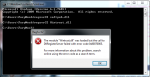
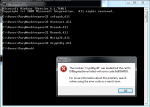
when i try to install DXSDK_Jun10 it gives me this error:
any idea on what i should try Jamie?



 , i will let you know what happens after this is done.