


- Jul 26, 2007
- 1,818
- 18
- 125
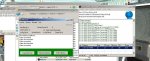
Hey i am still experiencing problems with setting up my mir server however i feal i am getting so i close i have now came across this error and i think my files are setup correct also!!
[Reg]
Key=0123456789
ServerAddr=127.0.0.1
ServerPort=60320
[SQL]
SQLType=mssql
SQLHost=localhost
SQLPort=3306
SQLDatabase=mir2
SQLUsername=sa
SQLPassword=xxxxxxxxxx
[Setup]
ServerName=Diamond
ServerAddr=127.0.0.1
ServerPor=6000
MapFile=C:\mirserver\M2Server\Envir\MapInfo.txt
ViewHackMsg=1
GateAddr=127.0.0.1
GatePort=5100
DynamicIPMode=0
BackupClearData=0
ShowItemName=1
DBName=HeroDB
[Server]
IDSAddr=127.0.0.1
IDSPort=5600
[DBClear]
Interval=1000
Level1=1
Level2=7
EDIT: I can create an acount and get all the way to making a char after i type my char name and click ok nothing happens! PLease advise me!!
[Reg]
Key=0123456789
ServerAddr=127.0.0.1
ServerPort=60320
[SQL]
SQLType=mssql
SQLHost=localhost
SQLPort=3306
SQLDatabase=mir2
SQLUsername=sa
SQLPassword=xxxxxxxxxx
[Setup]
ServerName=Diamond
ServerAddr=127.0.0.1
ServerPor=6000
MapFile=C:\mirserver\M2Server\Envir\MapInfo.txt
ViewHackMsg=1
GateAddr=127.0.0.1
GatePort=5100
DynamicIPMode=0
BackupClearData=0
ShowItemName=1
DBName=HeroDB
[Server]
IDSAddr=127.0.0.1
IDSPort=5600
[DBClear]
Interval=1000
Level1=1
Level2=7
EDIT: I can create an acount and get all the way to making a char after i type my char name and click ok nothing happens! PLease advise me!!
Attachments
Last edited:


