




yesterday i could connect. today with the old launcher it stopped at "connecting attempts" and now with the newest update the client crashes

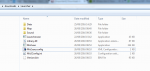
looks like you have deleted Mir2.exe.config
Delete Version.bin and run the patcher

yesterday i could connect. today with the old launcher it stopped at "connecting attempts" and now with the newest update the client crashes
if u have sql in pc remove it that what happend with me
There are no interactions with SQL and any of my applications, so as such I can't confirm this will help.
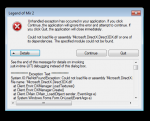
I have just downloaded the launcher, when I try to start the game the client crashes - This is what appears in event logs:
Application: Mir2.exe
Framework Version: v4.0.30319
Description: The process was terminated due to an unhandled exception.
Exception Info: System.TypeInitializationException
Stack:
at Client.Envir.DXManager.get_SoundList()
at Client.Envir.SoundManager.AdjustVolume()
at Client.Envir.SoundManager.set_Volume(Int32)
at Client.Config.set_Volume(Int32)
at Client.Config.Load()
at Client.Program.Main()

Try the suggestions in this post, let me know if any work for you.
http://www.lomcn.org/forum/showthre...-screen-issues&p=976715&viewfull=1#post976715
Try the suggestions in this post, let me know if any work for you.
http://www.lomcn.org/forum/showthre...-screen-issues&p=976715&viewfull=1#post976715
Server still online? followed the suggestions above am just getting "attempting to connect to server"
[Network]
UseConfig=True
TimeOut=00:00:15
IPAddress=<IP Address from Search>
Port=7000Yep always online, the issue might be no-ip forwarding the IP as some other people have had the issue, Since it's hosted on my home network and its not a static IP it could change.
Goto here: http://www.hcidata.info/host2ip.htm
Search Host Name: marbleserver.hopto.org
Change Mir2Config.ini to the following
Code:[Network] UseConfig=True TimeOut=00:00:15 IPAddress=<IP Address from Search> Port=7000
Followed steps above and still im getting the same attempting connection screen, any other option i could try? tnx
Copy and Paste for me your Config (Remove any login details that may be in it).
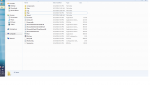
Also upload a screenshot of your client FOLDER, so I can see the files / date time. that way I can tell you if anything is missing or outdated.
Only thing left would be a firewall or anti virus on your end blocking it.
Only thing left would be a firewall or anti virus on your end blocking it.