
error when opening launcher
- Thread starter Langley89
- Start date

You are using an out of date browser. It may not display this or other websites correctly.
You should upgrade or use an alternative browser.
You should upgrade or use an alternative browser.
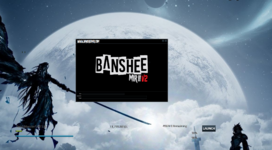



Make sure you’ve download everything within the "1. INSTALL DEPENDENCIES" folder packaged with the client.
Also could you show us the contens of your Mir2Config.txt
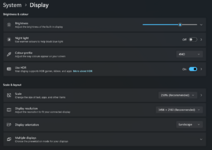
and Desktop > Right Click > Display settings
Also could you show us the contens of your Mir2Config.txt
and Desktop > Right Click > Display settings











- Jul 27, 2011
- 335
- 4
- 45
Make sure you’ve download everything within the "1. INSTALL DEPENDENCIES" folder packaged with the client.
Also could you show us the contens of your Mir2Config.txt
and Desktop > Right Click > Display settings
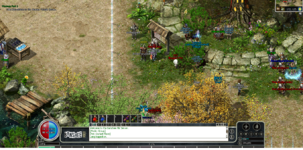
Also the text in game just don't look right haha, am i missing a dependant? i downloaded all from the client
Yea change your scale to 100%View attachment 33208
Also the text in game just don't look right haha, am i missing a dependant? i downloaded all from the client
View attachment 33209
You can change the font in the Mir2Config.txt
Change
FontName=Tahoma
To
FontName=Arial
- Jul 27, 2011
- 335
- 4
- 45
Yea change your scale to 100%
You can change the font in the Mir2Config.txt
Change
FontName=Tahoma
To
FontName=Arial
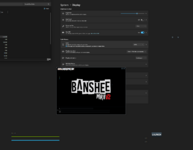
Tried that, also changed the display res alot lower with scale at 100% still the same :S
Try installing everything listed on this post
FAQ People with black screen issues (All Crystal Dependencies)
FAQ People with black screen issues (All Crystal Dependencies)