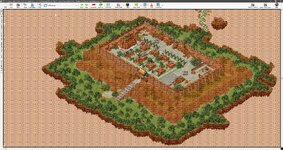
Release Floating city/islands map

Fusion

LOMCN Veteran
Veteran
Dec 13, 2013
668
313
125
Ireland
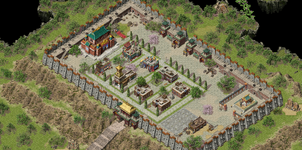
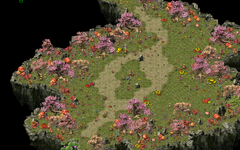
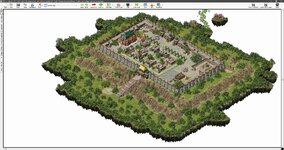
Just messing around with this idea and put together this map
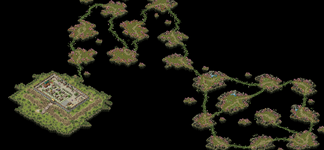
1738533385863.png 1738533531905.png 1738533595321.png 1738533672046.png

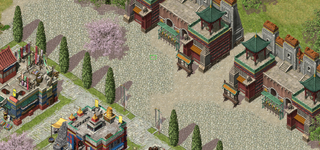
some of the tiles dont match and no way to match them i tried to hide them the best i could. different tiles standard tile 30c and tile wood 30c
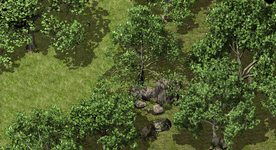
1738533804415.png


of course the background will have to be added, this is done outside map editor, im not 100% how but im sure some of the guys who know can share how to put background in.
 

Attachments

  • floating map.rar
    363.5 KB · Views: 42
Last edited:

mir2pion

TL;DR
Veteran
Feb 21, 2013
3,591
2
679
265
By the background, you mean the black expanse? It is probably automatic background in the client. I think Crystal Mir2 does have that but not sure.

Many Shanda maps have gazillions 'holes' in them that are black filled in the client (there is a black background behind maps).

City.jpg
Back (yellow) and Front (red) limits are both applied, interesting. I recall Far saying, mir3 editor has only one, red limit. In Crystal Map Editor, the map has both limits, here both are revealed superposed. Wherever there is a yellow limit, there is also a red limit.
City Back & Front limits.jpg

It looks fully editable in Crystal Mir2 map editor, probably the difference between the editors would show up if I saved the map (it would save as map type 100) and tried to open it in Far's Zircon mir3 editor, it should not work?
 
Last edited:

Far

tinmymouthpl0x
Staff member
Administrator
May 19, 2003
20,683
34
3,287
520
Unlike crystal which has a hard coded background on certain map filenames, Zircon's is configurable in the map database to any map.

@mir2pion the red only limit that zircon has is basically the red/yellow combined which crystal offers, that's all - and yes if you resave it in crystal it'll no longer work for Zircon.
 
  • Like
Reactions: mir2pion

CheekyVimto

It's my Precious!
Golden Oldie
Mar 8, 2005
571
304
290
I just realised you asked about the background, you just need to set it on the MapInfo section under background, you can make your own and use those too, it doesn't have to be anything set.
1739019748020.png