hosting

Mu online season 21 - grand opening

Shabalabalong

Golden Oldie
Golden Oldie
Jul 1, 2006
1,067
30
134
Brighton
i try to test run the server files for starlite (the ones here: http://www.lomcn.co.uk/forum/showthread.php?t=49431)

but I get onto the login screen: Here and then I click register acc, then i click ok once i filled in the details and this comes up:
this


But I don't know how to fix... Also I think i am hosting wrong:

Heres my thingys :P:

Here

Could you tell me what I am doing wrong? Also there is no README.file on my MirServer I downloaded from lifco's files :s

Thanks,
/Shab's
PS. This is like my first time hosting for a test server
 

koni

V.I.P
VIP
Mar 14, 2006
1,111
1
165
Southampton UK
your m2server has not connected up, it should have a load of writing inside it, have you put the maps in the map folder in mir200/map ?, also have you changed all the ip's and server name in the !setup.txt ?, the m2 should be full of information at the time of connection
 
Upvote 0

Shabalabalong

Golden Oldie
Golden Oldie
Jul 1, 2006
1,067
30
134
Brighton
Well, I'm at my dads house atm, but when I get back i'll do that... I think I haven't got the maps in there which might cause the prob.?
 
Upvote 0

koni

V.I.P
VIP
Mar 14, 2006
1,111
1
165
Southampton UK
yeh that would prob be the main cause of the problem, go to your mir client folder and copy the contence of the map folder, then goto the mir200 file in the server files and put the maps in the map folder, without the maps the m2 server will never connect to the database server or login server so all in all this will result in nothing working m8, good luck
 
Upvote 0

koni

V.I.P
VIP
Mar 14, 2006
1,111
1
165
Southampton UK
there is a text file called mapinfo.txt, the m2server reads this when its starting up, in the mapinfo.txt are all the map file numbers (that will be in the map folder), it reads the mapinfo.txt to get the maps working ingame, also for monster spawns etc
 
Upvote 0

Shabalabalong

Golden Oldie
Golden Oldie
Jul 1, 2006
1,067
30
134
Brighton
I think I did what you said correctly, i re-added you on MSN but this came up :/
 

Attachments

  • m2servntworking.PNG
    m2servntworking.PNG
    24.9 KB · Views: 23
Upvote 0

lifco

Untrusted Member
Legendary
Golden Oldie
Loyal Member
Jul 6, 2004
3,400
66
175
UK/Italy
just make a txt file called ItemNameList and place it in the envir folder

sorted

lif
 
Upvote 0

Shabalabalong

Golden Oldie
Golden Oldie
Jul 1, 2006
1,067
30
134
Brighton
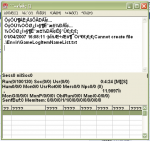
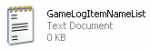
Done that, now look: (Error = M2 Server) (GameLogItemName = Proof of TXT. document in my envir folder....)

Wtf lool!
 

Attachments

  • error.PNG
    error.PNG
    28.1 KB · Views: 7
  • gamelogitemname.PNG
    gamelogitemname.PNG
    2.7 KB · Views: 7
Upvote 0

lifco

Untrusted Member
Legendary
Golden Oldie
Loyal Member
Jul 6, 2004
3,400
66
175
UK/Italy
u have set the files up wrong then, its best u reinstall them

ps dont change the ips/server name

lif
 
Upvote 0

Shabalabalong

Golden Oldie
Golden Oldie
Jul 1, 2006
1,067
30
134
Brighton
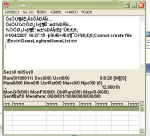
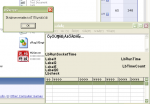
I got new M2 server and this happens now:
m2serv2.png


And when I open login gate this happens:

logingate.png


Eeek
 
Upvote 0

GhettoFx

Runescape HD
Golden Oldie
May 17, 2005
920
0
102
any firewalls or out up could be stopping it i dunno mate i cant help mite be firewalls sometimes it does that.
 
Upvote 0

GhettoFx

Runescape HD
Golden Oldie
May 17, 2005
920
0
102
Hmmmm could be something to do with !setup.txt something in there mite be stoping something try checking ips and names again
 
Upvote 0