- Jul 26, 2007
- 1,818
- 18
- 125
Hey
Sorry to bug peeps on here again but... I got a weird problem i managed to sort out the sql ect i then managed to configure it all correctly and it looks asif all the gates are running fine however i set it all up on 127.0.0.1 offline ip adress then tried connecting with more than 1 client useing the 127.0.0.1 ip adrss on the same pc the files are on and i got connection closed.
I then decided to have a play with my router ^^ (how you do) and managed to set my router so that my pc runs the main ip adress not a sub adress (e.g 192.xx.x.xx) so i decided to try and use my global ip adress in all the ini files in my server folder to see if it would kick up a fuss however this wasnt a problem the server is all up working fine and all the gates look fine i just still keep gettin connection closed iv tried all my ip adress`s even and i still get connection closed!!
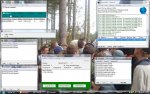
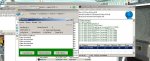
Heres a screen shot of my gates runnning on my global ip...
Does anybody have a clue what im doin wrong? im pretty sure i have all the inis configured correctly client side mabe if someone could point out what ini files i need or maybe paste each on for me in this thread would be most greatfull as i am lost.
Heres the screenie thanks alot if you can help me :dunce:
Sorry to bug peeps on here again but... I got a weird problem i managed to sort out the sql ect i then managed to configure it all correctly and it looks asif all the gates are running fine however i set it all up on 127.0.0.1 offline ip adress then tried connecting with more than 1 client useing the 127.0.0.1 ip adrss on the same pc the files are on and i got connection closed.
I then decided to have a play with my router ^^ (how you do) and managed to set my router so that my pc runs the main ip adress not a sub adress (e.g 192.xx.x.xx) so i decided to try and use my global ip adress in all the ini files in my server folder to see if it would kick up a fuss however this wasnt a problem the server is all up working fine and all the gates look fine i just still keep gettin connection closed iv tried all my ip adress`s even and i still get connection closed!!
Heres a screen shot of my gates runnning on my global ip...
Does anybody have a clue what im doin wrong? im pretty sure i have all the inis configured correctly client side mabe if someone could point out what ini files i need or maybe paste each on for me in this thread would be most greatfull as i am lost.
Heres the screenie thanks alot if you can help me :dunce: