- Feb 21, 2013
- 3,595
- 2
- 681
- 265
I remember something about black transparency that involved specifying color in hex code, like fff something. Don't know if that is relevant here.
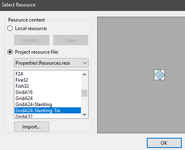
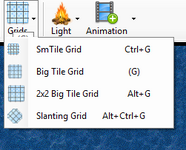
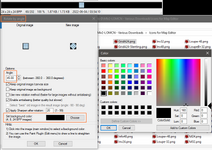
I have this grid icon for map editor (reusing the icon for Grid 2x2 BigTile) and I need it rotated 45 degrees for slanting grid menu icon. In IrfanView I opened the image rotation as in this picture and the black background color is as you see it there. I opened the color choosing panel and it seems there is nothing to do there that would be helpful.
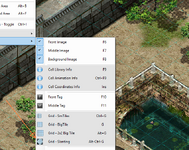
The editor menu has slightly greyish background, not white (ControlLight from properties). I guess if you chose white background here and made that menu white, it would look better but as you see, the menu left margin where the icons display is some sort of grey too, so instead of hacking it, I am trying to figure out how to make the background black transparent. The icons are png type
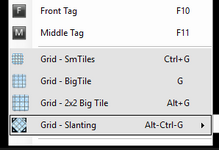
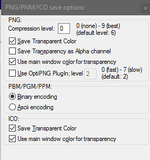
There are also some transparency option when saving the rotated icon, not sure which should be checked or unchecked.
I also tried the tip in the image rotation panel at the bottom where it says 1) Click into the image to select background color.
That looks like OK compromise if I can't make the black transparent.

Somehow the icon also picked up some black that belongs to the icon, not the background. The original icon was downloaded from someplace and worked OK. Maybe I need to get some icon specific program?
I have this grid icon for map editor (reusing the icon for Grid 2x2 BigTile) and I need it rotated 45 degrees for slanting grid menu icon. In IrfanView I opened the image rotation as in this picture and the black background color is as you see it there. I opened the color choosing panel and it seems there is nothing to do there that would be helpful.
The editor menu has slightly greyish background, not white (ControlLight from properties). I guess if you chose white background here and made that menu white, it would look better but as you see, the menu left margin where the icons display is some sort of grey too, so instead of hacking it, I am trying to figure out how to make the background black transparent. The icons are png type
There are also some transparency option when saving the rotated icon, not sure which should be checked or unchecked.
I also tried the tip in the image rotation panel at the bottom where it says 1) Click into the image to select background color.
That looks like OK compromise if I can't make the black transparent.
Somehow the icon also picked up some black that belongs to the icon, not the background. The original icon was downloaded from someplace and worked OK. Maybe I need to get some icon specific program?
Last edited: