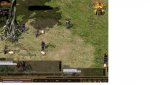
Ingame Fonts gone screwie!!

Play Now

flintxx007

Loyal Member
Loyal Member
Mar 1, 2014
31
4
34
Ive not played for a week or so and since the last patch all my fonts in game have gone dark and rather small. Ive reset the zircon.ini to default and still the same. Anyone help?
 

Attachments

  • badfont.jpg
    badfont.jpg
    308.4 KB · Views: 79

flintxx007

Loyal Member
Loyal Member
Mar 1, 2014
31
4
34
i deleted the ini and a few files from the root then used the launcher to check and re-downlown missing files.
 

Jamie

LOMCN Developer
Developer
Mar 29, 2003
4,862
418
350
United Kingdom
i deleted the ini and a few files from the root then used the launcher to check and re-downlown missing files.

Perfect.

Ok Following Questions:

TV or Monitor.

What Desktop Resolution?
What In-Game Resolution?

What Operating System (7, 8 10) ?

Window mode or Full Screen?


Have you adjusted Windows Clear Font settings?
Have you adjusted Windows Font Scaling settings?
 

flintxx007

Loyal Member
Loyal Member
Mar 1, 2014
31
4
34
TV or Monitor. Monitor

What Desktop Resolution? 1920 x 1080
What In-Game Resolution? 1440 x 900

What Operating System (7, 8 10) ? Windows 10

Window mode or Full Screen? Full Screen (although it makes no difference)


Have you adjusted Windows Clear Font settings? No
Have you adjusted Windows Font Scaling settings? No
 

Jamie

LOMCN Developer
Developer
Mar 29, 2003
4,862
418
350
United Kingdom
TV or Monitor. Monitor

What Desktop Resolution? 1920 x 1080
What In-Game Resolution? 1440 x 900

What Operating System (7, 8 10) ? Windows 10

Window mode or Full Screen? Full Screen (although it makes no difference)


Have you adjusted Windows Clear Font settings? No
Have you adjusted Windows Font Scaling settings? No


Control Panel -> All Control Panel Items -> Display -> Set a custom scaling Level -> 100% ?
 

flintxx007

Loyal Member
Loyal Member
Mar 1, 2014
31
4
34
Custom Scaling is 100% although going through windows10 settings its greyed out.

---------- Post Merged on 25-03-2018 at 12:24 PM ---------- Previous Post was on 24-03-2018 at 04:04 PM ----------

After trying several things to no avail i remembered what i had changed in the last week or so, I had changed my Nvidia Global settings so i could play Assassin's Creed Origins, now i have set my Nvidia settings to default, problem solved. :) Thanks for your help Jamie :)
 

flintxx007

Loyal Member
Loyal Member
Mar 1, 2014
31
4
34
Was meant to follow this up a while ago. After some testing i found out what caused the problem. Its the FXAA options in Nvidia Graphics settings. Needs to be OFF for mir. So i have it ON in Global settings and then select OFF for Zircon.exe. Hope this helps.