just reformated and i messed up help plz

Status
Not open for further replies.

dark129

Dedicated Member
Dedicated Member
Aug 9, 2004
115
0
42
i think i messed up just reformated 4 first time.
now pc juttery wen i scroll and blueyonder internet running at 12 mbps and its a 1 mb line. i foned blueyonder and they sed its spyware taking my bandwidth and i need to get rid ,but i used S&D and Ad-Ware but it still not work hlp plz
 

Ragnar

Hallowed be thy name
Legendary
Golden Oldie
Loyal Member
Jul 20, 2004
5,258
3
275
did u unplug the internet cable while installing windows xp? if not then i suggest u unplug the internet cable ... do a format ... install xp ... put the windows xp firewall on and only den plug the cable in
 

urbanfox

No Brag, Just Fact
Legendary
dark129 said:
i think i messed up just reformated 4 first time.
now pc juttery wen i scroll and blueyonder internet running at 12 mbps and its a 1 mb line. i foned blueyonder and they sed its spyware taking my bandwidth and i need to get rid ,but i used S&D and Ad-Ware but it still not work hlp plz


It is most likely jittery because you do not have the proper gfx drivers installed.

You mean 12 kb/s on a 1mbs line?

Install all your drivers, and if you have spyware try this.

http://www.microsoft.com/downloads/...-a8bd-dbf62eda9671&displaylang=en&Hash=58WJYK
 

dark129

Dedicated Member
Dedicated Member
Aug 9, 2004
115
0
42
ive done all of above except last cuz i dont understand it and still getting 12.0mbps
 

dark129

Dedicated Member
Dedicated Member
Aug 9, 2004
115
0
42
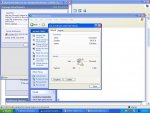
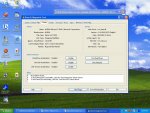
my speed is def 12.0mbps check the screen shot but my internet slow,and here the dxdiag thing. the screen shots are attached
 

Attachments

  • con speed1.JPG
    con speed1.JPG
    117.1 KB · Views: 16
  • display dxdiag.JPG
    display dxdiag.JPG
    129.1 KB · Views: 8

urbanfox

No Brag, Just Fact
Legendary
dark129 said:
my speed is def 12.0mbps check the screen shot but my internet slow,and here the dxdiag thing. the screen shots are attached


That's your computer's incoming connection limit, NOT your internet speed, I take it you are directly connected to the modem, usb?

Have you installed all your drivers, chipset etc?
 

dark129

Dedicated Member
Dedicated Member
Aug 9, 2004
115
0
42
urbanfox said:
That's your computer's incoming connection limit, NOT your internet speed, I take it you are directly connected to the modem, usb?

Have you installed all your drivers, chipset etc?
yeh it is but it used to b 100mbps.
and i think i have,i just foned blue yonder and they told me to type in netstat -a in the cmd it came up wid bout 20 thing they sed i shld only need 5. but ive used loads of spyware checkers,microsoft/adaware/Sand D,and they still there.
 

urbanfox

No Brag, Just Fact
Legendary
dark129 said:
yeh it is but it used to b 100mbps.
and i think i have,i just foned blue yonder and they told me to type in netstat -a in the cmd it came up wid bout 20 thing they sed i shld only need 5. but ive used loads of spyware checkers,microsoft/adaware/Sand D,and they still there.


You could be connected to aim/msn etc etc etc

And is it USB or ethernet.
 

dark129

Dedicated Member
Dedicated Member
Aug 9, 2004
115
0
42
urbanfox said:
You could be connected to aim/msn etc etc etc

And is it USB or ethernet.
im not connected to anything and yes its usb,and i think i have installed everything.blueyonder sed it was probally spyware taking my bandwidth but cant get rid of it there any way to do it manually?
 

Ragnar

Hallowed be thy name
Legendary
Golden Oldie
Loyal Member
Jul 20, 2004
5,258
3
275
well from my experience some isp's have sumkinda built in firewall (not sure just my thought) wich blocks the viruses n stuff and some dont (like mine as i had the problem) if yours dont it might have gotten infected alrdy during the install (wich happend to me accordin to a IT professional) so i suggest u do wot i told u to do befor format ... follow the steps soz if im wrong but just trying to help also i rly want urban to veryfy this as hes a real god :D
 

Pyraine

Golden Oldie
Golden Oldie
Feb 22, 2004
1,002
1
175
Aggresion
I couldn't be bothered to read everyones posts, but if none of that worked, reformat again, and install your ISP, and the most important thing is, ( i always forget this when i reformat and end up having to do it twice ) TURN WINDOWS FIREWALL ON BEFORE YOU CONNECT...this is me presuming you are on XP by the way
 

dark129

Dedicated Member
Dedicated Member
Aug 9, 2004
115
0
42
erm ingel did u say to make sure i remove all cables b4 instal? cuz if it was i alrdy done and pyraine you sure i need to turn it off cuz wont it let stuff install as i install? urban cld u tell me if i shld reformat wid firwall off
 

Pyraine

Golden Oldie
Golden Oldie
Feb 22, 2004
1,002
1
175
Aggresion
i said turn it on, make sure it's turned on before you connect for the very first time, or you are officially buggered
 

dark129

Dedicated Member
Dedicated Member
Aug 9, 2004
115
0
42
so i need to manually do it,it not do it automatically,hope ur rite cuz ive tried loads?
 
Last edited:

Pyraine

Golden Oldie
Golden Oldie
Feb 22, 2004
1,002
1
175
Aggresion
yes, you install your ISP, you do not connect, go to start > connect to > show all connections, then click your ISP then right click and turn the firewall on in there, then it's safe to connect, but if you want to use this option, you will have to reformat again
 

dark129

Dedicated Member
Dedicated Member
Aug 9, 2004
115
0
42
i havent got the start > connections option ,not sure y tho. ill just go through control panel,and does ISP mean my internet companny?
 
Status
Not open for further replies.