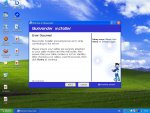
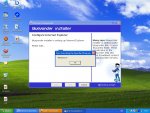
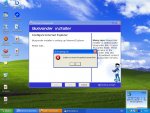
just reformated and i messed up help plz

Status
Not open for further replies.

Ragnar

Hallowed be thy name
Legendary
Golden Oldie
Loyal Member
Jul 20, 2004
5,258
3
275
dark129 said:
i havent got the start > connections option ,not sure y tho. ill just go through control panel,and does ISP mean my internet companny?
i dont av it either i think its coz ive got a diff modem wich doesnt need ne software to be installed to use it coz at my uncles (diff ISP) ther is the tab .
 

dark129

Dedicated Member
Dedicated Member
Aug 9, 2004
115
0
42
i used to have a option like that but dont since format
 

Ragnar

Hallowed be thy name
Legendary
Golden Oldie
Loyal Member
Jul 20, 2004
5,258
3
275
dark129 said:
i used to have a option like that but dont since format
does ur ISP have sumkind of software u need to install? if so i think the tab will appear after u will install the software recuired . also to sort the slow connection prob tbh i cant think of nethin beta than clean ur xp disc and format ><
 

Hello

Dedicated Member
Dedicated Member
Apr 16, 2003
93
0
83
LA, California
OMG are u guys complete idiots?>_>

click start right click in an open area properties->start menu->customize->advanced->scroll thru the list till u get to network connections then u either put it as "display as connect to menu" or "dont display this item" or "link to nc folder"

jeez ya bunch of noobs tbh

and having firewall on slows down ur net connection just get a really good anti-virus and ad-aware then u dont need the fw nemore tbh or choose an av with built-in AV

OMG how cud u not know how come u dont or do have that in start menu LOL

 

Ragnar

Hallowed be thy name
Legendary
Golden Oldie
Loyal Member
Jul 20, 2004
5,258
3
275
Hello said:
OMG are u guys complete idiots?>_>

click start right click in an open area properties->start menu->customize->advanced->scroll thru the list till u get to network connections then u either put it as "display as connect to menu" or "dont display this item" or "link to nc folder"

jeez ya bunch of noobs tbh

and having firewall on slows down ur net connection just get a really good anti-virus and ad-aware then u dont need the fw nemore tbh or choose an av with built-in AV

OMG how cud u not know how come u dont or do have that in start menu LOL

erm right... -.- u rly think that u dont need a firewall? well be without one for a few days and scan ur comp :S the firewall doesnt slow down ur connection u moron and i am quite sure ur not qualified to say we are idiots here ... so stfu tbh
 

urbanfox

No Brag, Just Fact
Legendary
Hello said:
and having firewall on slows down ur net connection just get a really good anti-virus and ad-aware then u dont need the fw nemore tbh or choose an av with built-in AV

I don't allow flaming in this part of the forum.... AT ALL.

But you sir, are an ignorant moron.


Now, stop the flaming.
 
Last edited:

dark129

Dedicated Member
Dedicated Member
Aug 9, 2004
115
0
42
bak to my prob it still didnt work, btw i reinstalled and at the end got these errors.
 

Attachments

  • BY error.JPG
    BY error.JPG
    108.9 KB · Views: 8
  • error.JPG
    error.JPG
    107.6 KB · Views: 7
  • error comand line.JPG
    error comand line.JPG
    111.6 KB · Views: 7
Last edited:

Ragnar

Hallowed be thy name
Legendary
Golden Oldie
Loyal Member
Jul 20, 2004
5,258
3
275
dark129 said:
bak to my prob it still didnt work, btw i reinstalled and at the end got these errors.
well seems like ur connection speed is crap bcoz blueyonder wont install properly . Have u done everything tht it said on the errors? Also i had the same prob wen tryied installin additional probs tht it wudnt find some files from the cd tho it seemed fine . Clean ur CD even if it seems okay and then try reinstalling blueyonder . As i live Europe/estonia i rly have no experience with blueyonder but it seems like one of our isp's called ATLAS ADSL they need software called erm ... bah cant remem atm but well they also need some software to run .
 

dark129

Dedicated Member
Dedicated Member
Aug 9, 2004
115
0
42
they do have a website but there nothign to c/l off there
 

dark129

Dedicated Member
Dedicated Member
Aug 9, 2004
115
0
42
i cldnt find out how to turn it on with windows xp 1.
and i done the first reformat because i used the 3 in 1 thing wrong or summit and everything fuked up.
 

Ragnar

Hallowed be thy name
Legendary
Golden Oldie
Loyal Member
Jul 20, 2004
5,258
3
275
go to
start>>>control panel>>>network connections>>>right click local area connection properties>>>advanced
 

dark129

Dedicated Member
Dedicated Member
Aug 9, 2004
115
0
42
but there is no connection untill blueyonder installs 1, and it go online to install the connection
 

Ragnar

Hallowed be thy name
Legendary
Golden Oldie
Loyal Member
Jul 20, 2004
5,258
3
275
try then

start>>>control panel>>>security center and enable the firewall ther
 
Status
Not open for further replies.