MS Word [Help]

Play Now

-Luke-

LOMCN Veteran
Veteran
May 9, 2010
1,508
55
135
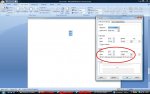
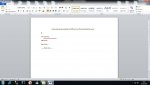
Does anyone know how or if I can close the gap between each line of text as it does look quite spaced apart?

I havnt managed to print out a copy to see what it comes out like as my printer is nakerd and I'm just saving it to a memory stick and printing it at collage. :P

Attached a picture of what I'm on about aswell lol, the gap I want to close up abit is where I've put a red line :P

Thanks for help
 

Attachments

  • Roles and Responsibilities.jpg
    Roles and Responsibilities.jpg
    125 KB · Views: 13

Zen2

LOMCN Veteran
Veteran
Jul 26, 2007
1,818
18
125
Highlight your text, Right click the highlighted text, then click parahgraph, Now find the tick box *Dont add space bewteen parahgraphs of the same style* Also select *Single* in the 'Line Spacing' drop down box then click ok and it should then be sorted.
 

Attachments

  • helo.jpg
    helo.jpg
    120 KB · Views: 13
Last edited:
  • Like
Reactions: -Luke-

Zen2

LOMCN Veteran
Veteran
Jul 26, 2007
1,818
18
125
No problem, Didnt you learn nothing at school! :P I guess working as an I.T Tutor for 6 months kinda helped me find that answer :P Trick question in some of the books is *Now double line your text* people just put a space between the lines, 2/10 people got it correct.
 

Zen2

LOMCN Veteran
Veteran
Jul 26, 2007
1,818
18
125
lol i dont work as a tutor now im an I.T Support Technician, Repairing laptops 40% of the time, Prepairing brand new machines a further 40% of the time spend about 20% of my time doing support.
 

JealY

LOMCN VIP
VIP
Nov 28, 2004
5,357
55
335
England
What I meant was, you showed him the long & unnecessary way to do what he was asking, sorry.

Here;

Get some text
85416380.jpg


Highlight it and click the pre-set style that's highlighted below, also shows result.
94564604.jpg


Can also use shift+enter to go onto line directly below.
 

Zen2

LOMCN Veteran
Veteran
Jul 26, 2007
1,818
18
125
Well beleive it or not we used to use office 2000 i think, alot different to 07/10