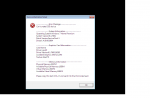
Problem:
Executing the mir2.exe results in a black screen and a message containing computer stats.
Solution:
1) Check your DirectX driver is a minimum of DX9,
Installer Here.
2) Check your graphics driver is up to date,
See Video.
3) If your "Available Graphics Memory" is below a 100M there is a good chance your graphics card is unable to handle the client, however, if you are using an on board graphics card then for some there may be an option in your BIOS to increase this (
Do at your own risk):
- Restart computer.
- Hit F2 or F8 or Del or What ever your boot sequence tells you to hit, to enter the BIOS.
- Move right to "Advanced"
- Below the "Advanced" section there may be a "Video Memory" option, increase this to the max value it allows.
- Reboot PC
- Try mir2.exe again