
Patcher: No checking
- Thread starter Pottsy
- Start date

You are using an out of date browser. It may not display this or other websites correctly.
You should upgrade or use an alternative browser.
You should upgrade or use an alternative browser.


- Mar 26, 2003
- 1,396
- 125
- 289
figured i'd mention this but:
when the patcher fails to check file versions, it doesnt just download the entire client.
it downloads each file, try's to extract it (fails), deletes the download.
when it's downloading the entire client it's not actualy patching your files (only adds new files, doesnt replace old ones).
my guess would be it's either using the wrong timezone for the file version check or it's having issues with virus scanners or dunno
when the patcher fails to check file versions, it doesnt just download the entire client.
it downloads each file, try's to extract it (fails), deletes the download.
when it's downloading the entire client it's not actualy patching your files (only adds new files, doesnt replace old ones).
my guess would be it's either using the wrong timezone for the file version check or it's having issues with virus scanners or dunno

- Feb 8, 2011
- 2,614
- 117
- 280
figured i'd mention this but:
when the patcher fails to check file versions, it doesnt just download the entire client.
it downloads each file, try's to extract it (fails), deletes the download.
when it's downloading the entire client it's not actualy patching your files (only adds new files, doesnt replace old ones).
my guess would be it's either using the wrong timezone for the file version check or it's having issues with virus scanners or dunno
Doesn't check your time so shouldn't matter, it confirms the date of the lib against the repository... Both of which shouldn't be influenced by your time zone...
I don't imagine it's caused by virus checkers etc either, otherwise it certainly wouldn't let you delete files.
People that are seeing this issue, can you open "patcher.ini" and change the "DELPROMPT" value to true... This will prompt you before cleaning the dir... Then see of there is a error.log file in the logger dir... If there is paste the contents please.
Sam
- Feb 26, 2004
- 3,278
- 259
- 309
Doesn't check your time so shouldn't matter, it confirms the date of the lib against the repository... Both of which shouldn't be influenced by your time zone...
I don't imagine it's caused by virus checkers etc either, otherwise it certainly wouldn't let you delete files.
People that are seeing this issue, can you open "patcher.ini" and change the "DELPROMPT" value to true... This will prompt you before cleaning the dir... Then see of there is a error.log file in the logger dir... If there is paste the contents please.
Sam
Oh I always get one error when I run...so thats prob the issue lol.
But as it still patches and runs i just ignored it....hang on :P
---------- Post Merged at 12:32 PM ---------- Previous Post was at 12:28 PM ----------

[GetUserCount]: System.Net.Sockets.SocketException (0x80004005): A connection attempt failed because the connected party did not properly respond after a period of time, or established connection failed because connected host has failed to respond 94.1.11.133:3000
at System.Net.Sockets.Socket.DoConnect(EndPoint endPointSnapshot, SocketAddress socketAddress)
at System.Net.Sockets.Socket.Connect(EndPoint remoteEP)
at ChroniclesPatcher.SFTPManager.GetUserCount()
I get this all the time I start it.
It's most likely a connection problem for some reason, stop any kind of "checking" with existing files
- Feb 8, 2011
- 2,614
- 117
- 280
Oh I always get one error when I run...so thats prob the issue lol.
But as it still patches and runs i just ignored it....hang on :P
---------- Post Merged at 12:32 PM ---------- Previous Post was at 12:28 PM ----------
[GetUserCount]: System.Net.Sockets.SocketException (0x80004005): A connection attempt failed because the connected party did not properly respond after a period of time, or established connection failed because connected host has failed to respond 94.1.11.133:3000
at System.Net.Sockets.Socket.DoConnect(EndPoint endPointSnapshot, SocketAddress socketAddress)
at System.Net.Sockets.Socket.Connect(EndPoint remoteEP)
at ChroniclesPatcher.SFTPManager.GetUserCount()
I get this all the time I start it.
It's most likely a connection problem for some reason, stop any kind of "checking" with existing files
Yeah, this wouldn't cause the patcher to rerun, it works on a separate thread...
So, every time you run the patcher, (even with files there) it try's to download all files again? Or it deletes directory and then redownloads?
Sam




- Feb 26, 2004
- 3,278
- 259
- 309
Yeah, this wouldn't cause the patcher to rerun, it works on a separate thread...
So, every time you run the patcher, (even with files there) it try's to download all files again? Or it deletes directory and then redownloads?
Sam
Doesn't seem to delete anything....but more like overwrites lol. If I let it download it was overwrite my existing files, so nothing disappears...but if i have to patch in the future i'll have to do the whole thing just to make sure I have 1 extra file for example lol
- Feb 8, 2011
- 2,614
- 117
- 280
Doesn't seem to delete anything....but more like overwrites lol. If I let it download it was overwrite my existing files, so nothing disappears...but if i have to patch in the future i'll have to do the whole thing just to make sure I have 1 extra file for example lol
Can you conform your mod/creation dates on patcher.exe? As this was something I thought I had fixed.
Sam


- Mar 9, 2005
- 707
- 35
- 115
Also getting same error '' oops something went wrong'' and i cant patch without it trying to download EVERYTHING again. Nemo had to send me exe so i can play but missing alot of updates.
heres my file dates:
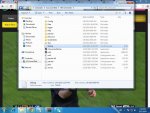
Also getting this error in my debug:
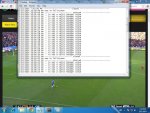
heres my file dates:
Also getting this error in my debug:
Last edited:

- Oct 8, 2013
- 52
- 6
- 40
People that are seeing this issue, can you open "patcher.ini" and change the "DELPROMPT" value to true... This will prompt you before cleaning the dir... Then see of there is a error.log file in the logger dir... If there is paste the contents please.
Sam
patcher still re-downloads the entire game
/Narcotics

Just ran patcher to update to 0.0.7 it came up with 0/0 files and deleted the Mir.exe, all the data files and map files etc. Ran patcher again and now wants to download all 2438 files but seems to be stuck on file 2 Data-AniTiles1.wzl.zip.
Partcher dated 18/12/2013 00:11 689Kb
---------- Post Merged at 02:39 PM ---------- Previous Post was at 02:24 PM ----------
Downloaded the Patcher again version 29/12/2013 21:21 688Kb.
Now get the same error as the others:
[GetUserCount]:System.Net.Sockets.SocketException (0x80004005): A connection attempt failed because the connected party did not properly respond after a period of time, or established connection failed because connected host has failed to respond 94.1.11.133:3000
at System.Net.Sockets.Socket.DoConnect(EndPoint endPointSnapshot, SocketAddress socketAddress)
at System.Net.Sockets.Socket.Connect(EndPoint remoteEP)
at ChroniclesPatcher.SFTPManager.GetUserCount()
Partcher dated 18/12/2013 00:11 689Kb
---------- Post Merged at 02:39 PM ---------- Previous Post was at 02:24 PM ----------
Downloaded the Patcher again version 29/12/2013 21:21 688Kb.
Now get the same error as the others:
[GetUserCount]:System.Net.Sockets.SocketException (0x80004005): A connection attempt failed because the connected party did not properly respond after a period of time, or established connection failed because connected host has failed to respond 94.1.11.133:3000
at System.Net.Sockets.Socket.DoConnect(EndPoint endPointSnapshot, SocketAddress socketAddress)
at System.Net.Sockets.Socket.Connect(EndPoint remoteEP)
at ChroniclesPatcher.SFTPManager.GetUserCount()

- Aug 19, 2013
- 182
- 5
- 45
looking at this only difference no plist or patcher folder in my client and seems to work fine for me
Last edited:
- Feb 8, 2011
- 2,614
- 117
- 280
Just ran patcher to update to 0.0.7 it came up with 0/0 files and deleted the Mir.exe, all the data files and map files etc. Ran patcher again and now wants to download all 2438 files but seems to be stuck on file 2 Data-AniTiles1.wzl.zip.
Partcher dated 18/12/2013 00:11 689Kb
---------- Post Merged at 02:39 PM ---------- Previous Post was at 02:24 PM ----------
Downloaded the Patcher again version 29/12/2013 21:21 688Kb.
Now get the same error as the others:
[GetUserCount]:System.Net.Sockets.SocketException (0x80004005): A connection attempt failed because the connected party did not properly respond after a period of time, or established connection failed because connected host has failed to respond 94.1.11.133:3000
at System.Net.Sockets.Socket.DoConnect(EndPoint endPointSnapshot, SocketAddress socketAddress)
at System.Net.Sockets.Socket.Connect(EndPoint remoteEP)
at ChroniclesPatcher.SFTPManager.GetUserCount()
This error is caused by a different issue... This is because your firewall doesn't allow incoming messages from port 3000 (what the server is trying to respond on)... I have potential work around for this, and that is to host a web page that is basically a middle man for gate status (will use port 80 then which is generally forwarded by default).
Sam
- Feb 26, 2004
- 3,278
- 259
- 309
This error is caused by a different issue... This is because your firewall doesn't allow incoming messages from port 3000 (what the server is trying to respond on)... I have potential work around for this, and that is to host a web page that is basically a middle man for gate status (will use port 80 then which is generally forwarded by default).
Sam
Just opening my port should solve the issue then?