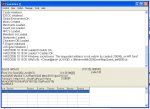
Right this is my situation as to my other thread, my serverfiles work OFFLINE
but if i change all my ips too my online ip my Dbserver.exe and loginsrv.exe give me errors. The errors only occur when i have my online ip set inplace of the 127.0.0.1 in the dbsrv.ini i feel that these are the two problems stopping me from getting the server online.
i cant understand why when the ips in the .ini's change the logsrv.exe and dbserver.exe wont load without errors, again ill say when the ips in these ini's are set too offline 127.0.0.1 they load with out the errors.
PLEASE HELP
but if i change all my ips too my online ip my Dbserver.exe and loginsrv.exe give me errors. The errors only occur when i have my online ip set inplace of the 127.0.0.1 in the dbsrv.ini i feel that these are the two problems stopping me from getting the server online.
i cant understand why when the ips in the .ini's change the logsrv.exe and dbserver.exe wont load without errors, again ill say when the ips in these ini's are set too offline 127.0.0.1 they load with out the errors.
PLEASE HELP