Question about playing through TV!

Mu online season 21 - grand opening

Westie

LOMCN Member
Jan 18, 2018
68
0
17
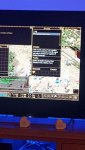
I recently signed up and started playing again, after years of playing back in the day, my issue is i am using a home theatre PC through my TV, and regardless of what size i make the screen i am missing certain parts of the screen, most noticeable is i can not scroll down to accept and quests.
My son has also signed up and is playing through his laptop, all seems to be fine.
My question is, is there anything i can do about this? Maybe a resolution settings?


Westie
 

DarkSacred

LOMCN Veteran
Veteran
May 13, 2014
698
25
95
Welcome to Zircon.

How is your TV attached to your PC?

When displaying the TV normally with the HTPC turned on what does it display? What is the HTPCs set resolution? What is the TVs native resolution? And what res are you launching Zircon in?

Have you tried matching your TV's/HTPCs native res in the Zircon ini file?

Does your TV have different aspect ratios under its "picture" settings? 16.9 / 16.10, zoom, super zoon, widescreen etc etc if so have your tried cycling through these to see if one offers an improvement?
 

Westie

LOMCN Member
Jan 18, 2018
68
0
17
Pc is connected through hdmi lead, i tried changing aspect ration on tv all it did was zoom into the picture, the problem is the boxes arent big enough to display all the information, mainly the 'accept quest' button, which was the main issue of my first night of play.

The tv and htpc i believe are running at 1080, but i will investigate some of the other recommendations later when im home, thanks.
 

Martyn

Smir.co.uk
Staff member
Administrator
Mar 24, 2003
4,095
4
1,006
410
Kent - UK
fix it here in the NVIDIA Control Panel..
5kte27ac.png
 

Westie

LOMCN Member
Jan 18, 2018
68
0
17
IMG-20180117-WA0001001.jpg 2

Here is a picture i took last night, not the best as at work right now.

Martyn, im not running a NVidia so assuming that wont be an option but will look for something similar, thanks.
 

Martyn

Smir.co.uk
Staff member
Administrator
Mar 24, 2003
4,095
4
1,006
410
Kent - UK
ah you said you were running a 1080 >.<
same applies, just do it with whatever graphics card brand you got.
 

Westie

LOMCN Member
Jan 18, 2018
68
0
17
Sorry i ment 1080p, its a minix neo z83 mini pc, running windows 10, not sure on graphics but i shall have a look, what should i be setting it too, in your original picture?
 

Tai

HEAD CAPTAIN
Staff member
Administrator
May 11, 2003
14,769
3
3,342
495
United Kingdom
It's really hard to tell from a photograph of your screen (lol) but it looks to me like you've got probably got display scaling set to 125% or something to compensate for the size of your monitor (TV in this case).

In Windows 10 Go to Settings > System > Display and look under Scale & Layout
 
Last edited:

Westie

LOMCN Member
Jan 18, 2018
68
0
17
I will try this tonight, worse case i can log in on the laptop to accept quests.
Thanks again!
 

Tango_GreatWall

Banned
Banned
Loyal Member
Jan 9, 2018
52
0
17
Did anyone succeed in playing via TV? How is the feed back regarding display mode? will be ok for 1024*768 ?
 

Westie

LOMCN Member
Jan 18, 2018
68
0
17
Did anyone succeed in playing via TV? How is the feed back regarding display mode? will be ok for 1024*768 ?

yes thanks to the posts above i have been able to play just fine on 50" TV all weekend, my minix was set to 150% once changed back too 100 was perfect.

thanks :)