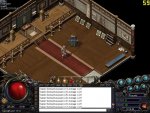
[READ] Laggy/Overweight feel when walking.

Mu online season 21 - grand opening

Samuel

Mir Chronicles Dev
VIP
Feb 8, 2011
2,614
117
280
We understand some people are experiencing issues with slow/sluggish/laggy walking in game on certain computers, but not all. Although with haven't tracked down the root cause of the problem we may have discovered a work around for now.

Upon entering the game if you are experiencing sluggish/overweight walking, it is because your fps (frames per second) is very low and it is actually graphical lag on your end.

Some people have reported that they get it when playing in full screen mode and pressing Alt+Enter into window mode has drastically increased their fps and there for their graphical lag has gone.

This may apply to window mode as well and if that is the case then do the same but into full screen.

Once again, if your are experiencing graphical lag, then:
Alt+Enter into the opposite window mode.

In addition could anyone who is experiencing this issue please let us know what their graphics card/direct x version is.

How to find direct x version

How to find my graphics card

Thanks
Sam
 

RobJ

Dedicated Member
Dedicated Member
May 9, 2013
142
1
44
St Helens, UK
Aye I get it in window mode and in fulls screen. As mentioned in the other thread, im on Vsita 32 bit, directX 10 and graphics card is ATI Radeon HD 3200
 

sprite110911

LOMCN Supporter
Supporter
Veteran
Aug 24, 2011
266
78
55
Los Angeles
Win7 64Bit
DirectX 11

CPU : I7 2600K 3.4Ghz
Chipset : ASUS Maximus V EXTREME
GPU : GTX 680
RAM : Corsair Vengeance 16GB (2x8GB) DDR3 1600 MHz

I Nerver have this kind issue, then they must be hardware problem.
ofc you will get Laggy/Overweight feel when you FPS is drop low..
[h=2][/h]
 

Slipmatt

Frunk Duck
Golden Oldie
May 10, 2009
1,121
394
170
North East, UK
I have this problem constantly! not just a little neither a hell of a lot.. its rather annoying to say in 2.3's and 2.6's i literally have no lag what so ever but on here its torcher!! I know my laptop isnt the best but I dont see why it is any different from other files :/

DirectX 11

Win7 64bit
AMD Athlon 64 x2 Dual Core Processor TK-42
4GB RAM
ATI Radeon HD 3200 Graphics
1.6Ghz
 

xXxX

Golden Oldie
Golden Oldie
Mar 9, 2005
707
35
115
same issue for me on 2.3/rubyfiles/heroes im usually 1 of the fastest players ,0 lag/fps/speed issues at all , but on here im slow as hell,most other players skipping past me skipping frames on my screen like speed hacks lol, i dont get why its just these files that im the slowest ive ever been on mir lol.

DirectX 9


OS:Windows XP Pro 32bit
CPU:Amd Athlon II X3 460 Processor 3.4 Ghz
GPU:Ati Sapphire x1900xtx
 

TheMasterGee

LOMCN Veteran
Veteran
Apr 23, 2003
253
4
95
I do see some players skipping around the screen.

I'd be more of the opinion that it's the user's ISP route to the server ISP. If you have a good route, you're fine. Especially after the move.
 

Miriganu

Dedicated Member
Dedicated Member
May 9, 2013
116
2
44
USA, California
Ill try making the screen not so big and give that a shot, i normally get the overweight feeling once a lot is going on, though it comes and goes even when my screen is packed with mobs. Heres my specs:
im on a hp 2.4ghz laptop
direct x 11
HD Intel Graphice (Core i3) with 1696mb memory
 

Samuel

Mir Chronicles Dev
VIP
Feb 8, 2011
2,614
117
280
This is happening in both Windowed and Full Screen mode?

Sam
 

ImapsI

Dedicated Member
Dedicated Member
Mar 10, 2004
148
0
42
I'm not sure if this is related but I find I get a pause sometimes as mob dies and drops, seems to go away after 3 or 4 times though.

/maps
 

xXxX

Golden Oldie
Golden Oldie
Mar 9, 2005
707
35
115
This is happening in both Windowed and Full Screen mode?

Sam

Tried both modes, same result, other ppl are so fast in comparison that even on a horse i just about keep up with someone running normally lol, yet on hero's,ruby and 2.3 people can barely keep up with me lol so its deffo something to do with these files >.<, not far off unplayable for me atm lol
 

Samuel

Mir Chronicles Dev
VIP
Feb 8, 2011
2,614
117
280
Ruby/Heroes work backwards... The older/less efficient graphics cards run better due to the old outdated graphics engine. Because we have updated our graphics engine you are going to have to actually upgrade your graphics drivers to their latest and greatest (as you would if you attempted to play any game that isn't 10 years old lol).

Failing updated graphics drivers and/or DirectX then it only points to an obsolete graphics card.... To be sure, download fraps and check out your fps (top left corner when its running) it will give you your frames per second and I can almost put money on this being below 10 for those of you with no drivers.

In addition acpi and limiting the amount of core usage on your computer will have the opposite effect on here than it would on outdated servers.

Sam
 

xXxX

Golden Oldie
Golden Oldie
Mar 9, 2005
707
35
115
just checked my fps at it was roughly 65-77 and thats with 2 other mirs running also, so guess only thing it could be is acpi which i cant really undo lol
 

Samuel

Mir Chronicles Dev
VIP
Feb 8, 2011
2,614
117
280
just checked my fps at it was roughly 65-77 and thats with 2 other mirs running also, so guess only thing it could be is acpi which i cant really undo lol

Well I find this hard to believe since we have it capped at 60... lol

Sam
 

Samuel

Mir Chronicles Dev
VIP
Feb 8, 2011
2,614
117
280
ah sorry that was on loginscreen lol, ingame im at 57-60

View attachment 13501

Yeah I would imagine it is the acpi stuff then ><... Not possible to remove this? I know you use it for other servers but you could always apply the acpi fix to a vm? (Not sure how any of this works btw :P).

Sam
 

xXxX

Golden Oldie
Golden Oldie
Mar 9, 2005
707
35
115
yeh acpi cannot be removed without formatting n reinstalling windows lol, looks like im gonna have to look into this VM stuff although ive never used before lol >.<
 

mir2pion

TL;DR
Veteran
Feb 21, 2013
3,591
2
679
265
This is clean untweaked Tiny winXP vm
http://www.mediafire.com/download/yf228i5ai7t1wz6/TinyXP.part1.rar
http://www.mediafire.com/download/42052rwxp9wmd27/TinyXP.part2.rar

and you only need vmware player to run it
http://www.mediafire.com/download/9edrydhcr5v1qfc/VMware-player-5.0.0-812388.rar

If the v5 player won't install for you, try v3 (v5 needs some chip architecture that not everybody has yet)
http://www.mediafire.com/download/8isupqo4n24gdz5/VMware-player-3.1.1-282343.rar


After you have the player installed you launch TinyXP.vmx file
 
Last edited:

xXxX

Golden Oldie
Golden Oldie
Mar 9, 2005
707
35
115
n1 m8, ive downloaded it all and installed VM but not sure how to launch the tiny xp download on it, downloaded both parts n extracted to 1 folder but stuck now ><
 

mir2pion

TL;DR
Veteran
Feb 21, 2013
3,591
2
679
265
If it extracted to one folder I think called TinyXP, inside it is that file 'TinyXP.vmx' (which should have proper icon with blue squares like belonging to the Player program... if the vmware player program is installed on your machine) and if you launch that file it will start the Player automatically and inside its window the winXP OS will start. Else you can launch the Player program and select Open and browse to this extracted folder and select that TinyXP.vmx file.

If you're new to this, the vmware player can only start and 'play' virtual machines, to make your own machines and install your prefered OS, you would need the full program 'vmware workstation'
But most pple only install the player and download preconfigured preinstalled VMs, in this case winXP moded to be a bit smaller than usual winXP but with pretty well most of functionality.
I used to play usa mir from this tinyxp because that way I didn't infest my pc with the game guard software that it ran mandatory. This way all that ^&() stayed in VM and not get on my actual PC.

BTW this VM uses 512 MB of your RAM for tinyXP, if your pc can spare more, maybe acemir could do with more, like 1GB RAM alocated (that's 1024 MB if you don't know) - that can be changed in the Player setting for that VM.

-----------------------------------------------
When it launches to desktop, you can drag and drop into it your Acemir2 game folder and it might copy it in. But such large copy got aborted partway through for me when I did it if I remember it well (those 5+ GB are a bit over the top for copy like that I think), you may have to first make a folder on TinyXP desktop with the same name "Legend of Mir 2" and open it and also open your current acemir folder and drag folders and those small single files from it into this folder you made in TinyXP, one by one... you don't need to copy every file separate, just the folders Config, Data, Map, Resource.... and the tiny files that are in there...

Other option how to get acemir into TinyXP is to drag and drop in there the downloaded selfextracting installer or you can kick up the included FF browser and go to download links and download the installer into the vm directly from the net.
----------------

A note might be in order - 'Tiny' is a trademark of some guy who makes all kinds of 'Tiny' OS of various types and is well known in the community, and what I'd like to say is that I've no idea if by chance his moded winXP doesn't come with that ACPI tweak, I don't know anything about that - I mean about ACPI in the first place and in second if this modder is including that on his moded OS like this winXP. But I doubt it has the tweak, or you can google some detailed info on net on 'TinyXP ACPI' or something like that.

In fact I've no idea if the tweak can work on VM XP. In Device Manager under Computer it says ACPI Uniprocessor PC
 
Last edited:

Jamie

LOMCN Developer
Developer
Mar 29, 2003
4,862
418
350
United Kingdom
If your FullScreen mode and you have two screens. disable your second screen and you should notice a performance increase... or rather notice the performance doesn't decrease due to multiple screens.