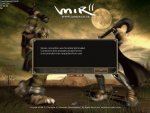
Server connection forcefully terminated

Play Now

Tai

HEAD CAPTAIN
Staff member
Administrator
May 11, 2003
14,769
3
3,342
495
United Kingdom
oh noes, helps!

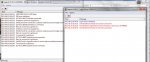
This is the first time I've used these files since Lil remade the DBsrv and stuff. I've downloaded the new DBsrv and Loginsrv folders and the latest M2 etc from the the most recent update, but my Login server is playing up :(

I also restored the new LOM2Game & LOM2Account backups from the 15/06 update
loginsrv.jpg
 

Andeh

Golden Oldie
Golden Oldie
Jun 21, 2003
835
26
155
Re: its all gone pete tong

I'm really not sure what that could be, since im no expert... but from the word "unidentified" that suggests to me that maybe you've missed a server name somewhere? maybe in the db?
 
Upvote 0

Tai

HEAD CAPTAIN
Staff member
Administrator
May 11, 2003
14,769
3
3,342
495
United Kingdom
Re: its all gone pete tong

Oh yeah, duh ¬_¬ forgot to change ip etc in the new account db.

Everything connects now but I get this error...

Images30.jpg
 
Upvote 0

Andeh

Golden Oldie
Golden Oldie
Jun 21, 2003
835
26
155
looks like an ip error indeed. pretty obvious i know, but double check your ips
 
Upvote 0

Tai

HEAD CAPTAIN
Staff member
Administrator
May 11, 2003
14,769
3
3,342
495
United Kingdom
Everything was working fine yesterday, all i've done is import the new exe's and the 2 db's I listed.
 
Upvote 0

IceMan

Hero's Act Mir 2
Legendary
Apr 17, 2003
8,544
2
375
330
you opening the gates in the rite order?

login server db server login exe selchar run gate m2
 
Upvote 0

1PKRyan

LOMCN Developer
Developer
Nov 9, 2007
1,580
199
255
No
Think ive had this problem, had to delete account files in DBSrv and LoginSrv.

I have never setup Ruby files though so not sure if they the same.
 
Upvote 0

Karl

LOMCN VIP
VIP
Mar 8, 2004
897
34
255
Gloucester
I came across the same problem, had no issues with the old files, soon as i added the new ones i got the same problem. I've switched every single IP to local and its fixed the problem for me. its refering to the m2server having the wrong IP if thats any help.
 
Upvote 0

Tai

HEAD CAPTAIN
Staff member
Administrator
May 11, 2003
14,769
3
3,342
495
United Kingdom
Checked everything it has to be a problem with my db

---------- Post added 25-08-2011 at 10:08 PM ---------- Previous post was 23-08-2011 at 10:23 PM ----------

Well I reverted to the 15/06 M2Server and mir2.exe and I can get ingame. Updated with the 22/08 exes and it's back to booting me on the loading screen...so....it's obviously not an IP error
 
Upvote 0

Karl

LOMCN VIP
VIP
Mar 8, 2004
897
34
255
Gloucester
Sure you're using the new mir2.exe and also adding this same exe to your m2server folder? That got me when i was trying to set them up.
 
Upvote 0

Gezza

Golden Oldie
Golden Oldie
Sep 23, 2008
2,202
65
135
uk
Just a suggestion but try logging in on another account.

Edit: sorry your not getting that far are you ;/
 
Last edited:
Upvote 0

Tai

HEAD CAPTAIN
Staff member
Administrator
May 11, 2003
14,769
3
3,342
495
United Kingdom
Just a suggestion but try logging in on another account.

Edit: sorry your not getting that far are you ;/

yeah I am I can login fine and even select char, it's as soon as I try and get ingame. All my accounts have been deleted since I replaced the db and I don't know how to manually add another account?


just start from scratch, no point wasting any more time than you already have.

I've already replaced everything apart from my item database.. do I really want to go through all the trouble of undoing the entire setup procedure?
 
Upvote 0

Tai

HEAD CAPTAIN
Staff member
Administrator
May 11, 2003
14,769
3
3,342
495
United Kingdom
I'm not doing that until I know what the problem is. My SQL is fine everything connects fine, no errors anywhere. It's obviously an issue with the exes. Infact I'd sooner just bin the whole lot tbh
 
Upvote 0

Gezza

Golden Oldie
Golden Oldie
Sep 23, 2008
2,202
65
135
uk
yeah I am I can login fine and even select char, it's as soon as I try and get ingame. All my accounts have been deleted since I replaced the db and I don't know how to manually add another account?

To manually create an account in tbl_account, tbl_accountadd and tbl_user copy the test account in each of those tables and change the account id and pass in all 3 tables. I think that error is some kind of account error, had this error in the early days of ruby development and think the only way i solved it was by logging in on another account.
 
Upvote 0