Help Setting up FTP for launcher to update client

Play Now

trancefied

Loyal Member
Loyal Member
May 16, 2020
208
77
40
Greetings everyone!
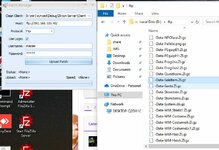
I've setup a FTP server using FileZilla, managed to get the patch manager working and it uploaded all the files to the FTP folder.
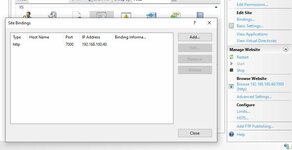
clearly launcher only supports HTTP, not FTP. how do I get the launcher to receive updates from the FTP server? I tried setting up http using windows 10 Internet Information Services.
in launcher.ini
[Patcher]
Host=http://PUBLIC IP
UseLogin=true
username=ftp (set on FileZilla)
password=ftp (set on FileZilla)

in launcher I get the error
No such host is known (PUBLIC IP)plist:bin:80
 

Attachments

  • 1.JPG
    1.JPG
    46 KB · Views: 30
  • Capture.JPG
    Capture.JPG
    79.2 KB · Views: 29

Far

tinmymouthpl0x
Staff member
Administrator
May 19, 2003
20,683
34
3,287
520

Skip about half way through to the IIS config section to create the website.

If you've already setup FTP using IIS then you just need to add a virtual directory on your website to see your FTP files.
 
Last edited:
Upvote 0

trancefied

Loyal Member
Loyal Member
May 16, 2020
208
77
40

Skip about half way through to the IIS config section to create the website.

If you've already setup FTP using IIS then you just need to add a virtual directory on your website to see your FTP files.
it worked using IIS, thank you @Far!
Post automatically merged:

Code:
[Patcher]
Host=http://PUBLIC IP
UseLogin=false
username=
password=
it worked as is. using the FTP username and password are useless here I suppose?
 
Upvote 0

Martyn

Smir.co.uk
Staff member
Administrator
Mar 24, 2003
4,094
4
1,005
410
Kent - UK
it worked using IIS, thank you @Far!
Post automatically merged:


it worked as is. using the FTP username and password are useless here I suppose?
I assume it would only work when using an url FTP, ftp://ip rather than http://ip

Don't share the user/password, as anyone could login and mess about with stuff :P

if you didnt have a web server and only had a ftp server you could setup a user that had read only access.
 
  • Love
Reactions: trancefied
Upvote 0

Far

tinmymouthpl0x
Staff member
Administrator
May 19, 2003
20,683
34
3,287
520
I assume it would only work when using an url FTP, ftp://ip rather than http://ip

Don't share the user/password, as anyone could login and mess about with stuff :P

if you didnt have a web server and only had a ftp server you could setup a user that had read only access.
The client only downloads on http
 
  • Like
Reactions: trancefied
Upvote 0

Far

tinmymouthpl0x
Staff member
Administrator
May 19, 2003
20,683
34
3,287
520
why does it have a username and password options? I'm pretty sure I've seen people use ftp there.
HTTP sites can be password protected too - it just sets the authorization header.
 
  • Like
Reactions: trancefied
Upvote 0