
team speak

DiabloVodkaShot

LOMCN VIP
VIP
Feb 20, 2009
2,285
204
245
anybody going to jump on the ts server on launch day for some banter whilst playing ?

and to slate the server..... just kidding ;P

 

ZeusStar

Dedicated Member
Dedicated Member
Dec 31, 2013
45
0
33
how do u connect to it through the forum? all I get is this

Server not found in the
GameTracker Database

Add to GameTracker


Looking for Game Server
Banners & Stats?

Visit Game Tracker!

---------- Post Merged at 04:19 PM ---------- Previous Post was at 04:18 PM ----------

how do u connect to it through the forum? all I get is this

Server not found in the
GameTracker Database

Add to GameTracker


Looking for Game Server
Banners & Stats?

Visit Game Tracker!

---------- Post Merged at 04:19 PM ---------- Previous Post was at 04:18 PM ----------

how do u connect to it through the forum? all I get is this

Server not found in the
GameTracker Database

Add to GameTracker


Looking for Game Server
Banners & Stats?

Visit Game Tracker!
 

ZeusStar

Dedicated Member
Dedicated Member
Dec 31, 2013
45
0
33
Should just put the IP/Port into teamspeak.

Try this link: ts3server://109.228.17.89?port=9987

iv never used teamspeak, I take it I need to download it, then enter that IP address and itll connect?
---------- Post Merged at 09:49 PM ---------- Previous Post was at 09:49 PM ----------

Should just put the IP/Port into teamspeak.

Try this link: ts3server://109.228.17.89?port=9987

iv never used teamspeak, I take it I need to download it, then enter that IP address and itll connect?

---------- Post Merged at 09:49 PM ---------- Previous Post was at 09:49 PM ----------

Should just put the IP/Port into teamspeak.

Try this link: ts3server://109.228.17.89?port=9987

iv never used teamspeak, I take it I need to download it, then enter that IP address and itll connect?
 

ZeusStar

Dedicated Member
Dedicated Member
Dec 31, 2013
45
0
33
109.228.17.89


is the IP yer?

---------- Post Merged at 11:06 AM ---------- Previous Post was at 11:06 AM ----------

109.228.17.89


is the IP yer?
 

mir2pion

TL;DR
Veteran
Feb 21, 2013
3,591
2
679
265
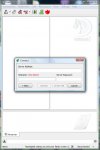
When installing (skip the Wolf thing installation, probably is useless for mir2 anyway and you can install that anytime later anyway) just pick your username and configure mic in wizard and leave unchecked bookmarks upon finishing the installation - or open bookmarks from its menu and paste in 109.228.17.89:9987 in Server Address field (including the port) and your nick and give it the name you want, like Mir2-Chronicles

View attachment 14295
Then you need to right click on 'Mir Chronicles' on left in the tree and select 'Switch to Channel' which will move your nick from the Loby to Mir Chronicles.

I am just figuring the ropes, this lappy doesn't have mic and I can only type and maybe listen but nobody seems to be on. Would be handy if somebody described how its gonna work, I mean can you create your own channel on the Mir Chronicles server just for your guild/buddies/grp and how you keep others out you don't want there and things like that. Or is that going to be all of the pple shouting at once or what.
 
Last edited:

Tai

HEAD CAPTAIN
Staff member
Administrator
May 11, 2003
14,769
3
3,342
495
United Kingdom
Once you have TeamSpeak installed you can just click on the widget on the right hand side of the forum mainpage and it will log you in automatically :)




