
UI source file animation
- Thread starter kungreat
- Start date

You are using an out of date browser. It may not display this or other websites correctly.
You should upgrade or use an alternative browser.
You should upgrade or use an alternative browser.

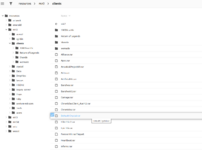
Idk what animation your referring to but this link may help https://www.mirfiles.com/resources/mir2/crystal/interface/
Have a look around the directories and see if it has what you need
Have a look around the directories and see if it has what you need






What exactly are you looking for?The source .Lib file I downloaded How do I open the files with the Lib suffix , Is it an animated image file?

- Nov 5, 2024
- 27
- 2
- 5
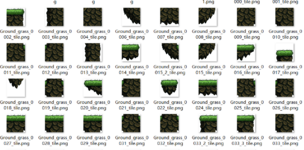
You can use our LIB editor to open .lib files https://mirfiles.com/resources/mir2/crystal/Valhalla-Crystal-LibEditor.rar
From there you will be able to export the images as PNG, if you wish.
From there you will be able to export the images as PNG, if you wish.
- Nov 5, 2024
- 27
- 2
- 5
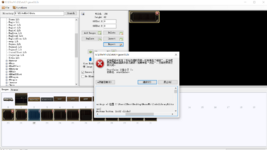
Hi There's a bug StartIndex cannot be less than 0You can use our LIB editor to open .lib files https://mirfiles.com/resources/mir2/crystal/Valhalla-Crystal-LibEditor.rar
From there you will be able to export the images as PNG, if you wish.
**************Abnormal Text**************
System. ArgumentOutOfRangeException: StartIndex cannot be less than 0.
Parameter name: startIndex
In System String.Remove(Int32 startIndex)
In the Library Editor LMain.Exportbutton_Click (Object sender, VNet e) location C: \ Users \ SBerr \ Desktop \ NexusMir \ Code \ LibraryEditor \ LMain.cs: Line number 648
In System Windows.Forms.Control.OnClick(EventArgs e)
This file does not exist on my local computer {C: \ Users \ SBerr \ Desktop \ NexusMir \ Code \ LibraryEditor \ LMain.cs:}
Attachments

- Feb 21, 2013
- 3,595
- 2
- 681
- 265
Maybe try opening the libraries in RPG Viewer, I believe it is on mirfiles. This index error, either negative as you got it here or integer overflow is all too common in my past experience. Use this RPG Viewer at least to export the files, than you can use this Crystal Mir2 library editor to import into a new library.
There is also this Chinese lib editor, if it is not on mirfiles, you can get it from its home site
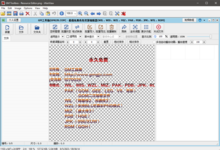
There is also this Chinese lib editor, if it is not on mirfiles, you can get it from its home site
- Nov 5, 2024
- 27
- 2
- 5
Yes Default Crystal Client The same bugDo you get that issue with opening other libs from other clients? (Not "Elite")
Attachments

- Apr 20, 2022
- 129
- 1
- 50
- 40
have u tryed running the LibraryEditor.exe first then clicking file then open instead of just clicking Prguse3.lib as thats how u get that errorHi There's a bug StartIndex cannot be less than 0
**************Abnormal Text**************
System. ArgumentOutOfRangeException: StartIndex cannot be less than 0.
Parameter name: startIndex
In System String.Remove(Int32 startIndex)
In the Library Editor LMain.Exportbutton_Click (Object sender, VNet e) location C: \ Users \ SBerr \ Desktop \ NexusMir \ Code \ LibraryEditor \ LMain.cs: Line number 648
In System Windows.Forms.Control.OnClick(EventArgs e)
This file does not exist on my local computer {C: \ Users \ SBerr \ Desktop \ NexusMir \ Code \ LibraryEditor \ LMain.cs:}
- Nov 5, 2024
- 27
- 2
- 5
I have tried but it doesn't work, the same bughave u tryed running the LibraryEditor.exe first then clicking file then open instead of just clicking Prguse3.lib as thats how u get that error
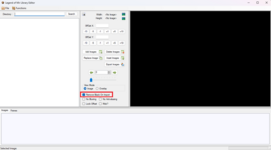
i find the github resources LibraryEditor can working but How to remove the background color in the exported image i need Empty background color
Attachments
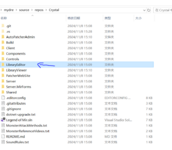
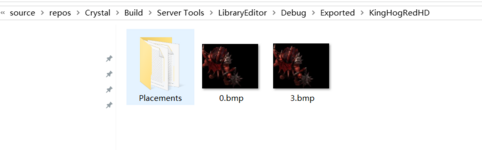



I have tried but it doesn't work, the same bug
i find the github resources LibraryEditor can working but How to remove the background color in the exported image i need Empty background color
- Nov 5, 2024
- 27
- 2
- 5
Where can I download the version I am using that is different from yours
Attachments
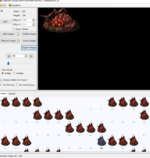
You need to export as PNG to retain the transparency it's nothing to do with the "version" of lib editor i'm usingWhere can I download the version I am using that is different from yours
- Nov 5, 2024
- 27
- 2
- 5
I changed the github source code to PNG and it can be exported normally now thanksYou need to export as PNG to retain the transparency it's nothing to do with the "version" of lib editor i'm using

Hello, offsetX offsetY What's the usage? I am using JavaFX for development, not modifying on the source C #
Last edited:
That tells it where to appear on the screen in gameI changed the github source code to PNG and it can be exported normally now thanks
Hello, offsetX offsetY What's the usage? I am using JavaFX for development, not modifying on the source C #


This works perfectly, fantastic I can actually make a UI myself nowhave u tryed running the LibraryEditor.exe first then clicking file then open instead of just clicking Prguse3.lib as thats how u get that error
