Other UI

Mu online season 21 - grand opening

P1anetEarth

Loyal Member
Loyal Member
Apr 10, 2018
129
35
45
Sorry i'm wondering where do i put the Files to change the UI and where do i change the code for the UI.
 

LightBringer

Mir Evolved GM
Veteran
Evolved
Game Master
Feb 13, 2014
3,911
1
1,829
260
You can put them in existing or new .lib files (if you use new ones you just need to add the references in the source)
Depending what UI changes you are making, you need to look in the various dialog.cs within the source code.

One big thing that helped a lot was one of my team seperated the maindialog into seperate .cs files to manage each part (so belt, char page etc) rather than 1 huge .cs

 
Upvote 0

Chriz

Captain Lurker
VIP
Mar 24, 2003
1,198
1
336
315
LOMCN
One big thing that helped a lot was one of my team seperated the maindialog into seperate .cs files to manage each part (so belt, char page etc) rather than 1 huge .cs

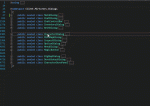
Theres a quick and easy way to do this too-

CTRL + M + A to collape all, then right click each class - > Quick actions -> Move type to xxxx.cs
 

Attachments

  • vsmove.gif
    vsmove.gif
    52.8 KB · Views: 40
Upvote 0