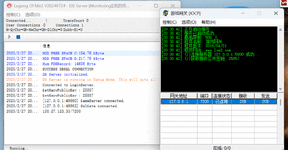
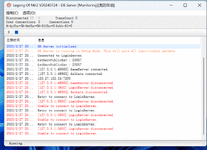
| This files are the most detailed 1:1 imitation of Korea so far, it uses the official client to read. It supports the official updated maps in August 2024. This version is currently sufficient for the retro server, monster AI is opened to the Nanman, and the data is all based on the official data. Now I will teach you how to open the server and the external network: You only need to modify 2 places. Step 1: In the server DMir2DBServer directory ! serverinfo.txt 127.0.0.1,120.27.123.35:7200, change 120.27.123.35 to your server external network. Step 2: Install the SQL database. Open the ACCOUNT user table name TBL_SELECTGATEIPS and change the FLD_IP in it to your server external network. OK, this completes the modification. Set up the server: First open the MIniSQL directory There are Legend 2 ODBC Data Source-32-bit.reg and Legend 2 ODBC Data Source-64-bit.reg. Just double-click to register depending on your server. Then open MiniSql.exe and go to the background. The server startup sequence is 1.DLoginServer 2.DMir2DBServer 3.M2Server 4.LoginGate 5.SelChrGate 6.RunGate. Next is the client modification. Put the client directly into the Korean client directory, then open MIR2.INI and modify the IP ServerAddr=120.27.123.35 in it. Change this line to your server external network and run MIR2.EXE directly to enter the game. How to set the GM number SQL database open the GAME table TBL_GMLIST. The ID in this table will be automatically generated without entering. CHAR_TYPE enter 1 FLD_CHARACTER enter the character name to set the GM save and restart M2. Download: Korea Torch 2.rar drive.google.com
Enjoy it! |