Other Korea Latest Mir 2 Files

InfernoGames

Inferno Games CEO
Dedicated Member
Inferno
Game Master
Jun 28, 2010
239
65
60
BichonWall
This files are the most detailed 1:1 imitation of Korea so far, it uses the official client to read. It supports the official updated maps in August 2024.

This version is currently sufficient for the retro server, monster AI is opened to the Nanman, and the data is all based on the official data.

Now I will teach you how to open the server and the external network:

You only need to modify 2 places.

Step 1:

In the server DMir2DBServer directory

! serverinfo.txt

127.0.0.1,120.27.123.35:7200,

change 120.27.123.35 to your server external network.

Step 2:

Install the SQL database.

Open the ACCOUNT

user table name TBL_SELECTGATEIPS

and change the FLD_IP in it to your server external network.

OK, this completes the modification.


Set up the server:

First open the MIniSQL directory

There are Legend 2 ODBC Data Source-32-bit.reg and Legend 2 ODBC Data Source-64-bit.reg. Just double-click to register depending on your server.

Then open MiniSql.exe and go to the background.

The server startup sequence is

1.DLoginServer
2.DMir2DBServer
3.M2Server
4.LoginGate
5.SelChrGate
6.RunGate.

Next is the client modification.

Put the client directly into the Korean client directory, then open MIR2.INI and modify the IP

ServerAddr=120.27.123.35 in it. Change this line to your server external network and run MIR2.EXE directly to enter the game.


How to set the GM number


SQL database open the GAME table

TBL_GMLIST.

The ID in this table will be automatically generated without entering. CHAR_TYPE enter 1 FLD_CHARACTER enter the character name to set the GM save and restart M2.


Download:


Enjoy it!
 

gentlekdy

Dedicated Member
Dedicated Member
Sep 1, 2006
176
2
44
This file is a server created by the lom2.net administrator based on the 2006 Korean source code. Korean item information and tooltips are useful.
 

InfernoGames

Inferno Games CEO
Dedicated Member
Inferno
Game Master
Jun 28, 2010
239
65
60
BichonWall
Any1 found the latest Korean client?
Post automatically merged:

This file is a server created by the lom2.net administrator based on the 2006 Korean source code. Korean item information and tooltips are useful.
Can't talk so much about it for for obvious reasons so ppl that understand will know exactly what is this :carrot:
 

mull

Loyal Member
Loyal Member
Mar 13, 2021
94
52
30
This files are the most detailed 1:1 imitation of Korea so far, it uses the official client to read. It supports the official updated maps in August 2024.

This version is currently sufficient for the retro server, monster AI is opened to the Nanman, and the data is all based on the official data.

Now I will teach you how to open the server and the external network:

You only need to modify 2 places.

Step 1:

In the server DMir2DBServer directory

! serverinfo.txt

127.0.0.1,120.27.123.35:7200,

change 120.27.123.35 to your server external network.

Step 2:

Install the SQL database.

Open the ACCOUNT

user table name TBL_SELECTGATEIPS

and change the FLD_IP in it to your server external network.

OK, this completes the modification.


Set up the server:

First open the MIniSQL directory

There are Legend 2 ODBC Data Source-32-bit.reg and Legend 2 ODBC Data Source-64-bit.reg. Just double-click to register depending on your server.

Then open MiniSql.exe and go to the background.

The server startup sequence is

1.DLoginServer
2.DMir2DBServer
3.M2Server
4.LoginGate
5.SelChrGate
6.RunGate.

Next is the client modification.

Put the client directly into the Korean client directory, then open MIR2.INI and modify the IP

ServerAddr=120.27.123.35 in it. Change this line to your server external network and run MIR2.EXE directly to enter the game.


How to set the GM number


SQL database open the GAME table

TBL_GMLIST.

The ID in this table will be automatically generated without entering. CHAR_TYPE enter 1 FLD_CHARACTER enter the character name to set the GM save and restart M2.


Download:


Enjoy it!
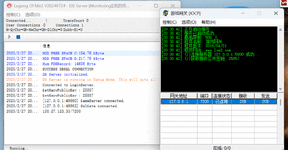
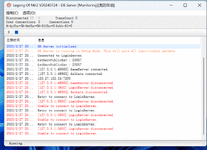
Lost the connection to the game ip 120.27.123.35
 

Attachments

  • 1.GIF
    1.GIF
    164.7 KB · Views: 120
  • k.GIF
    k.GIF
    142.5 KB · Views: 114

84785238

LOMCN Veteran
Veteran
Sep 30, 2007
495
14
45
这是国内谁的作品?24年7月还更新了 不像 丽水 陈某的作品啊 这个日期 他不是还在监禁?(群里传说搞XX被举报抓了?)
eng
Whose work is this in China? In July of 2024, there was an update of works that were not like those of Mr. Chen from Lishui. Isn't he still imprisoned at this date?
 

kormir2

LOMCN n00bie
Mar 13, 2025
4
0
1
ep 2:

Install the SQL database.

Open the ACCOUNT

user table name TBL_SELECTGATEIPS

and change the FLD_IP in it to your server external network.

OK, this completes the modification


-------------------

im having trouble connecting to sql . please provide detailed instructions