
218.75.46.157 ip down, our servers down?
- Thread starter Toxick
- Start date

You are using an out of date browser. It may not display this or other websites correctly.
You should upgrade or use an alternative browser.
You should upgrade or use an alternative browser.
- Status
- Not open for further replies.











I wonder if they blocked american IP's, I'll charge insane amounts for hosting and corner the Euro private mir market.
$$$$$$$$$$$$$$$$$$
$$$$$$$$$$$$$$$$$$
Last edited:


MiloFoxburr said:That Reg info isnt even used by the m2server the only stuff even remotely connected to it are
RegQueryValueExA
RegOpenKeyExA
But there just releated to dll's oleaut32.dll and kernel32.dll
Some how I don’t think that’s quite right
When I 1st got files I was suspicious of this section of the INI the server kept attempting to connect to that ip (and others - ill come to that in a sec)
If you didn’t let it connect - no server
So... I logged the packets it was sending to that IP(s)
It’s basically sending this info
[Reg]
Key=testfsdmir2
IP=192.168.1.101
ServerAddr=218.75.46.157
ServerPort=60320
[Reg]
Key=0123456789
ServerAddr=218.75.46.157
ServerPort=64000
All 3 [reg] sections tried to connect to that ip... So I decided id alter them to a local one on my LAN - I wrote a quick program to lessen on the specified ports
But nooooo not that simple it then tried to connect to 61.128.194.170 not my LAN ip
This was as far as I got... got sidetracked by work & stuff
Then ...... saw this thought id investigate a bit more
Started the packet logging stuff up and then the server
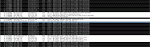
if you check the screen ive attached ull see ive highlighted all the attempts at connection .. And to which ips
*edit* also note the lack of ACK packets - suggests the IPs are offlline ... or iignoring us
if you want to try a proxy see if they are blocking IPs id recommend summing like Socks Cap
(http://www.socks.permeo.com/Download/SocksCapDownload/index.asp)
Attachments
Last edited:
anto135
Guest
Im guessing if it is like that they would probably have a main set of files that controls other files and checks if there demo files and checks ip's etc.


Starwind
Guest
basically the chineese have analed everyone. All we can do now is eitehr work out a way around this problem, or sit tight and see what develops from the chineese.
Note: they guy who owns the chineese near where i live plays mir, maybe he can help lol
Note: they guy who owns the chineese near where i live plays mir, maybe he can help lol




Farril said:and i think we're running out of will :P
lol Dont give up just yet

No promises of course

Tasha said:seems if i use this one gate opens ok(M2ServerMenuEng.ExE)
tried to add attachment but is 700+ kb and can only do 100kb so oh well
Thats the old one i released afaik notice never appeared on it
anto135
Guest
Kind of yeah basicly theres some files that are controling our files to allow us to put them online but they blocked all europian ip's so were screwed.So basically the Chinese were running a server gate (that we don't have) on a PC with that IP which allowed us to use our servers?
- Status
- Not open for further replies.