
Few New Peices
- Thread starter Robert
- Start date

You are using an out of date browser. It may not display this or other websites correctly.
You should upgrade or use an alternative browser.
You should upgrade or use an alternative browser.

Humm dnno what u can add.. 2nd one thumbs up tho.. first one is defo a tutorial seen it loads :P but the 2nd one seems original erm the colours are ok i spose.. bit retro for me but u seem to like it.. maybe add a logo + text in bottom left or right corner and add a white/grey border.. for the first one erm? tutorial so blah
Tx,
Tx,

i dont know what you could add / change. but the 1st 1. even though it is tut is real cool. try edit it and put it in a siggy size piece 

heh beard i was just bout 2 say that the first is a tut, i did it once nice job on it its really swish.
u tryed warping the image after doing that with hte first one giving it a full vortex feel
nice job on it its really swish.u tryed warping the image after doing that with hte first one giving it a full vortex feel

- May 7, 2003
- 1,341
- 1
- 244
- 295

beard said:Tried some new stuff c+c I really need help finishing them off, im ok untill a stage then poof i lose it.


I think the second one would make a very nice brush! When I come up with effects like these, I often define them as brushes, that way you are able to add this effect to any other designs you might find yourself working on
.
- May 7, 2003
- 1,341
- 1
- 244
- 295
ok, open the image you want to make a brush out of. Ensure everything is on one layer (flatten image), then click [ Edit > Define Brush Preset > Enter name of brush > ok ] The brush is now added to whatever brush set you have open, and to save it there for future reference, when you stop using the brush set, it'll ask you if you want to save or something.
If that doesn't work, please ask someone else to explain it to you.
Also note the brush is stored in monotone (black and white), and i think white parts are transparent and the darker areas are the body of the stroke. You'll see what i mean, and you might need to invert the image before saving it as a brush if it isn't transparent around the edge.
If that doesn't work, please ask someone else to explain it to you.
Also note the brush is stored in monotone (black and white), and i think white parts are transparent and the darker areas are the body of the stroke. You'll see what i mean, and you might need to invert the image before saving it as a brush if it isn't transparent around the edge.


- Jul 21, 2004
- 1,806
- 18
- 265


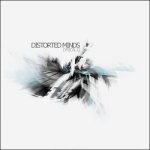
Lyrical G said:Just created this using your effect as a brush.
i actualy like that alot!!!
(the piece you did)
Rob, save it as a brush and use it everypiece you use it in ill give a good rating lol.
/Tofas

