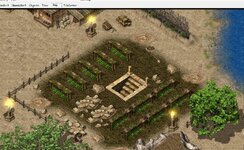
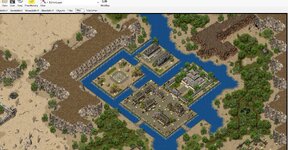
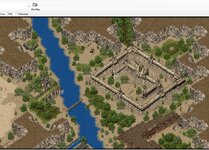
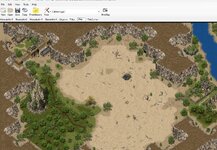
Loving the map editor

Mu online season 21 - grand opening

Breezer

Legend
Legendary
Jul 16, 2004
3,684
845
345
You can use shortcuts to make it as easy as possible to move btw the two views. Don't know if the GH editor version has them, mine in the resources here does.

Accessing tiles does need improvement but not at the expense of reducing map editing pane view! One possibility would be a show/hide solution - to have tile panel open on map editing view when you work with tiles and completely hide it otherwise. Kind of like graphic programs have a handle to click or pull at the edge of map view pane to make tiles panel visible (or a shortcut to open/close that panel). The width of thi tile view panel should also be adjustable.

There is however a much better solution once suggested by Chalace - typically you know the tile kind and its # and you want to find it in tiles tab in order to select it, so you can place it on map...

Currently you need to open the relevant tile view tab, scroll down to locate the tile and select it, then return to map tab. It is a chore even with shortcuts (specifically the scrolling part). The idea is to get the tile in question selected right on the map view editing pane without opening the tile view tab at all.

Once the tile is selected, you can use shortcuts < > to move to the previous or next tile #s. This covers like 99% of cases where you need to open tile view.

Putting tile view on the map view tab would still require to scroll around to locate the tile, which is where the bulk of the bother lies. Once the required tile is selected, you no longer need to go into this tile view but it would still take up precious map view pane editing area.

This is how it could be implemented: use the tile info panel to find tile location and # and while the mouse cursor is over the tile, right click to open context menu where you would have three links, one for each layer(*) and you would choose which one you want to select.

* the code would 'know' which kind of tile library to go to, WM2, SM2 etc.

Once you start putting panels on the map view tab, there is no end to it. What next? Objects list view added? Chinese like to put in Tile Set and MiniMap panels (the latter to enable you to see where you are on the map) which take up a whole third of map editing pane and are used only once in a blue moon (how often you use Tile Set, that is do dumb I have no words for it).

Ive already moved the Libs / Thumbnails / Auto Tiles and Object sets into a resizeable side bar (so its in the same view as the map)

I've also made it detachable, having the Tiles and objects viewable whilst editing is vital, for me atleast.

Whenever I design anything, the last thing I want is to have to switch out my view (even if the alternative is overlaying floating windows for the lists).

All that said, even with my edits (including sub-pixel smooth movement), i still dont like it.

I might dump the current editor and just make something that isn't dog **** and **** ass ugly.

Ps: So dumb pretty much any visual level environment editor uses the same space for assets and editing, like...Unity, Unreal, Photoshop, Blender.... how dumb must they be!
 

mir2pion

TL;DR
Veteran
Feb 21, 2013
3,591
2
679
265
But Chinese have those panels as permanent screen view, reducing the map editing area once and for all. Same as Jev implemented his 'list view' as a permanent feature of the map editing area (but he also destroyed view on all other tabs which he didn't see since he doesn't seem to have done any map editing and it escaped his attention). All those other programs you list, you can arrange those panels, close them have them floating, none of that is in our map editor.

I suspect maybe winforms have something to do with it, probably quite primitive controls these days. Only reason I gather why winforms haven't been ditched is because huge program lineup is already using them.

Ive already moved the Libs / Thumbnails / Auto Tiles and Object sets into a resizeable side bar (so its in the same view as the map)

I've also made it detachable, having the Tiles and objects viewable whilst editing is vital, for me atleast.


Chalace was calling for detachable map editing view many years ago when he wass still active editing maps. To edit map on one monitor in full monitor view size and at the same time have objects or other tab content accessible on a second monitor, like what you say you have done and more.

Would you be open to adding those changes into the editor version in resources here? I can send you code if you would then send it back with the changes.
In the past, pple said they have done this and that but never released the code, only binary. Comes to mind Pete107 who added windows integration of .map files to open in map editor (start the program if not already running) and display in its map tab. But he never uploaded the code, only binary. I tried but failed, it is not as simple as it sounds at first.

As long as we can still have full size map editing area when needed, then I am open to it. To have as big map editing area as possible, I even made a special editor version for myself with all menus hidden, just a program frame visible, to maximize map view. Once you know your shortcuts, you don't need any of it. The menus were just wasting space better used to see more of the map. Stopped including it in the download since only maybe Chalace would have been interested but he was gone by then.
I wanted to have this menu hiding done on request via some button(s) but it seems, winforms don't allow it, or else I don't know how to do it, it was simple to just click off 'make visible' in menu panel properties.

Paying for some AI agents is only worth it if you can code on some reasonable level (or if you are rich enough to make couple hundred pounds a small change). I would probably spend the paid month of access just figuring the ropes and probably failing at it anyway.
 
Last edited:

Breezer

Legend
Legendary
Jul 16, 2004
3,684
845
345
But Chinese have those panels as permanent screen view, reducing the map editing area once and for all. Same as Jev implemented his 'list view' as a permanent feature of the map editing area (but he also destroyed view on all other tabs which he didn't see since he doesn't seem to have done any map editing and it escaped his attention). All those other programs you list, you can arrange those panels, close them have them floating, none of that is in our map editor.

I suspect maybe winforms have something to do with it, probably quite primitive controls these days. Only reason I gather why winforms haven't been ditched is because huge program lineup is already using them.


Chalace was calling for detachable map editing view many years ago when he wass still active editing maps. To edit map on one monitor in full monitor view size and at the same time have objects or other tab content accessible on a second monitor, like what you say you have done and more.

Would you be open to adding those changes into the editor version in resources here? I can send you code if you would then send it back with the changes.
In the past, pple said they have done this and that but never released the code, only binary. Comes to mind Pete107 who added windows integration of .map files to open in map editor (start the program if not already running) and display in its map tab. But he never uploaded the code, only binary. I tried but failed, it is not as simple as it sounds at first.

As long as we can still have full size map editing area when needed, then I am open to it. To have as big map editing area as possible, I even made a special editor version for myself with all menus hidden, just a program frame visible, to maximize map view. Once you know your shortcuts, you don't need any of it. The menus were just wasting space better used to see more of the map. Stopped including it in the download since only maybe Chalace would have been interested but he was gone by then.
I wanted to have this menu hiding done on request via some button(s) but it seems, winforms don't allow it, or else I don't know how to do it, it was simple to just click off 'make visible' in menu panel properties.

Every window should be detachable, minizmable, resizeable.

but I think at this point it'd be easier to start from scratch to something less bulky
 

mir2pion

TL;DR
Veteran
Feb 21, 2013
3,591
2
679
265
Something like what Far has done for Zircon.

Only I don't like the look of those devexpress controls (the UI), they are 'windows' at its plainest and confusing (as I know them from zircon or mir3d servers GUI). Before someone asks, confusing means you get these tiny menus which are not really menus, just links you need to click to generate a tab or tabs underneath. As you click those 'menu' links, tabs underneath change. :sick:
 
Last edited:

Jev

Mir 4 Incoming!
VIP
May 16, 2017
5,025
34
3,233
330
Worthing, West Sussex
But Chinese have those panels as permanent screen view, reducing the map editing area once and for all. Same as Jev implemented his 'list view' as a permanent feature of the map editing area (but he also destroyed view on all other tabs which he didn't see since he doesn't seem to have done any map editing and it escaped his attention). All those other programs you list, you can arrange those panels, close them have them floating, none of that is in our map editor.

I suspect maybe winforms have something to do with it, probably quite primitive controls these days. Only reason I gather why winforms haven't been ditched is because huge program lineup is already using them.
The "escaped my attention" was in relality: It looked fine with the resolution i had on my PC whilst not resizing the program... You're bound to use a different resolution then others and i had just forgoten to dock it :kekw:
 
  • Eeek!
Reactions: mir2pion

Far

tinmymouthpl0x
Staff member
Administrator
May 19, 2003
20,683
33
3,286
520
Not had any issues with the prereleases they've produced.

Seen massive improvements with the Mir3D project by upgrading from 8 to 10. 20 seconds taken off the server start time alone.
But you're forcing people to install a prerelease buggy version of .net still. You shouldn't be upgrading software past what windows offers in its patches, especially when you're not even utilising any of the features, you're just upgrading for the sake
 

mir2pion

TL;DR
Veteran
Feb 21, 2013
3,591
2
679
265
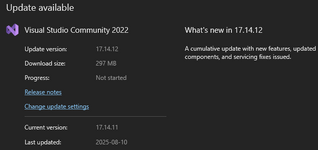
Jev already updated one project to .net10 and when I try to compile, VS gives me this message.

"The current Visual Studio version does not support targeting .NET 10.0. Either target .NET 9.0 or lower, or use Visual Studio version 17.16 or higher."

I go to check for VS update and there is none. Now at least the puzzle is clear. :geek:

v17.16 is also pre-release then, nightly build.

1755455441881.png
 

mir2pion

TL;DR
Veteran
Feb 21, 2013
3,591
2
679
265
Don't know what you mean, my VS is v17.14.11 and the offered update is to v17..14.16
still short of 17.16 that VS demands in order to compile.

But its really academic at this point since as you know, prior to the .net10 upgrade, in all my compiles, the exe will not run.
 

Jev

Mir 4 Incoming!
VIP
May 16, 2017
5,025
34
3,233
330
Worthing, West Sussex
Don't know what you mean, my VS is v17.14.11 and the offered update is to v17..14.16
still short of 17.16 that VS demands in order to compile.

But its really academic at this point since as you know, prior to the .net10 upgrade, in all my compiles, the exe will not run.
Do you have the net 10 sdk and runtime?

I did provide the download link in the PR description
 

mir2pion

TL;DR
Veteran
Feb 21, 2013
3,591
2
679
265
Yes, otherwise the VS would not generate that message when I wanted to build.

On second thought, maybe VS Code might be OK with .net10.
Edit: it is not OK
 
Last edited:

Hercules

Prime Hunter
Untrusted Member
Jun 4, 2018
2,039
1,013
190
Kent - England
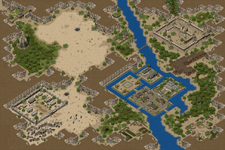
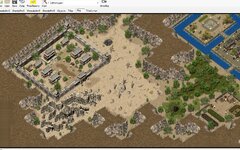
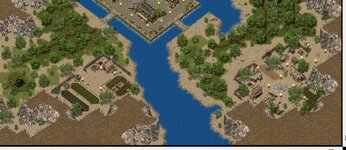
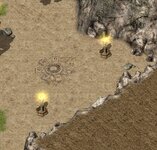
So recently i have been browsing a tonne of maps in the mir space and found one that caught my eye...I decided to change it up a bit and also fix alot of dead spots on the map itself. Also a few locations of unfinished tiles.

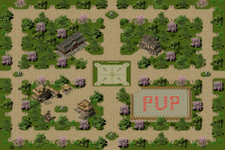
I revamped a main town with a safezone and added the buildings, added a dig spot to the left of the main town that could be utilised as some kind of excavation site with temple/cave beneath. I added back spots and lights accross the whole map, also some possible way points to place teleport npcs on in order to navigate across the province. Added extra temple/cave location possibilities too.

Is it the best thing since sliced bread? No. Is it a usable map for a server? Definately...

I enjoyed making it, hope someone enjoys using it

P.s - If anyone is wandering where the waypoints are they are situated topleft topright bottomleft bottomright and centre
 

Attachments

  • BichonProvince.zip
    309.3 KB · Views: 9
  • BichonProvince_MiniMap.png
    BichonProvince_MiniMap.png
    773.6 KB · Views: 38
  • bot left.jpg
    bot left.jpg
    673.8 KB · Views: 36
  • bot right.jpg
    bot right.jpg
    367.1 KB · Views: 30
  • dig spot.jpg
    dig spot.jpg
    425 KB · Views: 34
  • mid.jpg
    mid.jpg
    757.2 KB · Views: 35
  • top right.jpg
    top right.jpg
    588.9 KB · Views: 32
  • topleft.jpg
    topleft.jpg
    582.7 KB · Views: 28
  • way points.jpg
    way points.jpg
    239.4 KB · Views: 35
Last edited by a moderator:
  • Like
Reactions: Jev

Hercules

Prime Hunter
Untrusted Member
Jun 4, 2018
2,039
1,013
190
Kent - England
Never played Mir3 @mir2pion

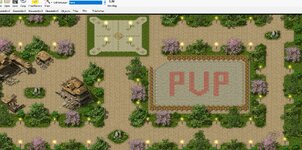
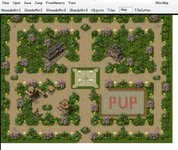
Still at my orig map, worked out how to add custom npcs now and having a blast with them, and found some red tiles to have in my pvp area to add abit of humour
 

Attachments

  • pvp.jpg
    pvp.jpg
    699.8 KB · Views: 31
  • waypoint.jpg
    waypoint.jpg
    187.9 KB · Views: 30
  • bigmap.jpg
    bigmap.jpg
    232.7 KB · Views: 30
  • Like
Reactions: KingCobra92

Hercules

Prime Hunter
Untrusted Member
Jun 4, 2018
2,039
1,013
190
Kent - England
Releasing this now for anyone to either use or improve, enjoy :p
 

Attachments

  • TifaSZ.Map
    578.9 KB · Views: 11
  • Tifasz_MiniMap.png
    Tifasz_MiniMap.png
    71.8 KB · Views: 26
  • Like
Reactions: Damian