Networking?

Mu online season 21 - grand opening

KaNe

Dedicated Member
Dedicated Member
Sep 3, 2003
223
0
93
Scotland
I know this may sound newbish..

Me and my friend would like to play lan matchs against each other in some games, how do we go about this, i know as much as u have to have the pc's in the same house, but how do you connect them etc?
 

COPY

Dedicated Member
Dedicated Member
Apr 22, 2003
140
0
93
Bed Room
need network card in both comps and the right cable, or the wireless ones
mwh tooo tired its my B day need to go back to be . . . .

sure leo or urban or some1 will reply in extreme depth
 

sepiroth

look to the sky
Veteran
Jan 25, 2004
351
0
43
Scotland
Kane.all the pcs in the house have network cards already so that's sorted

wireless is pointless cos the walls in my house are too thick..We have a router but that won't do any good cos that's for internet i guess.. a hub??? of so does anyone know a hub that could be used?

btw happy birthday Copy :P
 

Viola A.I.

Golden Oldie
Golden Oldie
Aug 14, 2003
692
0
153
Newcastle - UK
You need a router or a hub and connecting cables. Both will help you share an internet connection and play on a LAN.

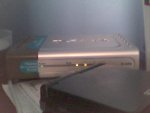
There are simple instructions that come with the router; plug one end of the cable into the network card and the other end into the router - repeat for all of the PC's.

It really doesn't get any simpler...

Green lights = Good
 

Attachments

  • router 07-07-04.jpg
    router 07-07-04.jpg
    104.7 KB · Views: 95
Mar 23, 2003
922
4
245
Cairo Orbital Defence Platform
KaNe - just get a netgear home networking kit. I got one, and it works a treat. Comes with 2 networking cards (10/100mbit), 2 10-foot networking cables, a switch, and a power connector for the switch. Costs around £70-100, but it's well worth it.

Then just use the WindowsXP home networking wizard. The NetGear guides are very good, btw.

--

Switch: NetGear FS105.
 

MrSkull

Dedicated Member
Dedicated Member
May 10, 2003
66
0
82
you dont realy need a switch/hub. if u only want to play 1v1 conecting only 2 computors... just get a crossover cable. think belkin do a cross over cable.
things u need for any network are:-
network cards for every pc u wish to conect
Crossover cable or switch/hub cable
hub/ switch if you are conecting more than 2 computors together.

once you set all these up, depending on what you determind how hard it will be, if you are doing it manualy that is. if you are running windows XP, it is realy simple, as windows can cset everything up for you. you need to put your windows XP installation disk in, and boot up the menu. click on additional tasks then "i want to create a network" then just follow the instructions using your common ssense.

i will assume that you are runing windows XP or @least 1 of u has is running windows XP and has the installation disk. if you are not/ runn into any problems give me a shout
 

MrSkull

Dedicated Member
Dedicated Member
May 10, 2003
66
0
82
i find the m$ network wizz gr8 for ics... as its easy n simple. shud b as easy as setting ics for a simple for linking just 2 pc's. Specialy if they r running windows XP as their changes have totaly messed up the netowrking system... 98 was best for networking but nm... as i said if they gert ne probs networking using the m$ wizard, tell me n il give them a step by step networking guide
 

Viola A.I.

Golden Oldie
Golden Oldie
Aug 14, 2003
692
0
153
Newcastle - UK
¤]´)÷¤--§îr Äürøñ--¤÷(`[¤ said:
...so if it goes wrong, i can shout at m$ ;)
Everything is M$'s fault. If you fall back over a coffee table and shoot a cat in the face then M$ must be to blame.
 

Wittin

Ex-Δdministrator
VIP
May 7, 2003
1,341
1
244
295
Also ensure you have IPX protocol installed on the lan, because alot of lan games use this protocol
 

urbanfox

No Brag, Just Fact
Legendary
crossover cable.
ip manually set 192.168.1.1-192.168.1.2
subnet 255.255.255.0
computer name: anything/different for each comp
workgroup: same for each


all routers basically have automatic wizards whatever but then again most broadband services r automatic dchp so it doesnt even matter unless ur on ppoe dsl or whatever.
all routers usally have the same features except when u get a little higher end etc, i prefer the netgear ones except their lower end routers (at least the one's ive experienced, 10/100 non-wireless router x2).

and the majority of routers green meansl 100mbit connection and yellow means 10mbit connection.

and like wittin said make sure u got ipx for games like starcraft i think etc
 

Sean

Developer
Golden Oldie
Loyal Member
May 13, 2003
699
0
152
I use Linksys WAG54G.
Has Wireless G so it does the job.
As for thick walls, I guess it depends exactly how thick you think these walls are.
Mine can go through 3 of my walls at least with virtually no loss in signal strength.
 

BeMo-

Dedicated Member
Dedicated Member
Mar 22, 2003
25
0
78
If you've got XP Home, you're screwed... I learned that the hard way.