Request Save entire map as image file bmp
- Thread starter ervinzed
- Start date

You are using an out of date browser. It may not display this or other websites correctly.
You should upgrade or use an alternative browser.
You should upgrade or use an alternative browser.
Solution

Great idea, I’ll have a look into this soonIf you could make a separate map tab, that could open the option to have two different maps open at the same time in the same editor. That would allow for direct copy paste between the two open maps. Show/hide would be fine too.



This should be even more reliable now that the 4gb ram limit has been removed.Also, pple will want to keep the minimap size making, full size should be an option.
Upvote
0

- Feb 21, 2013
- 3,595
- 2
- 681
- 265
This should be even more reliable now that the 4gb ram limit has been removed.
Is that what that recent Daimian's contribution was about? I didn't look at it yet. So what you are saying, the editor on GH is not x64 but something done to it makes it utilize RAM above that 4GB limit? But it is not quite the same as if the program was x64 kind? I am just 'informed amateur' when it comes to these things.
But then, why did someone make a comment recently that my editor version was able to make minimap without the editor collapsing, while (presumably) GH editor couldn't make it?
That addition of yours of that 'map view' panel to the map view tab is a serious stumbling block for me to want to merge my code to GH (if I cleaned my code that offended Far).
I may just port that Damian's code to my editor and keep it separate.
Last edited:
Upvote
0
The open sourced map editor for Crystal was updated fromIs that what that recent Daimian's contribution was about? I didn't look at it yet. So what you are saying, the editor on GH is not x64 but something done to it makes it utilize RAM above that 4GB limit? But it is not quite the same as if the program was x64 kind? I am just 'informed amateur' when it comes to these things.
But then, why did someone make a comment recently that my editor version was able to make minimap without the editor collapsing, while (presumably) GH editor couldn't make it?
That addition of yours of that 'map view' panel to the map view tab is a serious stumbling block for me to want to merge my code to GH (if I cleaned my code that offended Far).
I may just port that Damian's code to my editor and keep it separate.
Direct X to Slim Dx
Net FrameWork 4.8 to Net Core 8 or 9
x86 to x64 (removing the 4gb ram limit)
From my own tests and from some community members this change stops every crash and allows the tree view I added to work without crashing after selecting x amount of maps.
Upgrade PR by @Damian
I’ll look at adding your minimap code from your editor over to the open source one (if that’s alright with you?)
Before the upgrade some maps like Bichon and Mongchon wouldn’t produce XXL minimaps using your source but when I had tested your code in the latest Crystal map editor, it produced the map without any crash and in a decent time.
Upvote
0
- Feb 21, 2013
- 3,595
- 2
- 681
- 265
The open sourced map editor for Crystal was updated from
Direct X to Slim Dx
Net FrameWork 4.8 to Net Core 8 or 9
x86 to x64 (removing the 4gb ram limit)
From my own tests and from some community members this change stops every crash and allows the tree view I added to work without crashing after selecting x amount of maps.
Upgrade PR by @Damian
I’ll look at adding your minimap code from your editor over to the open source one (if that’s alright with you?)
Before the upgrade some maps like Bichon and Mongchon wouldn’t produce XXL minimaps using your source but when I had tested your code in the latest Crystal map editor, it produced the map without any crash and in a decent time.
That minimap code would need to be rolled into a single code block, with four different scaling factors used, depending on the menu choice you made.
But I can't say I like some half assed trickling of code pieces into the GH editor. There is enough confusion as it is.
The original code was put in by Akaras (for some reason, he didn't like or couldn't make work what was there before and he commented it out, you can see it just following the currently used code).
His code made only MiniMap image size. BTW 'minimap' seems to be used around here quite generally for any map image but it means (of course) the image size used in the client to display minimaps (BigMap is than half of that minimap size).
I have only copied (multiplied) that code from Akaras into four code blocks with each outputting different image size, from BigMap (the smallest) to XXLarge (the biggest).
Those two X & XX sizes are there for use with smaller maps for cataloging purposes only (house indoor maps still come out too small in XX size but if you used minimap size, it would be like a postage stamp, totally useless.
With big province maps, that XX size will likely crash the editor and you may have to fall on the next smaller X size, but with some huge maps you won't be able to make even the MiniMap size, at which point it starts to be serious shortcoming. Cataloging maps is one thing but minimaps are needed for the client.
That's the reason for those various image size options. I am happy to hear that the editor is now x64 program (or not quite, fully?).
The editor crashing after viewing several maps is the same thing that happens if you make several map images, eventually the editor crashes. I think, it doesn't dispose or not properly dispose used memory and it eventually runs out. There is that menu button that should clear memory but I don't know if it works, never mind how it works, that is beyond me. Likely now that it can use more memory, it will delay the time before it crashes.
Two things why I don't care pushing the editor changes to GH, it opens the code download to Chinese sharks like you recall last time it happened (can't we limit access to GH code download to forum accounts, like one year old?
Second thing is that recent map viewing list you added. Why don't you take the editor and make it into a separate 'map viewer' program like the editor was customized just for mir1
Or if your coding ability is up to it, make a second, new map tab and put that map list panel there.
That map list panel only makes it a little bit more convenient alternative to just hitting O shortcut, selecting the map and hitting Enter, big deal but it saves ton of mapping space.
When working with maps, the space is at premium, I just absolutely couldn't have some map list panel sitting there, unused most times, while I am scrolling the map trying to do some map work. It is like some programs that have generous fat horizontal menu at the top, then they add something under it and also at the bottom, and you end up looking at your work space like from a tank, scrolling the map in a small rectangle in the middle of panels you don't need.
-----------------------------------------
On the client? I guess why not.I thought of adding an option on the client to save maps as jpg
Otherwise it could be in the map editor as second menu option. It would be OK for making map images for cataloging purposes since you don't care what format it is, just minimaps need to be pngs (and bigmaps made from them but it is more convenient to make those directly the way it is now.
If jpegs would make it easier on the editor memory to write map images, that would be great.
Last edited:
Upvote
0
I like the idea of moving the treeview over to a separate tab option, maybe a toggle to show/hide it.Second thing is that recent map viewing list you added. Why don't you take the editor and make it into a separate 'map viewer' program like the editor was customized just for mir1
Or if your coding ability is up to it, make a second, new map tab and put that map list panel there.
That map list panel only makes it a little bit more convenient alternative to just hitting O shortcut, selecting the map and hitting Enter, big deal but it saves ton of mapping space.
When working with maps, the space is at premium, I just absolutely couldn't have some map list panel sitting there, unused most times, while I am scrolling the map trying to do some map work. It is like some programs that have generous fat horizontal menu at the top, then they add something under it and also at the bottom, and you end up looking at your work space like from a tank, scrolling the map in a small rectangle in the middle of panels you don't need.
Also I forgot to mention it on my post above but credit where due, @Valhalla provided the code for the tree view from his own source.
Upvote
0
- Feb 21, 2013
- 3,595
- 2
- 681
- 265
I like the idea of moving the treeview over to a separate tab option, maybe a toggle to show/hide it.
Also I forgot to mention it on my post above but credit where due, @Valhalla provided the code for the tree view from his own source.
If you could make a separate map tab, that could open the option to have two different maps open at the same time in the same editor. That would allow for direct copy paste between the two open maps. Show/hide would be fine too.
Upvote
0
Great idea, I’ll have a look into this soonIf you could make a separate map tab, that could open the option to have two different maps open at the same time in the same editor. That would allow for direct copy paste between the two open maps. Show/hide would be fine too.
Upvote
0
Solution
- Feb 21, 2013
- 3,595
- 2
- 681
- 265
You should provide the map name, inspecting it in the map editor could tell more of what got saved and what didn't.so i wrote some code to change the minimap to a full map save
C#:public void createFullMap() { // Create a bitmap for the full-size map (adjust size as needed) Bitmap fullMapBitmap = new Bitmap(mapWidth * 32, mapHeight * 32, System.Drawing.Imaging.PixelFormat.Format32bppArgb); // Draw the back images for (int y = 0; y < mapHeight; y++) { for (int x = 0; x < mapWidth; x++) { if ((M2CellInfo[x, y].BackImage & 0x1FFFFFFF) != 0) { try { Libraries.MapLibs[M2CellInfo[x, y].BackIndex].CheckImage((M2CellInfo[x, y].BackImage & 0x1FFFFFFF) - 1); var mi = Libraries.MapLibs[M2CellInfo[x, y].BackIndex].Images[(M2CellInfo[x, y].BackImage & 0x1FFFFFFF) - 1]; if (mi.Image != null || mi.ImageTexture != null) { using (Graphics g = Graphics.FromImage(fullMapBitmap)) { // Drawing full-size back image Rectangle temprect = new Rectangle(x * 32, y * 32, 32, 32); g.DrawImage(mi.Image, temprect); } } } catch { // Handle any errors gracefully } } } } // Draw the middle images for (int y = 0; y < mapHeight; y++) { for (int x = 0; x < mapWidth; x++) { if (M2CellInfo[x, y].MiddleImage != 0) { try { Libraries.MapLibs[M2CellInfo[x, y].MiddleIndex].CheckImage(M2CellInfo[x, y].MiddleImage - 1); var mi = Libraries.MapLibs[M2CellInfo[x, y].MiddleIndex].Images[M2CellInfo[x, y].MiddleImage - 1]; if (mi.Image != null || mi.ImageTexture != null) { using (Graphics g = Graphics.FromImage(fullMapBitmap)) { // Adjusted rectangle for full-size middle image Rectangle temprect = new Rectangle(x * 32, y * 32, mi.Image.Width, mi.Image.Height); g.DrawImage(mi.Image, temprect); } } } catch { // Handle errors } } } } // Draw the front images (if not animated) for (int y = 0; y < mapHeight; y++) { for (int x = 0; x < mapWidth; x++) { if ((M2CellInfo[x, y].FrontImage & 0x7FFF) != 0 && (M2CellInfo[x, y].FrontAnimationFrame & 0x80) < 1) { try { Libraries.MapLibs[M2CellInfo[x, y].FrontIndex].CheckImage((M2CellInfo[x, y].FrontImage & 0x7FFF) - 1); var mi = Libraries.MapLibs[M2CellInfo[x, y].FrontIndex].Images[(M2CellInfo[x, y].FrontImage & 0x7FFF) - 1]; if (mi.Image != null || mi.ImageTexture != null) { using (Graphics g = Graphics.FromImage(fullMapBitmap)) { // Adjusted rectangle for full-size front image Rectangle temprect = new Rectangle(x * 32, y * 32, mi.Image.Width, mi.Image.Height); g.DrawImage(mi.Image, temprect); } } } catch { // Handle errors } } } } // Save the full-size map to a file string fullFileName = Path.GetDirectoryName(mapFileName) + @"\" + Path.GetFileNameWithoutExtension(mapFileName); fullMapBitmap.Save(fullFileName + "_FullMap.png", ImageFormat.Png); MessageBox.Show("Saved full map as: " + fullFileName + "_FullMap.png"); }
i get this result full size but had to make it smaller
View attachment 36333
Actually it looks like chatgpt is right, it says in point 1.2 below:
"Reason:
Creating and disposing of the Graphics object repeatedly can lead to performance issues and potentially result in incomplete drawings."
Should be tested on a small and simple map first to be able to tell from the output image what is wrong. Maybe just make a map yourself, simple grass back layer tiles with some tiles in small area on the front layer only, you get the idea.
I am a bit disorganized at the moment to test the altered code plus I didn't work with the editor code for a while and would need to get into it again. It also needs somebody better equipped to judge what is suggested.

Your provided code attempts to export a full-sized game map image, but you mentioned that the resulting image contains faults. The issues likely stem from a combination of the following factors:
1. Problem Areas and Solutions
1.1 Incorrect Image Offsets and Sizes
csharp
- Issue:
The images may not align properly because their sizes or offsets within the source tileset are not accounted for.- Reason:
Many games store images with offsets, so simply drawing them at (x * 32, y * 32) without considering offsets can lead to overlaps or gaps.- Solution:
Check for offsets stored in the image metadata, e.g., mi.X and mi.Y, and adjust the position accordingly:
Copy code
Rectangle temprect = new Rectangle(
(x * 32) + mi.X, // Apply X offset
(y * 32) + mi.Y, // Apply Y offset
mi.Image.Width, // Use actual image width
mi.Image.Height // Use actual image height
);
1.2 Drawing Multiple Layers Using the Same Graphics Object
csharp
- Issue:
The Graphics object is created inside the loop for each image.- Reason:
Creating and disposing of the Graphics object repeatedly can lead to performance issues and potentially result in incomplete drawings.- Solution:
Create a single Graphics object outside the loops and reuse it:
Copy code
using (Graphics g = Graphics.FromImage(fullMapBitmap))
{
// Draw the images within the loops here
}
1.3 Front Image Conditions
- Issue:
The front image condition (M2CellInfo[x, y].FrontImage & 0x7FFF) != 0 and FrontAnimationFrame & 0x80 < 1 might skip valid images.- Reason:
Bitwise checks might exclude images unintentionally, especially animated ones that might have a static frame suitable for display.- Solution:
Test rendering all front images, ignoring the animation flag temporarily, or add specific handling for animated frames.1.4 Pixel Format Mismatch
csharp
- Issue:
The bitmap uses PixelFormat.Format32bppArgb, but the source images may use different formats.- Solution:
Ensure compatibility by creating a consistent pixel format:
Copy code
Bitmap tempBitmap = new Bitmap(mi.Image.Width, mi.Image.Height, PixelFormat.Format32bppArgb);
using (Graphics tempGraphics = Graphics.FromImage(tempBitmap))
{
tempGraphics.DrawImage(mi.Image, 0, 0);
}
g.DrawImage(tempBitmap, temprect);
1.5 Missing Transparency Handling
csharp
- Issue:
Transparent pixels in some images might render as black or white, disrupting visuals.- Solution:
Enable proper blending by setting:
Copy code
g.CompositingMode = System.Drawing.Drawing2D.CompositingMode.SourceOver;
1.6 Saving the Map File
csharp
- Issue:
The output filename might cause issues if special characters or invalid paths are encountered.- Solution:
Ensure the directory exists before saving:
Copy code
string fullFileName = Path.Combine(
Path.GetDirectoryName(mapFileName) ?? "",
Path.GetFileNameWithoutExtension(mapFileName) + "_FullMap.png"
);
Directory.CreateDirectory(Path.GetDirectoryName(fullFileName) ?? "");
fullMapBitmap.Save(fullFileName, ImageFormat.Png);
2. Optimized Code Snippet
Here is the improved and optimized code with the above fixes applied:
csharp
Copy code
public void createFullMap()
{
// Create full-size bitmap
Bitmap fullMapBitmap = new Bitmap(mapWidth * 32, mapHeight * 32, PixelFormat.Format32bppArgb);
using (Graphics g = Graphics.FromImage(fullMapBitmap))
{
g.CompositingMode = System.Drawing.Drawing2D.CompositingMode.SourceOver;
// Draw Back Images
for (int y = 0; y < mapHeight; y++)
{
for (int x = 0; x < mapWidth; x++)
{
if ((M2CellInfo[x, y].BackImage & 0x1FFFFFFF) != 0)
{
try
{
Libraries.MapLibs[M2CellInfo[x, y].BackIndex].CheckImage((M2CellInfo[x, y].BackImage & 0x1FFFFFFF) - 1);
var mi = Libraries.MapLibs[M2CellInfo[x, y].BackIndex].Images[(M2CellInfo[x, y].BackImage & 0x1FFFFFFF) - 1];
if (mi.Image != null)
{
Rectangle temprect = new Rectangle(
(x * 32) + mi.X,
(y * 32) + mi.Y,
mi.Image.Width,
mi.Image.Height
);
g.DrawImage(mi.Image, temprect);
}
}
catch { }
}
}
}
// Draw Middle Images
for (int y = 0; y < mapHeight; y++)
{
for (int x = 0; x < mapWidth; x++)
{
if (M2CellInfo[x, y].MiddleImage != 0)
{
try
{
Libraries.MapLibs[M2CellInfo[x, y].MiddleIndex].CheckImage(M2CellInfo[x, y].MiddleImage - 1);
var mi = Libraries.MapLibs[M2CellInfo[x, y].MiddleIndex].Images[M2CellInfo[x, y].MiddleImage - 1];
if (mi.Image != null)
{
Rectangle temprect = new Rectangle(
(x * 32) + mi.X,
(y * 32) + mi.Y,
mi.Image.Width,
mi.Image.Height
);
g.DrawImage(mi.Image, temprect);
}
}
catch { }
}
}
}
// Draw Front Images
for (int y = 0; y < mapHeight; y++)
{
for (int x = 0; x < mapWidth; x++)
{
if ((M2CellInfo[x, y].FrontImage & 0x7FFF) != 0 && (M2CellInfo[x, y].FrontAnimationFrame & 0x80) < 1)
{
try
{
Libraries.MapLibs[M2CellInfo[x, y].FrontIndex].CheckImage((M2CellInfo[x, y].FrontImage & 0x7FFF) - 1);
var mi = Libraries.MapLibs[M2CellInfo[x, y].FrontIndex].Images[(M2CellInfo[x, y].FrontImage & 0x7FFF) - 1];
if (mi.Image != null)
{
Rectangle temprect = new Rectangle(
(x * 32) + mi.X,
(y * 32) + mi.Y,
mi.Image.Width,
mi.Image.Height
);
g.DrawImage(mi.Image, temprect);
}
}
catch { }
}
}
}
}
// Save the map
string fullFileName = Path.Combine(
Path.GetDirectoryName(mapFileName) ?? "",
Path.GetFileNameWithoutExtension(mapFileName) + "_FullMap.png"
);
Directory.CreateDirectory(Path.GetDirectoryName(fullFileName) ?? "");
fullMapBitmap.Save(fullFileName, ImageFormat.Png);
MessageBox.Show("Saved full map as: " + fullFileName);
}
3. Key Improvements in the Code
Let me know if the faults persist after applying these changes!
- Image Offset Handling - Adjustments for offsets (mi.X and mi.Y) are now included.
- Single Graphics Object - Reused to avoid performance issues.
- Transparency and Compatibility - Ensures correct pixel formats and blending.
- Safer File Handling - Avoids errors due to invalid paths.
Last edited:
Upvote
0

- Jan 26, 2013
- 400
- 23
- 45
i made it work
replace lines 5306 to 5400 with this code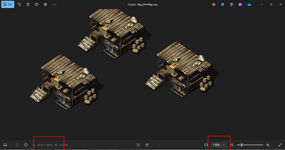
replace lines 5306 to 5400 with this code
C#:
public void createMiniMap()
{
    Bitmap miniBitmap = new Bitmap(mapWidth * CellWidth, mapHeight * CellHeight, System.Drawing.Imaging.PixelFormat.Format32bppArgb);

    //backimage
    for (int y = 0; y <= mapHeight - 1; y++)
    {
        for (int x = 0; x <= mapWidth - 1; x++)
        {
            if ((M2CellInfo[x, y].BackImage & 0x1FFFFFFF) != 0)
            {
                try
                {
                    Libraries.MapLibs[M2CellInfo[x, y].BackIndex].CheckImage((M2CellInfo[x, y].BackImage & 0x1FFFFFFF) - 1);
                    var mi = Libraries.MapLibs[M2CellInfo[x, y].BackIndex].Images[(M2CellInfo[x, y].BackImage & 0x1FFFFFFF) - 1];
                    if (mi.Image != null || mi.ImageTexture != null)
                    {
                        using (Graphics g = Graphics.FromImage(miniBitmap))
                        {
                            g.DrawImage(mi.Image, new Rectangle(x * CellWidth, y * CellHeight, mi.Width, mi.Height));
                        }
                    }
                }
                catch
                {

                }

            }
        }
    }

    //MiddleImage
    for (int y = 0; y <= mapHeight - 1; y++)
    {
        for (int x = 0; x <= mapWidth - 1; x++)
        {
            if ((M2CellInfo[x, y].MiddleImage) != 0)
            {
                try
                {
                    Libraries.MapLibs[M2CellInfo[x, y].MiddleIndex].CheckImage((M2CellInfo[x, y].MiddleImage) - 1);
                    var mi = Libraries.MapLibs[M2CellInfo[x, y].MiddleIndex].Images[(M2CellInfo[x, y].MiddleImage) - 1];
                    if (mi.Image != null || mi.ImageTexture != null)
                    {
                        using (Graphics g = Graphics.FromImage(miniBitmap))
                        {
                            g.DrawImage(mi.Image, new Rectangle(x * CellWidth, y * CellHeight - mi.Height + CellHeight, mi.Width, mi.Height));
                        }
                    }
                }
                catch
                {

                }
            }

        }
    }


    //FrontImage
    for (int y = 0; y <= mapHeight - 1; y++)
    {
        for (int x = 0; x <= mapWidth - 1; x++)
        {
            if ((M2CellInfo[x, y].FrontImage & 0x7FFF) != 0 && (M2CellInfo[x, y].FrontAnimationFrame & 0x80) < 1) //skips drawing if image is animated <<will this cause missing spots for waterfalls and such?
            {
                try
                {
                    Libraries.MapLibs[M2CellInfo[x, y].FrontIndex].CheckImage((M2CellInfo[x, y].FrontImage & 0x7FFF) - 1);
                    var mi = Libraries.MapLibs[M2CellInfo[x, y].FrontIndex].Images[(M2CellInfo[x, y].FrontImage & 0x7FFF) - 1];
                    if (mi.Image != null || mi.ImageTexture != null)
                    {
                        using (Graphics g = Graphics.FromImage(miniBitmap))
                        {
                            g.DrawImage(mi.Image, new Rectangle(x * CellWidth, y * CellHeight - mi.Height + CellHeight, mi.Width, mi.Height));
                        }
                    }
                }
                catch
                {

                }

            }

        }
    }

    string SimpleFileName = Path.GetDirectoryName(mapFileName) + @"\" + Path.GetFileNameWithoutExtension(mapFileName);
    //MessageBox.Show(SimpleFileName);
    miniBitmap.Save(SimpleFileName + "_MiniMap.png", ImageFormat.Png);
    MessageBox.Show("Saved... " + SimpleFileName + "_MiniMap.png"); //TODO: this shows even if failed to save
Upvote
0
I did this for exporting minimaps as 1:1, you’ll notice that maps bigger than say 300x300 won’t work as they’re larger that what bitmap supports. When @Lilcooldoode made the leaflet maps he had to export as groups and then splice them back together using leaflet.i made it work
replace lines 5306 to 5400 with this code View attachment 37565
C#:public void createMiniMap() { Bitmap miniBitmap = new Bitmap(mapWidth * CellWidth, mapHeight * CellHeight, System.Drawing.Imaging.PixelFormat.Format32bppArgb); //backimage for (int y = 0; y <= mapHeight - 1; y++) { for (int x = 0; x <= mapWidth - 1; x++) { if ((M2CellInfo[x, y].BackImage & 0x1FFFFFFF) != 0) { try { Libraries.MapLibs[M2CellInfo[x, y].BackIndex].CheckImage((M2CellInfo[x, y].BackImage & 0x1FFFFFFF) - 1); var mi = Libraries.MapLibs[M2CellInfo[x, y].BackIndex].Images[(M2CellInfo[x, y].BackImage & 0x1FFFFFFF) - 1]; if (mi.Image != null || mi.ImageTexture != null) { using (Graphics g = Graphics.FromImage(miniBitmap)) { g.DrawImage(mi.Image, new Rectangle(x * CellWidth, y * CellHeight, mi.Width, mi.Height)); } } } catch { } } } } //MiddleImage for (int y = 0; y <= mapHeight - 1; y++) { for (int x = 0; x <= mapWidth - 1; x++) { if ((M2CellInfo[x, y].MiddleImage) != 0) { try { Libraries.MapLibs[M2CellInfo[x, y].MiddleIndex].CheckImage((M2CellInfo[x, y].MiddleImage) - 1); var mi = Libraries.MapLibs[M2CellInfo[x, y].MiddleIndex].Images[(M2CellInfo[x, y].MiddleImage) - 1]; if (mi.Image != null || mi.ImageTexture != null) { using (Graphics g = Graphics.FromImage(miniBitmap)) { g.DrawImage(mi.Image, new Rectangle(x * CellWidth, y * CellHeight - mi.Height + CellHeight, mi.Width, mi.Height)); } } } catch { } } } } //FrontImage for (int y = 0; y <= mapHeight - 1; y++) { for (int x = 0; x <= mapWidth - 1; x++) { if ((M2CellInfo[x, y].FrontImage & 0x7FFF) != 0 && (M2CellInfo[x, y].FrontAnimationFrame & 0x80) < 1) //skips drawing if image is animated <<will this cause missing spots for waterfalls and such? { try { Libraries.MapLibs[M2CellInfo[x, y].FrontIndex].CheckImage((M2CellInfo[x, y].FrontImage & 0x7FFF) - 1); var mi = Libraries.MapLibs[M2CellInfo[x, y].FrontIndex].Images[(M2CellInfo[x, y].FrontImage & 0x7FFF) - 1]; if (mi.Image != null || mi.ImageTexture != null) { using (Graphics g = Graphics.FromImage(miniBitmap)) { g.DrawImage(mi.Image, new Rectangle(x * CellWidth, y * CellHeight - mi.Height + CellHeight, mi.Width, mi.Height)); } } } catch { } } } } string SimpleFileName = Path.GetDirectoryName(mapFileName) + @"\" + Path.GetFileNameWithoutExtension(mapFileName); //MessageBox.Show(SimpleFileName); miniBitmap.Save(SimpleFileName + "_MiniMap.png", ImageFormat.Png); MessageBox.Show("Saved... " + SimpleFileName + "_MiniMap.png"); //TODO: this shows even if failed to save
Upvote
0
- Feb 21, 2013
- 3,595
- 2
- 681
- 265
I sort of made it work earlier this spring but came up against roadblock where I had code that produced high quality images of larger maps and another code that worked well for small maps (I didn't think Far would have liked such coding inefficiency ). Minimaps required two pass processing while for the larger map sizes one pass was enough, two passes would tend to overload memory.
I collaborated with ChatGPT on combining the two codes into one and it always ended on the small map images losing the quality when the code was merged. I suppose I could call on two code blocks for each map size category but those many attempts with putting it back to chatgpt again and again and I always had to disappoint it made me feel like I bother it and I felt that at some point, it might tell me what's wrong, why am I not satisfied LOL
Another pitfall was, I wanted map image show lamp lights which are sprites. I suppose a human coder would send me off, that it can't be done, but this chatgpt kept with coming up with still another attempt and those became increasingly very sophisticated, even coding matrices (something to do with graphics processing) and then I knew it was a fool's errand.
That's when it dawned on me first hand that this AI is inhuman because any human coder would long before send me off to where the sun don't shine after so many comebacks, returning the code that it still doesn't quite do what I want it to do.
). Minimaps required two pass processing while for the larger map sizes one pass was enough, two passes would tend to overload memory.I collaborated with ChatGPT on combining the two codes into one and it always ended on the small map images losing the quality when the code was merged. I suppose I could call on two code blocks for each map size category but those many attempts with putting it back to chatgpt again and again and I always had to disappoint it
made me feel like I bother it and I felt that at some point, it might tell me what's wrong, why am I not satisfied LOLAnother pitfall was, I wanted map image show lamp lights which are sprites. I suppose a human coder would send me off, that it can't be done, but this chatgpt kept with coming up with still another attempt and those became increasingly very sophisticated, even coding matrices (something to do with graphics processing) and then I knew it was a fool's errand.
That's when it dawned on me first hand that this AI is inhuman
because any human coder would long before send me off to where the sun don't shine after so many comebacks, returning the code that it still doesn't quite do what I want it to do.
Upvote
0

- Feb 21, 2013
- 3,595
- 2
- 681
- 265
...Regions, I guess that means splitting the big job into many smaller ones.
I also made a third method for large maps that would output horizontal map strips 1:1 size of a tile height you would set (based on map size) and these would then be assembled manually. Maybe that's what Jev refers to as 'leaflets' that @Lilcooldoode made? Don't know about this development. I put all that aside at the time as that fling with AI discouraged me.
I also made a third method for large maps that would output horizontal map strips 1:1 size of a tile height you would set (based on map size) and these would then be assembled manually. Maybe that's what Jev refers to as 'leaflets' that @Lilcooldoode made? Don't know about this development. I put all that aside at the time as that fling with AI discouraged me.
Upvote
0
leaflet = https://mir-leaflet-maps.web.app/#/...Regions, I guess that means splitting the big job into many smaller ones.
I also made a third method for large maps that would output horizontal map strips 1:1 size of a tile height you would set (based on map size) and these would then be assembled manually. Maybe that's what Jev refers to as 'leaflets' that @Lilcooldoode made? Don't know about this development. I put all that aside at the time as that fling with AI discouraged me.
Upvote
0
- Feb 21, 2013
- 3,595
- 2
- 681
- 265
That's neat, impressive
By splicing, you mean putting together a map from its parts (pieces) or are you talking about putting together a collection of (whole) maps? I have to read up what this leaflet maps has to offer.
When @Lilcooldoode made the leaflet maps he had to export as groups and then splice them back together using leaflet.
By splicing, you mean putting together a map from its parts (pieces) or are you talking about putting together a collection of (whole) maps? I have to read up what this leaflet maps has to offer.
Upvote
0
mir 1 leaflet maps = https://thelegendofmir.uk/Tools/Maps/mir1/ (first map is a a 7x7 grid of 200x200 maps)That's neat and impressive
Upvote
0