
Another eiserver.exe i found
- Thread starter Nightwolf
- Start date

You are using an out of date browser. It may not display this or other websites correctly.
You should upgrade or use an alternative browser.
You should upgrade or use an alternative browser.
- Status
- Not open for further replies.

- Apr 30, 2003
- 126
- 0
- 93
have you tryed the hero db and accounts?
decryptsetup e:\mud3\setup\!setup.txt e:\temp\!setup.txt to uncrypt
decryptsetup e:\temp\!setup.txt e:\mud3\setup\!setup.txt to crypt
command line windowwazz said:how do u use the decrypter and encrypting please. i know it's simple but i cant figure it lol.
decryptsetup e:\mud3\setup\!setup.txt e:\temp\!setup.txt to uncrypt
decryptsetup e:\temp\!setup.txt e:\mud3\setup\!setup.txt to crypt

- May 9, 2003
- 72
- 0
- 83
The stditems magic and monster db files are in the Envir folder but they are .dat files and i cant import or view em, any ideas?
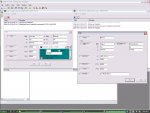
Heres how i've set the login & db srv so far, as i cant get an error message to show on the DB server window, dunno if the entries are right.
Heres how i've set the login & db srv so far, as i cant get an error message to show on the DB server window, dunno if the entries are right.
Attachments
- May 9, 2003
- 72
- 0
- 83
Yep did that, seems to be something else tho. Need someone who's good with sql debugging to see what queries are being made from the server components. I did have a tool on harddrive somewhere that logged the traffic but cant for the life of me find it. Someone will know what i mean and be able to crack it, most likely b4 i do lol.
Main thing to find out is how the mir3db database is queried (if there is one now) as there doesnt seem to be any reference to it in any of the setup files, the stditem, magic & monster tables appear to be in the Envir folder but are named stditem.dat, magic.dat & monster.dat. Can't get them to import into a mir3bd entry or restore so mebe they are queried differently now. Anyway, opening them doesnt help, they appear to be encrypted too.
Anyone else getting any further?
Main thing to find out is how the mir3db database is queried (if there is one now) as there doesnt seem to be any reference to it in any of the setup files, the stditem, magic & monster tables appear to be in the Envir folder but are named stditem.dat, magic.dat & monster.dat. Can't get them to import into a mir3bd entry or restore so mebe they are queried differently now. Anyway, opening them doesnt help, they appear to be encrypted too.
Anyone else getting any further?
Last edited:
- Jul 7, 2003
- 222
- 0
- 92
iamdeath said:did you decrypt !setup.txt and change the db's p/word to your's ? its there 2 times then encrypt it
Yep i did this.
Theres also this in the !setup.txt
HeroCommon
And no "1" at the end like the ODBC and DB name... Also "Game" is in it with no 1 at the end.
- May 9, 2003
- 72
- 0
- 83
theres a bakup file in the setup dir !setupd.txt that has the HeroCommon1 and Game1 entries tho. I used this one as a template incase but it did fek all too lol.
BTW the more i poke about with it the more convinced i am that its the Server components that Euro Mir are using
BTW the more i poke about with it the more convinced i am that its the Server components that Euro Mir are using
- May 9, 2003
- 72
- 0
- 83
Double check the ODBC entries and make sure the authentication is using SQL login not windows login.
DBsrv.exe is deff using Game1, all the table data it there in the code but i cant work out which other sql DB it is using from the tables and fields in the code. It doesnt work with HeroCommon1 anyway, but could be just a typo stopping it.
DBsrv.exe is deff using Game1, all the table data it there in the code but i cant work out which other sql DB it is using from the tables and fields in the code. It doesnt work with HeroCommon1 anyway, but could be just a typo stopping it.
Last edited:
- May 9, 2003
- 72
- 0
- 83
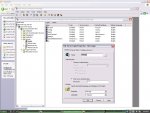
Ok latest thing i did was re-do the user logins for each database in the SQL Security Logins tables (check the screenie @ http://www.legendofmir2.co.uk/SQL.JPG, its the 5th option down)
You might wanna try adding the entries under USER DSN as opposed to SYSTEM DSN
Ps if these arn't the latest server files then they are a pretty good rip off/wind up. Well done on finding them Mr Wolf
You might wanna try adding the entries under USER DSN as opposed to SYSTEM DSN
Ps if these arn't the latest server files then they are a pretty good rip off/wind up. Well done on finding them Mr Wolf
Attachments
Last edited:

- Jul 7, 2003
- 222
- 0
- 92
Nightwolf said:i having problems restoring herocommon1.dat the db i got in Enterprise manager is mir3db
Have you looked in options tab when you have selected the HeroCommon1.dat file?
In options it's currently pointing to
D:\Data\HeroCommon1_Data.MDF
So you'll have to change this if you don't have it on D drive etc. No idea if this is what could be your problem.
- Status
- Not open for further replies.