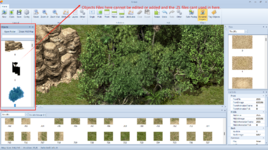
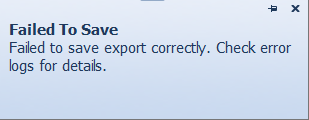
I know library editor,but it cant open the Object file and edit it.
#
.object(s) are preassembled
Tile blocks, like a whole tree or a house, ready to be placed on a map (new blank canvas, or an existing map). Each object is built up from a number of tiles, the most basic map elements.
These #
.objects, seen in the left vertical panel in the Map Editor are located in the Objects folder in the Client\Map folder.
Tiles which you see at the bottom in that horizontal panel are the basic elements from which those
#.objects are built up. The tiles are located in the Zircon library files,
*.Zl, and these libraries can be edited in the
Library Editor (new or edited tiles can be added to those .Zl libraries in this editor, if you would want to edit the tiles themselves, you need to do it in a graphics editor, like Photoshop).
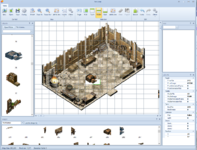
Here I have placed the building interior on new blank map and added the furniture object in the middle of the floor. It replaces two of those floor tiles and since this is my first time I briefly opened this editor, I don't know how to put the tiles back, ie., how to place that added piece of furniture on front layer, so it wouldn't interfere with those floor tiles. The objects like this house interior are always all placed on the middle layer and I don't know how to switch layers. Probably you can't in this case, since the added furniture will always be placed on the middle layer...
Not sure now how this works in mir2 Crystal Map Editor, I believe I can choose the layer on which to place the objects in that editor.
I suppose I just don't know my way around this editor, best way to solve your problems would be to document with screenshots every step showing what you are trying to do.
From this fast first look, I would like to have Escape key drop the selected object or a tile from the mouse tip, that would be more intuitive than mouse right click (at least that's what I found how to get rid of the selected object).
Mouse tips for menu items are not helpful at all, given they just restate the menu text.